Okay, I guess I'll play...
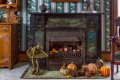
I'll be honest, this image made my OCD hurt, there was just so much that irritated my sensibilities in the whole arrangement.
Much as it hurt to lose the lovely copper arts and crafts style hinges on the "sideboard" to frame left, there wasn't enough of the furniture piece to anchor it in the photo, so losing that was a given.
Same pretty much went for the chair leg to frame right - irritatingly it also cut into the hearth corner, and window frame, so again, the cropping decision for me was easily made for frame right.
The Lamp on the mantlepeice looked to be an interesting item, but again, had been cut off by the shooter, plus there was an ugly white plastic switch box to the fore of the lamp, so cropping was definitely going to lose everything from the mantle upwards.
But, looking at the picture from an architectural shot point of view, it was also obvious that the camera hadn't been set up square to the plane of the wall - from the exif it was a Canon 7D, with EF 24-105L @ 28mm, so there's no lens "movements" involved - at 28mm with that lens on a crop body, I wasn't over worried by "fish-eyeing", simply by the sensor plane not being on the same parallel as the wall... Looks like a bit of an experiment in "lens corrections" then...
Fire up CS5...
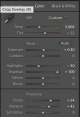
To preserve edges, I extended the "canvas" by a thousand or so pixels all around - nice clean white border. Use the "ruler" tool to set the mantleshelf (for want of a "datum" as being level) - simply as a starting point. Then manipulated the Vertical and Horizontal perspective sliders until the horizontals/verticals were a little closer to the grid overlay. Ruler tool again, and repeat, until I was happy. Took maybe three iterations until I realised that there were parts of the fireplace that simply weren't BUILT square, or were broken and on the wonk (like the "ash bar" at the front...) So it was going to be an exercise in getting it to look "good, if not quite correct"...
At this point I did an initial crop, simply to lose the areas that were blank after the (quite strong) deformations that had been applied. It became clear that I was really down to using just the fireplace as its own frame.
Okay, cropping decisions made, and onto the actual "look" of the shot. I decided to go for a relatively subdued approach - small tweaks to brightness (23)/contrast(15), Vibrance (+19) and Saturation (+6) livened up the shot from it's initial flat appearance, without going completely over the top.
Sharpening of the shot was done by copying the edited layer, converting the copy to a black and white-optimised for contrast in as many areas as possible (so not a particularly pleasant black and white image, just a means to an end) then applying a "high pass" filter to the B&W... The resulting wierd looking greyscale image, when used as a "overlay" on the initial edited layer effectively gives a sharpening effect - which can be changed by altering the "overlay" from "overlay" to soft ligh", Hard Light, Vivid Light etc., and can also be tweaked via the opacity sliders (or, indeed via masks, to allow selective degrees of sharpening) It's a very versatile method of sharpening an image, and is often more tolerant of high ISO noise (the original being shot at iso 2000!) than typical sharpening strategies... it's something I learned of when working with film images, as it allows sharpening of film shots without turning the "grain" into something approaching a picture shot during a hailstorm...
Anyway... Nearly there I think... I'm missing the brief, as there's still no way it'd end up being a wall-hanger for me, but maybe someone would prefer it to the original...
Then I realised what was still really irritating me was the missing bit of the cast iron on the fireplace. So, I did my best to copy, clone, and flip the missing bit from the RHS of the fireplace, and added it in... If it had been for a paying client, I may have taken a little more time over this step, but at least it stopped one bit of my OCD tweaking a little.
So, that's pretty much what I did.
What's that you say -
Okay... here goes - my humble effort.

(Click through and you should be able to get the full sized version...)




 kodiak


 No.
No.


 Sorry Kodiak, gotta agreed.


 edit
edit






 MH 8984