Power Draw

gman

Suspended / Banned
Messages
11,100
Name
Graham
Edit My Images
Yes
I'm having a little issue with my computer starting up sometimes and I'm suspecting it's a lack of juice issue. The PSU is a good quality one but I think since I installed a GTX 970 a while ago I may be asking a little too much of it.

Are there any programs which you can install which will show you what power consumption your computer is demanding etc?
 
The spec is:

MSI Z77A G45 Motherboard
Nvidia GeForce GTX 970 4GB Jetstream
Intel i7-3770K Socket 1155
16GB DDR3 Ram
x1 DVD-RW optical drive
x1 Samsung EVO 500GB SSD Drive
x1 1TB 7,200rpm Hard Drive
x1 1TB 7,200rpmHard Drive
x1 150GB 7,200rpm Hard Drive
x4 Case Fans
x1 Arctic Cooling Freezer 7 Pro CPU fan

The PSU is a Thermaltake Smart M 650W 80+ Bronze Certified Modular PSU Jap Caps 14cm Fan
 
Cheers.

Is the computer under max load when you first turn it on? The fans all go crazy for a split second.
 
Cheers, I used one and it recommended almost 800W lol. I wonder if this is causing the problems I had and still have with the monitor and the handshake?

Such as pain chancing psu and having to reroute all the cables.
 
Is it not a modular PSU? ..in which case, you could probably just buy it's bigger brother to save re-routing cables.
 
Unlikely your PSU is holding you back with that spec tbh. The psu could still be an issue (as in a fault) but your actual power draw is unlikely to be exceeding the capacity.

What are the problems you get at startup? Are you running the latest gpu / motherboard bios for your kit?
 
Aye it's modular, never thought about a straight upgrade of the same brand.

Not sure about bios firmware, it did cross my mind though. GPU is always up to date.
 
Computer won't start now. Get a brief moment of trying then shuts down and repeats this cycle constantly. Disconnected the GPU and dvd drive and is no different. I think the psu is done.Will try reseating my RAM first, also heard it could be the CMOS battery needing a little clean.

Only got three years out of the PSU so will be a little disappointed if it's knackered. The main mult block isn't modular but the rest is.
 
Last edited:
Sounds grim. Have you tried to unplug all your peripherals (keyboard, mouse plus any other usb connected devices etc.), drives etc and check the results? Gpu will need to be in for the PC to post.
 
Gpu will need to be in for the PC to post.

No it doesn't

Also a good idea to have a keyboard and mouse connected.

All fairly academic anyway considering the OP has said their PSU has failed
 
Last edited:
No it doesn't

Also a good idea to have a keyboard and mouse connected.

All fairly academic anyway considering the OP has said their PSU has failed
Yes it will if you want it to post to a bios screen.

Having the keyboard / mouse removed is useful because it eliminates them from the chain. And at this point the OP is assuming the PSU has failed and while highly likely it hasn't been proven.
 
Yes it will if you want it to post to a bios screen.

As I said... no it doesn't

I actually read the thread and duly noted that the OP has a motherboard & CPU that supports on board graphics
 
As I said... no it doesn't

I actually read the thread and duly noted that the OP has a motherboard & CPU that supports on board graphics
Fair play he's got on board graphics but he didn't mention he'd swapped over to that just he'd pulled the gpu :). You're of course right he wouldn't need the discrete gpu if he did that!
 
I've got onboard HDMI but I didn't have a full size HDMI cable to switch over as the GTX970 I've got uses a mini HDMI. However, I didn't need to see the screen, I just wanted to see if it would power up longer than 1 second before restarting and it didn't.

Left it for about 10 minutes and returned with everything plugged back in and it powered up fine. The problem is that this is an intermittent problem so a b****r to test until it starts playing up - which is usually right at the moment I need to PC! lol

I must be running close to the max. levels of the PSU anyway and probably putting a fair bit of stress on it so I guess it wouldn't do any harm to replace it. As much as I'd love to go crazy with a 1000W or 1200W PSU, I don't think I'll be doing much upgrading for a long time so was thinking about this one: CORSAIR CP-9020056-UK ATX PSU - 850W
 
ILeft it for about 10 minutes and returned with everything plugged back in and it powered up fine. The problem is that this is an intermittent problem so a b****r to test until it starts playing up - which is usually right at the moment I need to PC! lol

I must be running close to the max. levels of the PSU anyway and probably putting a fair bit of stress on it so I guess it wouldn't do any harm to replace it. As much as I'd love to go crazy with a 1000W or 1200W PSU, I don't think I'll be doing much upgrading for a long time so was thinking about this one: CORSAIR CP-9020056-UK ATX PSU - 850W
Nothing wrong with going overboard with your PSU choice if your wallet can stand it but honestly (imo) you haven't been anywhere running close to your 650w rating with what you have.

To put into prespective my hex core rig @ 4.4, 20gb, AMD Fury unlocked cores / overclocked, 4 drives and a shed load of fans draws circa 400w at the wall gpu running 100% usage. If it's a cpu intensive task e.g. 100% load on OCCT it's more like 280w. Your 970 is a damn sight more energy efficient!

http://www.bit-tech.net/hardware/graphics/2015/05/08/evga-geforce-gtx-970-ssc-acx-2-0-review/8

As i said nothing wrong with overdoing a PSU but don't believe the hype that you need a beast unless you're going dual cpu route or something very exotic.
 
Forgot to say, running 4k, would that have any effect?

I'm sure my motherboard and GPU alone can be over 500W under load, although I was finding all sorts of different power usage for my motherboard online so not sure.
 
Forgot to say, running 4k, would that have any effect?

I'm sure my motherboard and GPU alone can be over 500W under load, although I was finding all sorts of different power usage for my motherboard online so not sure.
Highly unlikely you'll be close to 500w actual usage either while gaming or desktop use.
 
I found this:

Test System Setup
CPU

Intel Core i5-3570K
(3.4GHz, 34 x 100MHz Base Clock)

Motherboards

MSI Z77A-G45 Thunderbolt
GIGABYTE Z77X-UP7

Memory

G.SKILL 8GB (2 x 4GB) DDR3-2133 modules
(1600MHz, 11-11-11-30-1T)

Hard Drive

Western Digital Caviar Black 1TB SATA III HD

Sound Card

Onboard sound

Video Card

AMD Radeon HD 5870 1GB

CPU Cooling

Laing DDC pump with EK-DDC X-TOP Rev 2 Plexi
Swiftech MCR320-QP Radiator
Swiftech Apogee HD water block

Video Drivers

AMD ATI Catalyst 13.1

Power Supply

Corsair 650w

Operating System

Windows 7 Ultimate x64


Apparently under load it was 380W so I think you are right in that my PSU capacity is fine even with the upgraded GPU, extra Ram and and hard drives.

So at the moment it's either the ram or the PSU is going bad. Is there anything else I should look at?


Cheers
 
Last edited:
I would look at checking all your connections are tight as well, maybe the power lead into the PSU and mobo connectors, unplug your case fans as well.
 
I found this:
<snip>
What is the actual problem? At best you've described it not powering on, or powering up but shutting down on you. Is the shutting down quickly after power on (e.g. at the bios screen) or as you're loading into Windows?

I go back on my earlier advice and say you need to eliminate everything in the chain of components (inc the keyboard / mouse ;)). Unplug everything that isn't needed inc power to your hdds, optical, any usb devices etc. That way you're left with the bare bones of a motherboard, memory, cpu, gpu (discreet or otherwise) and psu. If the problem remains (turn it on and off 50 times if needs be!) then you've narrowed down the list of possible issues. If it works perfectly then reintroduce components one by one to see if the problem comes back. Yes it's a pain, yes it'll be time consuming but it's the nature of the beast unless you have alternative kit on hand to swap things around.

It could well be a psu issue (faulty as oppose to overloaded) however if you shell out over £100 on a new one and find you still have the problem i'm sure you'll be gutted.
 
Doesn't even reach BIOS! Literally 1-2 seconds is all you get.

What has usually been happening is that you power up and the monitor won't kick in so I don't know if it's reached BIOS and it just stays powered on with the DVD drive making a noise as if it's trying to read a disc. I disabled all bootup devices in BIOS except for the SSD drive in case this was the problem but it would still do it occasionaly, but got really bad last night until it started to constantly reboot after 1-2 seconds. Tried disconnecting various things but no cigar. Left it for 10 mins and return and it booted up fine.

Also, this bloody monitor which I thought was having a DP handshake issue is just as bad using the HDMI cable. I upgraded the graphics card and still the same problem, just says "No Connection". You would have to do a hard reset and usually it would work second time.Sometimes you would have to turn the monitor off for a few minutes and try again (I read about some crappy capacitor in the monitor doesn't discharge properly or something hence having to turn off for a minute or so to let all the power discharge).

Perhaps all the switching on and off has knackered something. I'll start with the ram, although the computer never beeps at me which is the usual indication of a ram problem I believe.
 
Does the PC beep a single beep when it successfully powers on? If yes does it do the same beep when you power up and it fails to to show anything on screen?

Btw the cmos battery i suspect is a red herring, even without a cmos battery installed the system will power on it's just the bios will be at it's defaults and need configuring.
 
Cheers regarding the battery.

The computer has never beeped whether working or not. The internal speaker is connected though.
 
Not uncommon no post beeps but worth just double checking the header cable for the speaker is the right way round on the motherboard.

Can you swap the monitor over to standard vga for the purpose of troubleshooting? It'll give you less issues handshaking over hdmi / dp.
 
Memory diagnostic throwing up a problem with my two PNY modules, just one error line showing 68k, but the Corsair ones have passed. Although when I initially tried booting with the corsair modules the computer did that rebooting thing but after 3 attempts it started by itself. So I've moved the modules into the other slots and all is OK. I always pair the modules into the colour coded slots which means there's a slot in between.

So now going to test the corsair modules in the original slots where the computer failed to start first time.

I'm still aware that although this seems memory related, the problems are not consistent so it could also just be coincidence.


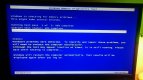
DSC_0800.JPG

DSC_0801.JPG
 
Had enough of this monitor, going tu end I launching it so got an ACER PREDATOR G277HU 27" 2560X1440 TN. I never really used the 4k resolution much anyway and had it set in-between 1080 and 4k so this one should keep me happy. Won't go AOC again, customer support is terrible.

With this hopefully fixed I can get to the bottom of the power problem if it's still there.
 
So it looks like the AOC may not have been duff after all because I'm having similar issues with the new ACER. Going to test the AOC on another machine tomorrow just to see how it copes.

I'm running out of ideas. I've tried using just the fault-free memory but still getting problems. Tried disconnecting the power from the GPU and using the DVI cable from the motherboard and it even comes up with "no signal". So I guess that rules out the graphics card being the problem? I've removed the graphics card altogether and it still wouldn't start up but eventually I've got it and currently running on the DVI cable.

Could this be a motherboard problem? Or a faultly PSU which is ultimately effecting the motherboard and graphics card? Could a faulty peripheral inside the CPU cause issues like this? I would have assumes just the peripheral would fail to work and not have a knockon effect.

Strange thing is that when it does power up and stay on, but there's no signal to the monitor, I can hear the Windows startup through my speakers (that is when it's probably not sitting in DOS asking if I want to error check windows first).

The other thing is that once it's powered up it never just switches off, even if doing intensive stuff. If the PSU was faulty wouldn't it randomly switch off also?
 
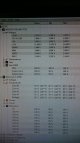
Stress testing the cpu and the voltages are remaining stable. 12V rail looks a little low?

DSC_0804.JPG
 
maybe. mine sits at about 12.2v.

worth remembering that a PSU will be at full load at startup so may be it was not 100% happy with the load and has done something to cause a fault perhaps?

regarding the no signal issue, have you set the primary GPU from the PCI card to the motherboard in the bios?

when it goes off does it go off and stay off or reboot? what are your CPU temps, is that 66c at 100% in the pic?
 
Motherboard settings for card should be fine surely otherwise it would never work? It's set for the PCI-E I'm sure. Flashed the bios as it was several out of date, still had the problem but managed to get in. Seems to be fine this morning but as it's intermittent then I'm not confident.

Going to check over the mb capacitors tonight.

Could be an excuse for a new build! :) but still don't want to build a new one and use the current psu incase it is that and not the mb. When doing the stress test I had two cpu high stress programs running and a GPU one all at the same time.
 
Your 12v rail is well within spec and wouldn't be cause for concern.

worth remembering that a PSU will be at full load at startup so may be it was not 100% happy with the load and has done something to cause a fault perhaps?

when it goes off does it go off and stay off or reboot? what are your CPU temps, is that 66c at 100% in the pic?
The usage will briefly peak but i wouldn't define it as 'full load'. The gpu will not being stressed for a start.

@gman spend £10 - £15 on a plug in power meter energy monitor, they are a god send around the house. You'll get a reading from the wall of the draw power of the computer, this reading will be approx 10 - 20% higher than your actual draw load on the PSU itself due to inefficiencies in the PSU.

As for the problem, what memory have you installed at them moment? It sounds like you have some mixed modules in there, are they all the same spec (timings wise / voltage)? The manual shows dimm 2 and 4 should be populated when using two strips (the black slots). Try manually adding the timings for your memory in the bios.

Run something Passmark burn test or Intel burn test to load up the cpu and test for stability for a few hours at least.
 
lol, I may well have to as it's Socket 1155 and all the motherboards seem to be Socket 1150 now grrrrrr.

Well, as it stands I'm thinking the following:

1. PSU should be fine as it never powered off with two CPU intense stress tests and a GPU stress test all running at the same time
2. The memory should be ok as I've tried various combinations, even just running one stick. Only a minor error with one set but again I've ran without those sticks and it still happens. I'm running four 4GB sticks, all the same spec. Two are corsair and two are PNY. Corsair in banks 1 and 3 (blue), PNY in banks 2 and 4 (black). I've tried even just one stick in bank 2 (black). I downloaded another memory stress test but it was getting too late. Will try it later today.
3. GPU should be fine as I've taken the whole card out and the problems still happen.
4. AOC 4K monitor is fine. I'm running it right now on a different PC and it's working perfectly. Annoyed about that because I've just bought a new monitor, although the new one is very noticeably more responsive.
5. Processor is fine, I've never overclocked it as it's powerful enough and it was fine under the stress tests.

Everything seems to be pointing towards the motherboard, but thanks to the bloody socket change it looks like a new processor also so I'd rather check the capacitors first and if necessary invest in a soldering iron! lol

I can understand how a fault in the motherboard could cause a booting issue, but what about this "No Connection" issue with the monitor? It would also happen when everything was running fine, turn only the monitor off and then back on and the screen wouldn't return sometimes. Could something in the motherboard cause this even though it's the GPU feeding the monitor?

 
Last edited:
Regarding the possible psu issue and the three year lifespan i had a similar issue (fan bearing went dodgy on mine) after a couple of years and i managed to get a warranty replacement from thermaltake and that has held up nicely ever since across two builds now. With regards to the error I think i would be stripping it right down to the bare essentials hardware wise and going through one at a time testing. If you have a spare motherboard that will take the components then that would make life a lot easier. I would probably start with the ram since you are working with two lots and see if you get better results with one over the other and then work from there.
 
regarding the socket change you will still be able to get the type you need for your cpu, if you look around you can still get socket 775 boards so you shouldn't struggle to get an 1155 or whichever one it is board to work with your current cpu
 
I'm going to grab a stick out of another computer and try it in one slot at a time to completely rule out both ram and the slots.

The psu is now over three years old. I would happily change motherboards as I fancy a new case also but not keen on having to get another processor. Would prefer to get a newer motherboard though. :(
 
Back
Top