Post processing of images..?

RSMarco

Suspended / Banned
Messages
1,294
Edit My Images
Yes
Hi all,
First of all, merry christmas..!

I would like to ask for some advice on what to do with images once downloaded from the camera.

For information I am using a Nikon d300's and post process will be done on an imac. I have no Nikon software installed just iphoto and Photoshop Elements 8.

What I would really like to know and understand as I am just getting into this is what is the best way of processing once downloaded, what order, software and what adjustments etc..?

Doing this as a learning curve really on images that are just jpeg set to medium quality.

Thanks in advance for any help you can offer..! :thumbs:

Marco
 
At the very least most photos straight out of the camera will benefit from a little sharpening. If you are going to do any other processing, like contrast boost, additional saturation or exposure adjustment, it's generally accepted that the sharpening should be the last thing applied before saving.
 
I like to do a curves adjustment and possibly saturation before sharpening using LAB colour mode, use UTube for the aforementiond regarding instructions.
 
Thanks for the reply's chaps.

Can you advise on which software to use in my case?

Marco
 
It really depends what you're shooting and the ultimate look you're going for.

There is really no single way to post process every photograph, otherwise none of us would be using Photoshop, Elements, Gimp, or any other graphics application and we'd all be using the one-click-magic-application that does everything.

At the very least though you're usually looking at curves adjustments.

I would probably switch to shooting Fine rather than Medium though if you insist on using JPG, and make sure you set the camera to optimise for quality rather than filesize. Any imperfections or artifacts in the image due to JPG's lossy compression will get amplified in the post-processing process, and when you re-save out as JPG those artifacts will be exaggerated even more due to compression. So you won't really see a very accurate representation of your adjustments.

Just a note on sharpening. It should generally be the LAST thing you do after all other adjustments have been made.
 
Chaz,
As stated I am using just medium quality jpg.

The reason why I am using jpg is because I have no experience using RAW files hence my question on how to process files.

What I want to understand is a basic approach and technique for PP images and if that means moving onto RAW then so be it.

TBH I don't know anything on how to initially PP, all I have ever done is alter an image (jpg) from a P&S in photoshop i.e. change colour of a car or something. When it comes to adjusting contrast and the like i want to learn.

Thanks for your help chaps..!
 
RSMarco, first off, get on the highest quality JPEG setting you have - medium is okay but if you take a shot that you think 'Wow!' you'll be miffed that you can't print it out bigger than A4.

As far as processing goes then there really are no rules - you just process to get the look you want. However, resize AFTER you've tweaked because I find it's always best to apply sharpening etc on a full size image rather than a resized, smaller image where pixels are effectively larger in the frame. I use Lightroom so all resizing is done when I export and the original image is still intact.

I'm not sure if there are any really, really comprehensive processing guides available either in paper form or on the net, but why not search through youtube for video tutorials? I've found a few for Illustrator and InDesign techniques and they've been really helpful.

Processing really is an art in itself – photo-artists like Dave Hill show this perfectly - but the art doesn't have to be mindblowing; even the slightest of tweaks can make an image shine. I've done a few in the tutorials section if you need a starting place.....
 
Thanks mate, I will have a look on the tutorials.

Am I missing something here? I have the images on the SD / Compact Flash card, load onto the mac and then what? Not a stupid question, just what is best to do next. What I do at the mo is import all images into iphoto. Would I be better of loading into something else first?

M
 
I find it's always best to apply sharpening etc on a full size image rather than a resized, smaller image where pixels are effectively larger in the frame.
I find the opposite. Razor sharp edges and high detail get softer as they are resized, whether up or down, and you lose detail.
 
I find the opposite. Razor sharp edges and high detail get softer as they are resized, whether up or down, and you lose detail.

But sharpening the original you are sharpening the optimum number of pixels, in essence, as the camera would sharpen the shot if your were to apply in-camera sharpening. Of course, if you size up then you're interpolating, which often results in that horrid fizziness; sizing down and you making individual pixels play a bigger role so things can look pooh...

It's an interesting thought; are we talking about sharpening in PS terms where USM is often used, or something like Lightroom? Gonna do a quick experiment to see if there's a difference.....
 
Thanks mate, I will have a look on the tutorials.

Am I missing something here? I have the images on the SD / Compact Flash card, load onto the mac and then what? Not a stupid question, just what is best to do next. What I do at the mo is import all images into iphoto. Would I be better of loading into something else first?

M

I put my images into a folder on my desktop (call it MY IMAGES for argument's sake) and then sort them in that folder, putting shoots into indexed folders. The originals are NEVER tweaked and then saved; once a tweak is applied to the image I just save a copy so the original is still intact. I suppose that's beauty of Lightroom and Aperture (and Adobe Camera Raw) where changes are applied as settings (sidecar images in ACR's case) that sit alongside the image and not to the actual image itself.
 
If you sharpen the original, you're also increasing any noise. Once you size it down (I use Bicubic in photoshop, rather than Bicubic Sharper, then sharpen myself with Unsharp mask) you do lose detail if no sharpening is applied during/after that process.

Go get any photograph, sharpen it, then resize it down using bicubic.
Get the same photo, resize it down using bicubic, then sharpen it last.

You will see a difference.
 
Kaoiuthia, that's very interesting. Is this applicable to PS only where the sharpening mode can be applied? LR and Aperture don't have this option. I haven't used PS that much in this year other than to do some tricky cloning and before that I never really did much outputting for print so have never really explored this side of things.

I'll try that.... it sound very much the same as when you convert to CYMK - always best to apply all changes in RBG mode BEFORE the CMYK changeover. I've been trying to tell my repro manager this but he's deaf to me... and he keeps producing rubbish.
 
Is this applicable to PS only where the sharpening mode can be applied?
It's possible. I don't use Lightroom, so I can't speak for the exact process it uses, but it might explain why we're seeing different results. :)

Generally I do my basic image processing (colour temperature, exposure, vibrance & saturation, blacks, recovery, etc) in ACR then continue on in Photoshop.

Depending on the image, if I feel it's worth the effort (or the client's paying me enough money), I'll process the RAW file several different ways in ACR and build up my final image using each as different layers with layer masks to hide/show different parts of differently processed layers.

I often do this with B&W conversions. Creating one with a simple desaturation, and three using each of the different RGB colour channels, then mix and match different parts of each to achieve the look I'm after.
 
When I went all raw mad and used ACR exclusively I did the same; processed in many ways then combined exposures using masks. I think if you get the layered images processed right, with some hard graft, you can create an image that looks far superior ro a standard one-shot, one-process image.

I'll deffo look into how the processing affects things when you use ACR, PS and LR. Might throw up something surprising that I can carry on using....
 
I always enjoy hearing about the post-processing done to images by other people. I often find they don't go too in-depth about it though, just releasing the shooting info. I'm not sure if they don't want to let out their "secrets", or they don't think people are that interested, or if the particular processes used are simply unable to really be described in text.

There are several video websites and podcasts I follow fairly religiously (much to the dismay of my wife as I start playing them on the TV in the bedroom while she's trying to sleep) and I've learned a great deal from those.

Edit : I should probably list a few of those for the benefit of Marco? :D

PhotoshopUserTV is an excellent source of information with a weekly (although it's had some minor infrequency of late) shows.
CreativeCow is another great source of information for Photoshop and many other applications.
Video Copilot is more related to videography, motion graphics & visual effects, but a lot of the effects and processes can be adapted over to Photoshop.
Adobe Media Player has many many videos relating to Photoshop and other Adobe products detailing new features and processes.
 
FWIW For sharpening there are 3 types:
Input sharpening - what you would apply to a RAW file to make it like a camera jpeg (Lightroom does this automatically, but you can change the settings)
Creative sharpening - Local sharpening to create an effect
Output sharpening - Done after resize to keep the image sharp after you have changed the amount of pixels.

With regard to the OP, I would import into either application (I've not tried the Photo management in Elements 8) but find what works best for you. The next bit is working out what you want to do with your images, if you are happy with them as they are there is no need to do anything, but i you want to go for a certain look, you can use Elements to get to it, or just experiment in Elements and see what you come up with, there are no hard and fast rules for PP!
 
FWIW For sharpening there are 3 types:
Input sharpening - what you would apply to a RAW file to make it like a camera jpeg (Lightroom does this automatically, but you can change the settings)

So it applies the sharpening as the very first step? Or is it something the Lightroom recalculates each time you apply another effect (or resize the image)?
 
It applies the following settings as default:
Amount: 25
Radius: 1.0
Detail: 25
Masking: 0
 
Kaoiuthia,specialman and Craikeybaby,

Thanks so much for your input, sorry I didn't reply any sooner as I'm decorating in prep for our first baby which is due now..lol

That is one of the reasons why I want to quickly understand PP as I would like to photograph the little one.

This is another question I need to look into, best way to approach taking pictures of a baby..?

Well my evenings are mostly research on PP and during the day, decorating..lol

I'm on standby too..!

Cheers guy's..!

Marco
 
RSMarco, no probs. Processing is a minefield and as you tell from the thread, you're always learning something...

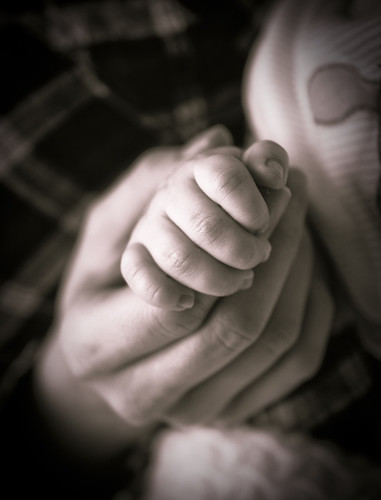
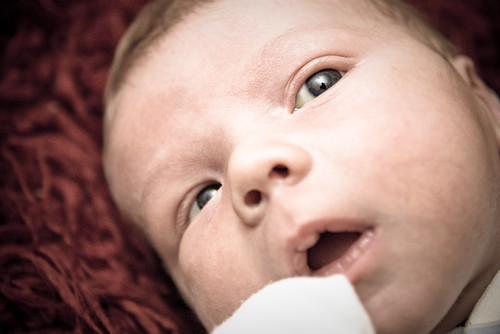
Welcome to the club regarding the little one. Just had my first - he's 11-weeks now and I'm loving all the photo ops he presents. It's the best - here are a few I've done of little Charlie....

4216665665_807b51461f.jpg


4056276119_fd5766a810.jpg


Nice one.

I like them all but No.1 is the type of image I want to try and get right. Still waiting at the mo but we both feel that next week will be interesting.

change of OT but can you advise on taking photo's of the new born in the hospital?

Mark
 
The first one was just lit with an SB800 on 70mm zoom (I think) bounced off the wall. Narrow DoF of course and then I just cropped and vignetted in LR. Okay, that kind of shot is a bit cheesy but what the hell, I took it and I'm proud of it :)

I didn't take my DSLR into hospital for the birth because we were caught unawares; Charlie came two weeks early and the missus was at work when her waters broke so the camera was the last thing on me mind. We had packed the little digi compact though and once he was out, they didn't have a problem with us taking photos.

Depending on how long your missus is in for – mine was in for a week so they could monitor mum and baby – just snap away as soon as you can. Some of the women coming into the maternity ward were in for just a few hours if that, which don't give you much time for anything. It's an amazing time and although the labour wasn't exactly textbook in our case, it's still wonderous and something every dad should be there for. You'll love it :)
 
Nice one, cheers for the heads up.

Can't wait..!
 
Back
Top