Post Processing Landscape Shots

rabaroo

Suspended / Banned
Messages
324
Edit My Images
Yes
Hi

just got back from a great week away and have lots of pictures ready to be downloaded and tarted up/.....

has anyone got any good pointers/links/references on how best to process landscape pictures to make them a bit more dramatic/interesting etc.... a lot of the shots are of mountains and lakes, so want them to be quite standout and punchy.....

any pointers on how to start with this would be greatly appreciated, as its my first time at this type of thing....
 
It may be a good starting point to know what Nikon do in their "Landscape" picture mode.
They increase the sharpness a little, increase the saturation a little (notably greens) and increase the contrast a little. Maybe Canon have a similar picture control that you could use.
Personally, I find the Nikon landscape mode a bit too much unless the day was hazy.
Hope that helps a bit.
 
thanks for the steer.... i've also used Canon's landscape modes, but to be honest i am not totally convinced by them- i see lots of pics on websites which have obviously been photoshopped.... so why not join them if I cant take pics that good :-)

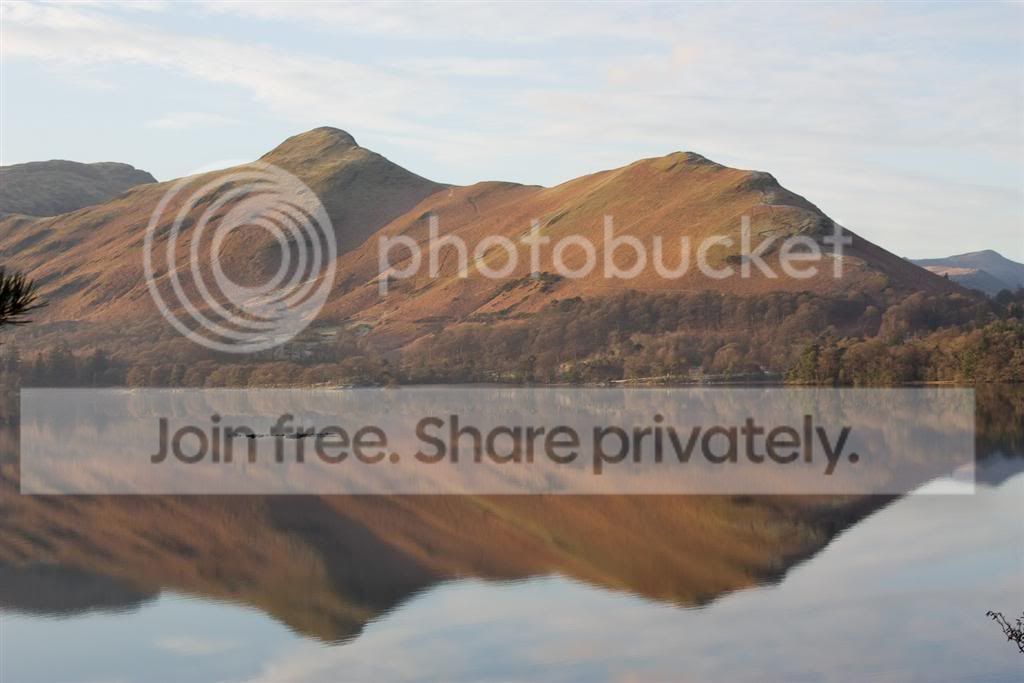
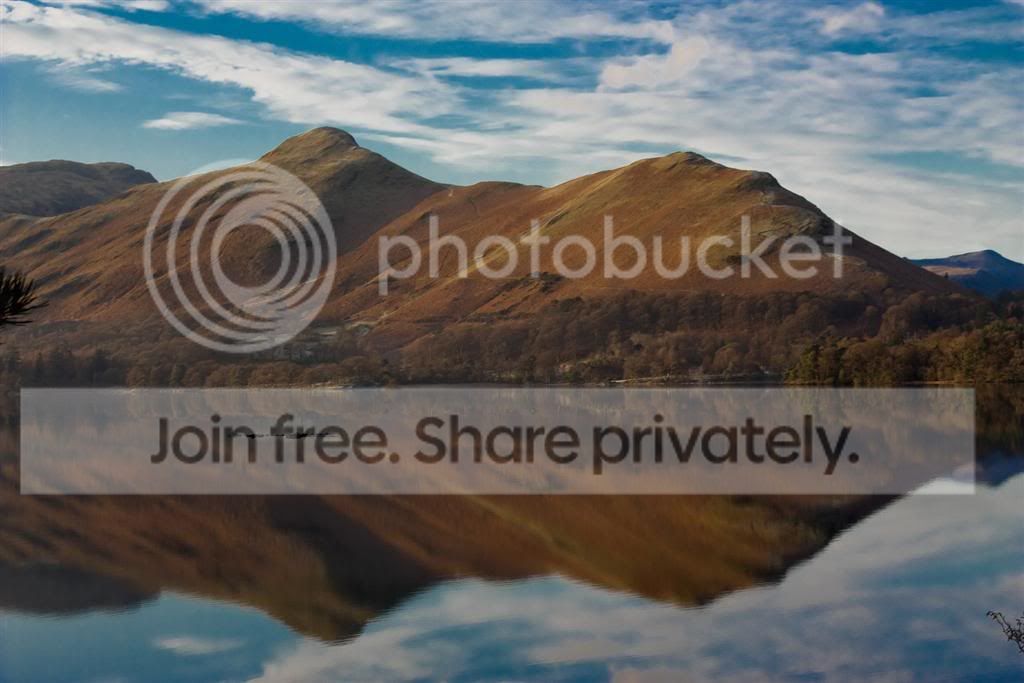
I'll give you a quick example, i was having a quick play in lightroom during my hol, and this is a before and after...... i'll be honest, i am not totally convinced by my after shot in this example, but the principle is right in terms of making the picture more vibrant and punchy!

IMG_2657-1Large.jpg


IMG_2657-2Large.jpg
 
thanks for the steer.... i've also used Canon's landscape modes, but to be honest i am not totally convinced by them- i see lots of pics on websites which have obviously been photoshopped.... so why not join them if I cant take pics that good :-)

I'll give you a quick example, i was having a quick play in lightroom during my hol, and this is a before and after...... i'll be honest, i am not totally convinced by my after shot in this example, but the principle is right in terms of making the picture more vibrant and punchy!

IMG_2657-1Large.jpg


IMG_2657-2Large.jpg

Well done. Maybe a tad too saturated and a little dark for me but that is just my opinion. If you keep on these lines I do not think you will go far wrong. Also a bit of extra sharpening or "clarity" in Adobe Camera Raw would not go amiss.
 
Cool - Thanks - I'll get to work on it - but not just yet... just spent a week (and 500 photos) lugging my SLR up mountains for the first time so I think I'm a bit camera'd out for a day or so yet :)

I'll post some more for C&C when I've started to go through them and found the best handful of pics
 
Cool - Thanks - I'll get to work on it - but not just yet... just spent a week (and 500 photos) lugging my SLR up mountains for the first time so I think I'm a bit camera'd out for a day or so yet :)

I'll post some more for C&C when I've started to go through them and found the best handful of pics

I will look forward to seeing them
 
Back
Top