Possible to edit leaf out?

DorsetDude

Spud
Suspended / Banned
Messages
7,018
Name
Keith
Edit My Images
Yes
Hi all

Wasn't sure where to post this so Ive opted for this group.

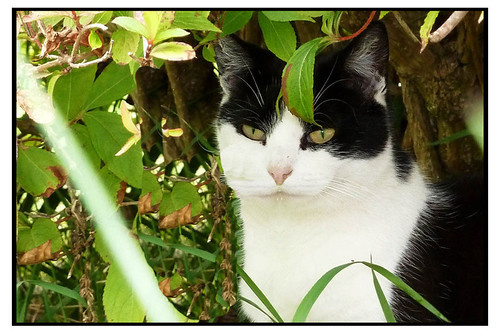
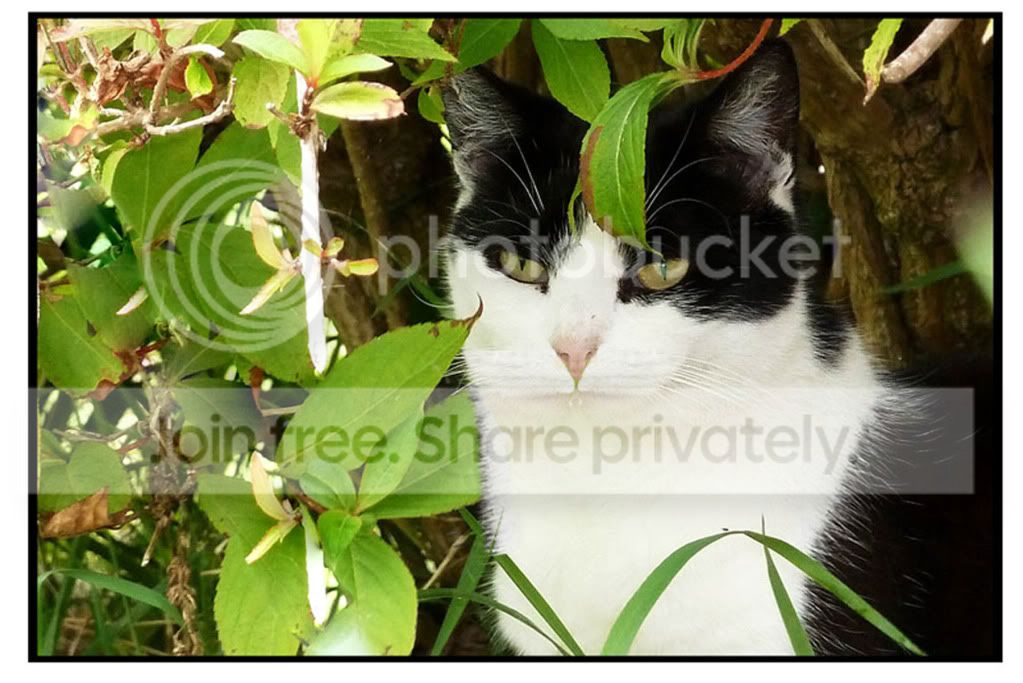
Ive got this pic:
Dozy_edited-1.jpg


I think its ok for a pet protrait but wonder is it possible to clone out the leaf that goes across the mouth/nose somehow? And possibly remove the distracting OOF blade of white grass on the left? Ive played in elements 7 but having no luck at all.
I could supply a larger resolution if anyone is interested!
If it is possible Id really like to know the method.

Maybe possible to use this photo to help but I couldnt get the colours to match.
Phoebe_edited-1.jpg


Many thanks
 
I'm new to photoshop myself but have you tried cloning the whole right side of the mouth then flipping it to get a starting point for the left side?
 
I had a very quick and brief play around and came up with this.

5993607933_491404eccc_b.jpg


There is a lot of very fine detail which would require quite a while to clone out/in etc.
The second picture you supplied was really only good for reference as the WB is completely different in it.
Like I say, not a perfect edit from me by any means but gives you an idea that it can be done if your willing to spend time doing it.
 
I've had a very brief go with PS as well, I'm not very good at this sort of thing but I'm sure somebody with better PS skills will get a better finish.


Dozy_edit by Grayo1, on Flickr
 
My attempt

Dozy_edited-2.jpg


Far far better than my attempt LOL, just where you have coppied the right side fringe of white hair and pasted onto the leaf area perhaps if you had used a very fine erasure tool and gone in between the white hairs to remove the black to show more of the leaf. Hope you don't mind me saying that, it is a very good attempt a lot better than mine. :thumbs:
 
Last edited:
No probs Graham....I sorta skimped on that part but taken on board for the next time. Spent more time around the nose and that foreground grass blade.:razz:

Edited in GIMP, I don't think the selection tools in that are as refined as PS for example...ahh well :lol:
 
My second attempt, tried with a fine erasure tool but total nightmare trying to get in between each hair. Anyway here it is.


Dozy_secondattempt.jpg
 
Last edited:
Done very quickly and roughly (on laptop) as I'm out on a job at the moment, done properly it could be a lot better.

5995527476_2e53dde31d_z.jpg
 
Andy, Dale, and Wayne, have done a cracking job. :thumbs: Wayne has even removed the leaf above the eye.
 
Last edited:
:thankyou:
Crikey! Some brilliant fixes here (and I cant even see all of them until I get home, w*rk pc blocks some images for some reason.)

Would really like to know how it was done though, was it mainly clone tool?

Thanks guys!:clap::notworthy:
 
:thankyou:
Crikey! Some brilliant fixes here (and I cant even see all of them until I get home, w*rk pc blocks some images for some reason.)

Would really like to know how it was done though, was it mainly clone tool?

Thanks guys!:clap::notworthy:

With my attempt I tried CS5's content aware to see what it would do. It got some write but not all.
In the end I just used the clone tool with varying brush sizes and opacity levels to get to the finished article.
 
I used CS5, opened picture, made a duplicate copy, had a play around with the nose area, then used the marquee tool to select the right side of face make a copy and flip then move it to the left side of face and match up, then try and replace some of the fur on the neck. Don't think I got the mouth quite right in my arrempt though.
 
Just had a look on my home PC at the ones I couldnt see earlier. Bleedin awesome! How do you guys do it? Thats not entirely rhetorical either!

:notworthy:

Thanks all.:D
 
Back
Top