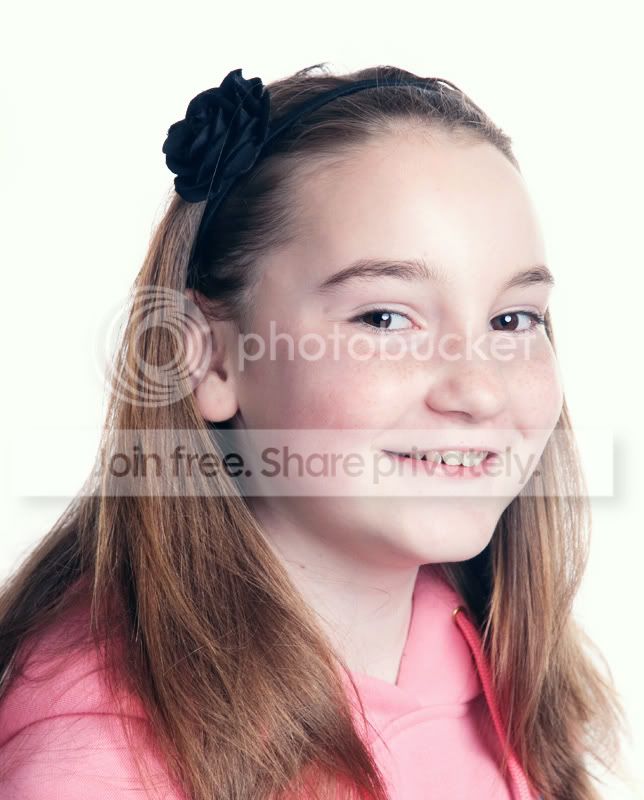
Please teach me how to process an image like this.

Johnny Thunder

Suspended / Banned
Messages
698
Name
John
Edit My Images
Yes
Hi everyone.

I've just got myself a set of Lencarta flashes and I've had my first play with them today.
I've done nothing with the following shot other than removed a second catchlight, and resized.
Could you please tell me how you would process this image, and in what order etc.

I know the background needs work to fix it, and also the colours need to be lifted to make the
image 'pop', but I just don't know where to start.


Cheers guys.
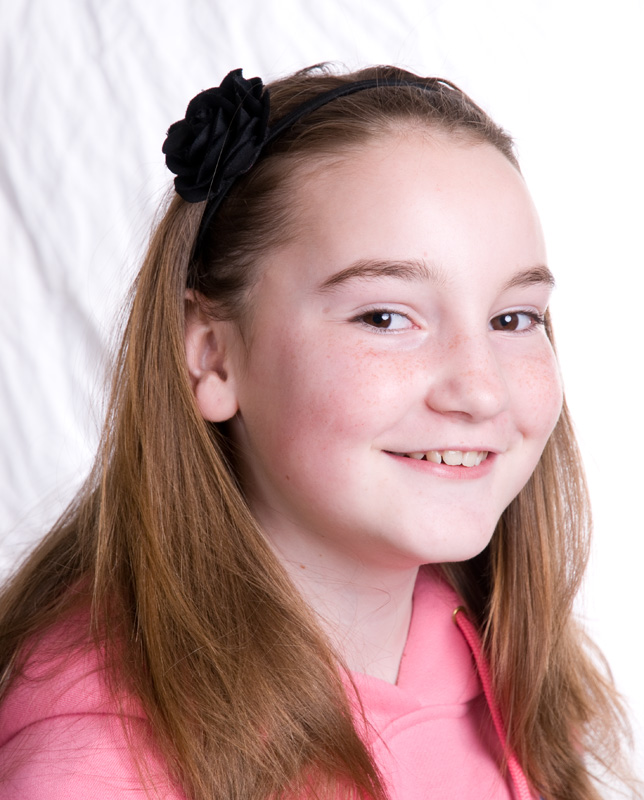

 
hows this ?


4468325238_2febc26c99_o.jpg
 
Im wondering if your flashes are too even. There doesnt seem to be much modelling/light shadows anywhere on the face and the lighting looks a bit flat.

Where were your lights positioned in relation to the subject?
 
Keylight was high and right of camera, and fill was to the left and level.

Janice, I did wonder if the fill was too close.
 
double click the layer in editor click ok
click the little half moon and pick levels move left and right sliders to the start of the peak on both sides (yours was already very close) so just moved the centre slider to the right slightly.
click half moon again open brightness and contrast move contrast up to suit and brightness down its all about what you like
same again this time hue/saturation
right click the bottom layer the one with your pic in it and select flatten image all the adjustment layers will join together
go to the enhance tool and use unsharp mask set amount to 130 radius to 1.9 and threshold to 8 click ok and save thats how i do it very basic but a good start point hth mike all these adjustments change depending on the photo hth mike
 
I would do this myself...


JONNY_THUNDER_copy2.jpg


Basically adjust the levels .... quick brush over with the dodge tool. And a slight sharpen.. THEN give her some more room and a re crop..


MD
 
ok, with 3 lights, you can get it right in camera, saves all this.

2 lights on your backdrop, cross light it with reflective brollies or something, works well, aim for 1 stop above what you want to be shooting your subject at. Then light your subject with your third head, use a reflector / 4th light for fill / hair light if needed.

for this, nd grad and spot painter tools in lightroom are your friend, if lr's your weapon of choice :) bash a nice NG grad with + 1 stop exposure down a bit from the lh top corner, and deal with the rest with spot painter + 1stop or so exposure :)
 
I played with adjustment layers for hue/saturation, curves and levels, and to smooth it out a bit, I duplicated the background layer, applied gaussian blur and played with the layer opacity. Then I played with the layer blending modes... I think!.. I can't remember the order exactly. Finally, a crop and a bit of hair cloning.

 
4468267304_b4ceb611cd_o.jpg


Duplicate layer. Erase subject. Use the white point in levels and click it on the darkest bit of the BG. This will change the BG to white. Flatten image and apply some USM (de-fog): 15-20/60/00
 
Cheers everyone. I will have a go at some of those today.
I will also rearrange the lighting and try improving the shot.:thumbs:
 
Back
Top