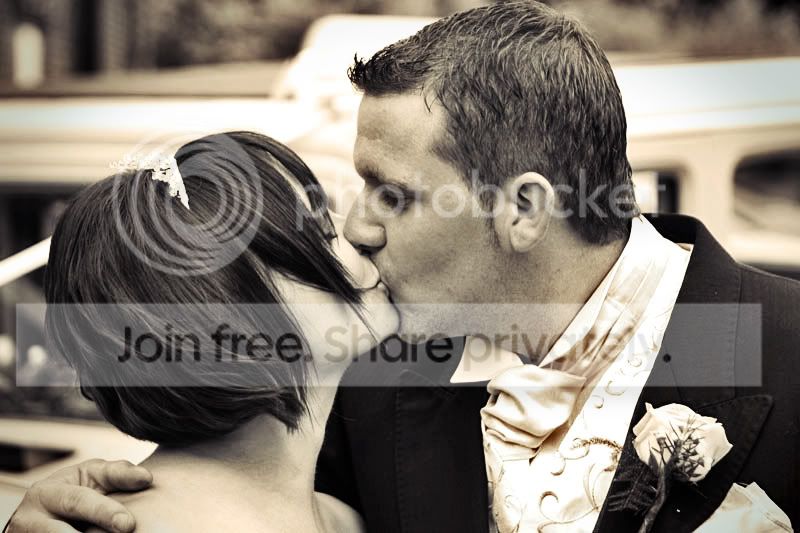
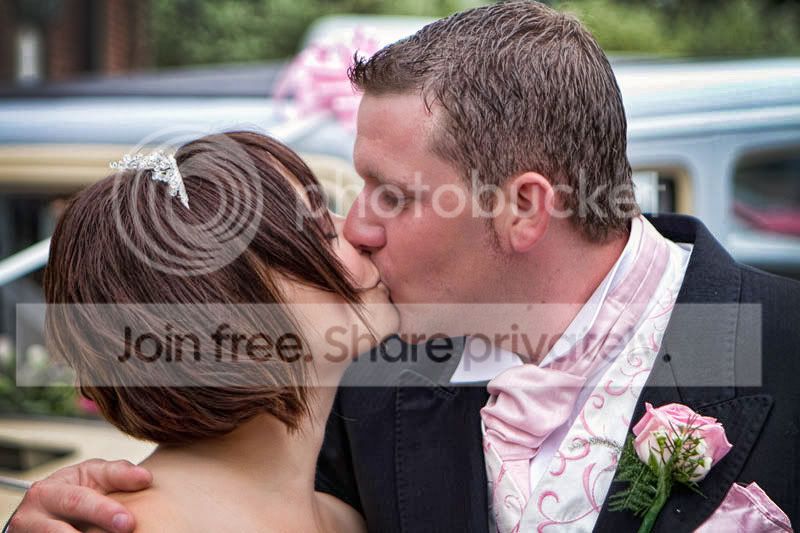
Please process my image... (fun time)

Dave450

Suspended / Banned
Messages
2,871
Name
Dave
Edit My Images
Yes
....ok people, I do not want any C&C - I am after the knowledge of editing here.

This is an image I took at a wedding, I was wondering what processing could be done to it. I do not have much artistic flare with the mouse!! :(

So please, butcher it as much as you want, and re-post your results. A little info on what you did would be great to help me learn!

Thank you!

A-(405).jpg
 
:D i like it :D how did you do it?
 
Photoshop - Liquify tool! Hope they don't mind! :) You can do all sorts of fun stuff with that tool!

b.jpg
 
Last edited:
Photoshop - Liquify tool! Hope they don't mind! :)

ha ha this is staying firmly on TP and my PC - its just my way of learning some techniques


EDIT - just found it - it sure is fun! :D Thank you
 
Last edited:
Duplicate Layer, Topaz adjust on everything apart from the skin on top layer, opacity of top layer turned down to 22%. slight level adjustments, burning around edges.

A-405.jpg
 
Thank you both for your take on the edits and for explaining them :clap: thank you
 
5 min play, mostly clone, saturation and contrast. More time and a better image and that pink bouquet behind them could probably go as well

Anyway...:

5minutemessaround.jpg
 
Andy thank you very much for the infomation! Im not to good at cloning something as big as the pink ribbon\bouquet behind them - but in full agreement that it should go :thumbs:

thank you
 
showphoto.php
[/url][/IMG]

This is me attempt to make a nice image
 
Had a quick play while waiting for a photo order to upload

Make new layer, mask out background
Download heart brushes from Obsidiandawn.com
choose brush, create new layer and place over face
Increase size of brush and place on new layer
repeat above
then erase centre of hearts and change colour/saturation of each succeeding layer
Bit cheesey but good practice for me :)

dave450kiss.jpg
 
My take on it :) A little blur on the background got rid of the hair in the mouth a bit of levels and sharpened ...


showphoto.php
[/url][/IMG]


both done in cs5 with a free plug in from adobe labs called pixel bender
 
Last edited:
People thank you very much for all your inputs :clap: a lot for me to digest!!

Keep em coming! :D
 
Heres my take on it, blended a black and white version and smoothed out the guys skinn a little. I used Mr G version as I also would have blured out the background a bit.

4955289258_7fcfabd4f0_b.jpg
 
Wayne & MrG - how do you achieve that amazing blur???


Thank you so far :clap:
 
Back
Top