Please, please, please can any PP experts help me out

CyBeRkId2002

Suspended / Banned
Messages
525
Edit My Images
No
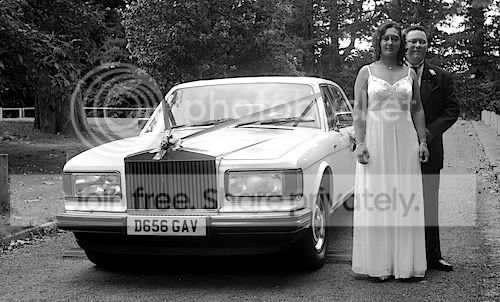
I have a wedding piccie that I have just found has my partner standing directly behind the groom with a pushchair (see below)

3887285383_b580877f2a.jpg


Is there a Post-Processing expert out their who can possibly clone this out to be near impossible to detect? I have tried myself (for HOURS) but being useless with Photoshop I have got nowhere. I can provide the RAW image or a high quality tiff/jpg if it helps as I would like the best quality possible.

Can anyone help me out? It would be massively, massively, massively appreciated!

Cheers,
Michael

Ps. I know the picture isn't great :D
 
That would be an easy job with a higher res version :D
 
cool... now another question, where can I upload the full size image, I only have a non-pro flickr account so can't go there, where else do people suggest? Can email it if anyone wants to PM me an email addy :)
 
I am sure he will do a great job on this for you:D


I did a quick edit on the low res file..:thumbs: comes out fine.


md:thumbs:
 
and superb it is too! Thanks so much :D

No problem mate :D

Cloning is a strange beast in the beginning and so is the heal tool. I'd recommend running a google search or a youtube hunt for some tutorials.

After familiarising oneself, it becomes much easier :thumbs:

Before:
3887285383_b580877f2a.jpg


After:
ONEEDITexample-1.jpg
 
No problem mate :D

Cloning is a strange beast in the beginning and so is the heal tool.

Before:
3887285383_b580877f2a.jpg


After:
ONEEDITexample-1.jpg

Indeed it is, i made some right pigs ears when i first started, still do occasionally :lol: but practice practice practice and you will get there, great job you've done there Tomas :thumbs:
 
Great job>
Can you talk through the process?
 
To be brutally honest, this is as simple a cloning job as you could ever imagine. Anyone who finds this 'magic' may do well to have a little play with any image editing programme.

No disrespect to anyone and particularly to Tomas who helped out, but it really is first base stuff.

Graham
 
To be brutally honest, this is as simple a cloning job as you could ever imagine. Anyone who finds this 'magic' may do well to have a little play with any image editing programme.

No disrespect to anyone and particularly to Tomas who helped out, but it really is first base stuff.

Graham

It's only easy when you know how ;) And when you don't it looks like magic :)
 
It's only easy when you know how ;) And when you don't it looks like magic :)

Couldn't agree more! Unfortunately I have found another image which I have had a go at myself but am really struggling. Can I ask what program people on here use for cloning? I am trying with lightroom but am having problems. Here is the original image:

3893967218_2a7fc54513.jpg


Now this should be fairly straight forward but unfortunately this is the best I can get. My main problem now is that as I have had to place the clone circle slightly over the grooms face it has lost a massive amount of contrast defining the edge of his face. Also, as I have had to clone based on several smaller circles it kind of has a bobble effect. See below:

3893180399_f5eab5b238_o.jpg


Does anyone have any ideas where I might be going wrong.

Thanks,
Michael
 
A good tip is to not go over it too much. Switch to a smaller brush and zoom in when working in fine detail.

Graham
 
I think we all have a place to start even on the easy jobs,but sometimes its not that easy and a little help goes a long long way
 
A good tip is to not go over it too much. Switch to a smaller brush and zoom in when working in fine detail.

Graham

Cheers for the advice, I have just had another run over it with a smaller brush and at 3:1 and come out with the below.

3893306603_410b751bd0_o.jpg


Do people think it looks decent enough to stick in a photobook or is it instantly obvious. Some times its hard to tell when you have been working on an image for a long time and is useful to get another perspective.

Thanks
 
Looks ok to me. Printed out small it shouldnt show. Its only just visible with me looking for it.
 
Lightroom doesn't really have a cloning tool (not in the proper sense) it's more a spot repair tool. Most people would use photoshop or paint shop pro.
 
Lightroom doesn't really have a cloning tool (not in the proper sense) it's more a spot repair tool. Most people would use photoshop or paint shop pro.

That might be where I am struggling. Does it have a cloning brush then rather than just having to work with individual spots?
 
Yes you can clone large areas, I use LR and PS for editing, but I only ever use the clone/spot tool in LR for the odd dust spot or similar, for any proper cloning (taking out cars or whatever) I switch to PS, much easier, and you can select areas so as to protect bits in PS if you need to.
 
That might be where I am struggling. Does it have a cloning brush then rather than just having to work with individual spots?

Yes. I've used both Lightroom is OK for the odd dustspot but anything more advanced Photoshop is a much easier tool.
 
Back
Top