Please help re. lighting - with images

kitschenalia

Suspended / Banned
Messages
434
Edit My Images
Yes
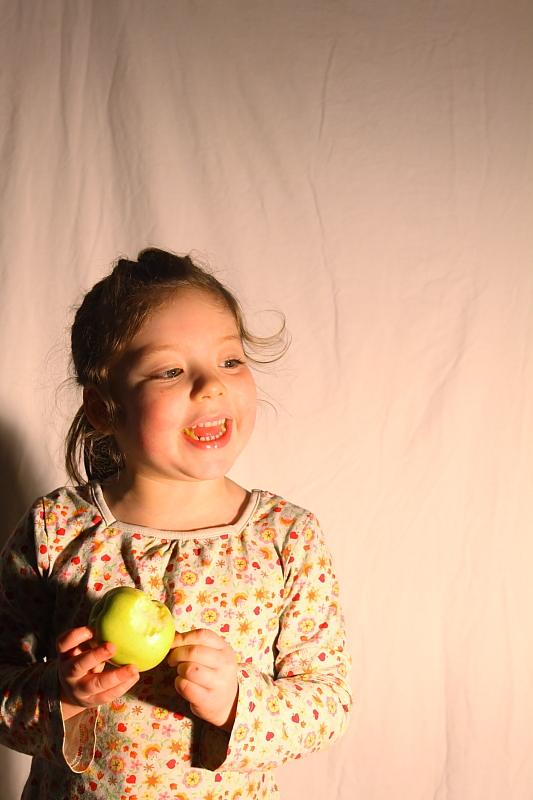
Hi again folks, some of you saw my thread yesterday about rigging up a first effort at an indoor set up. I’m being very brave because the more pro amongst you may have a bit of a giggle ;-) Anyway, I had fun but I need to improve this a drillion (as my daughter would say) fold... I used a large floodlight from B&Q which turned out quite orangey after all. I hung an unironed duvet cover (which after all I should have ironed) on the wall behind. All other lights in the room were turned off. I know these are very amateurish but this is the first I've ever done indoor with no natural light and I need help :-)

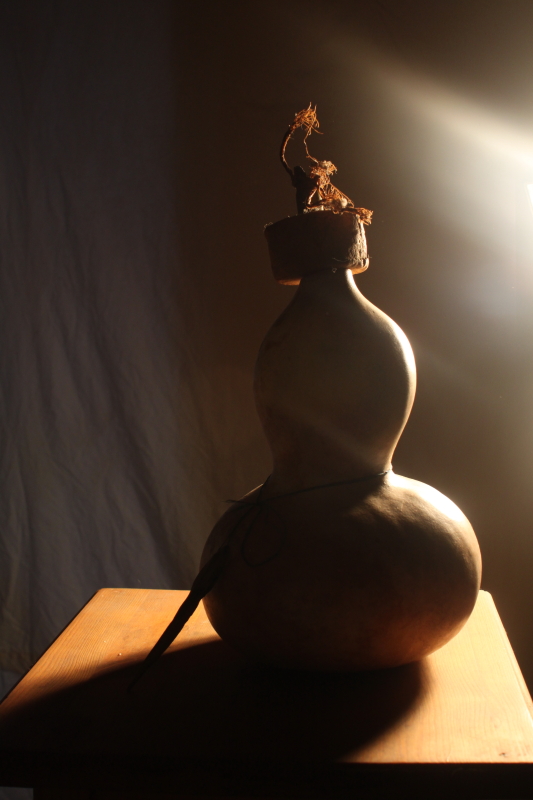
First of all I want advice on my silhouette – I’m working through 71 projects in my John Hedgecoe book, and the first involved shape – 1) produce a silhouette and 2) a series of shots in which the focus is shape. I did manage to produce a silhouette but why is the background so dark? Should I have aimed the light at the wall rather than my daughter? (it is directly behind her). Or used a higher ISO? (I don’t have the original files here but I think it was ISO 400). Actually you can hardly see the silhouette on my screen at work, it was much clearer on my home PC screen :-(
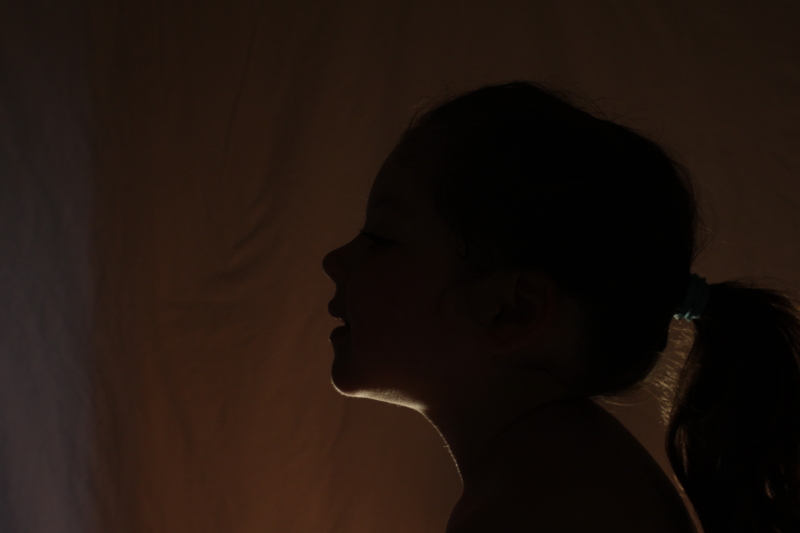
4133286310_3149f441fe_o.jpg


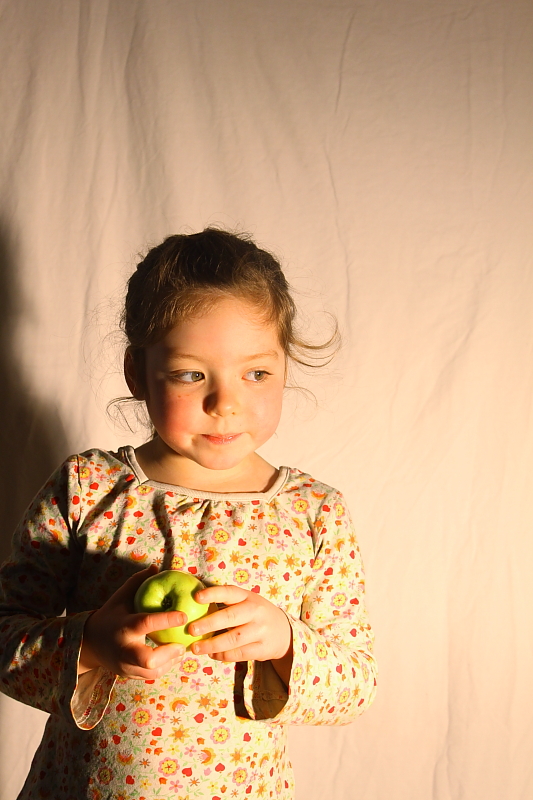
I also had to produce a series of photos focussing on shape – again they are very dark, ISO was still 400 – I seem to recall aperture was small too, 5.6 and shutter speed as low as I could go without tripod (which I don’t have yet):
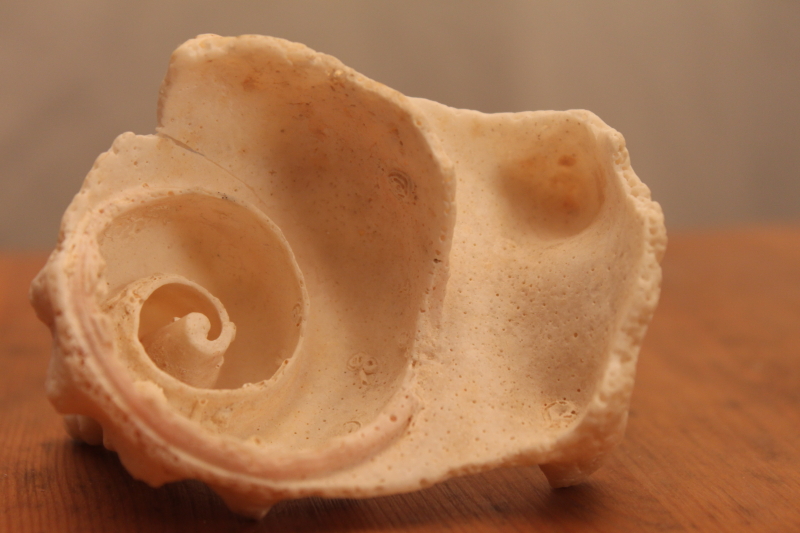
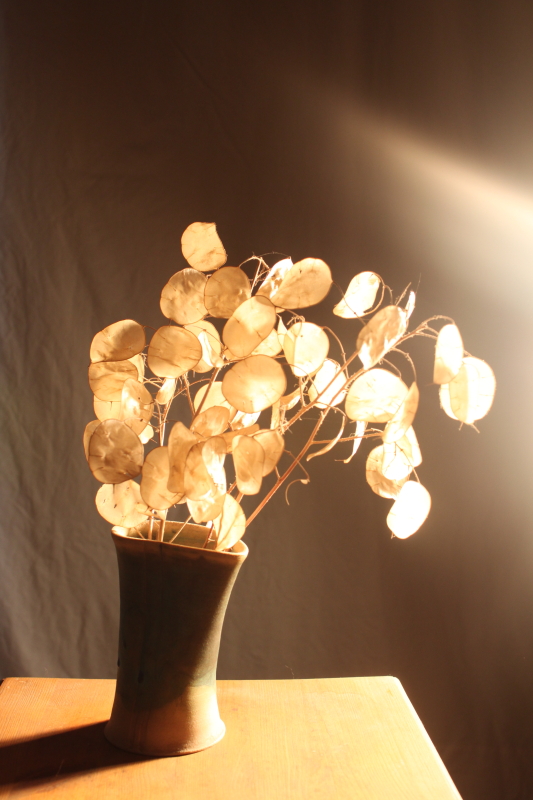
4133289390_7372ae19fb_o.jpg


4133288398_15edd565f5_o.jpg


4133288800_f44fae7b42_o.jpg


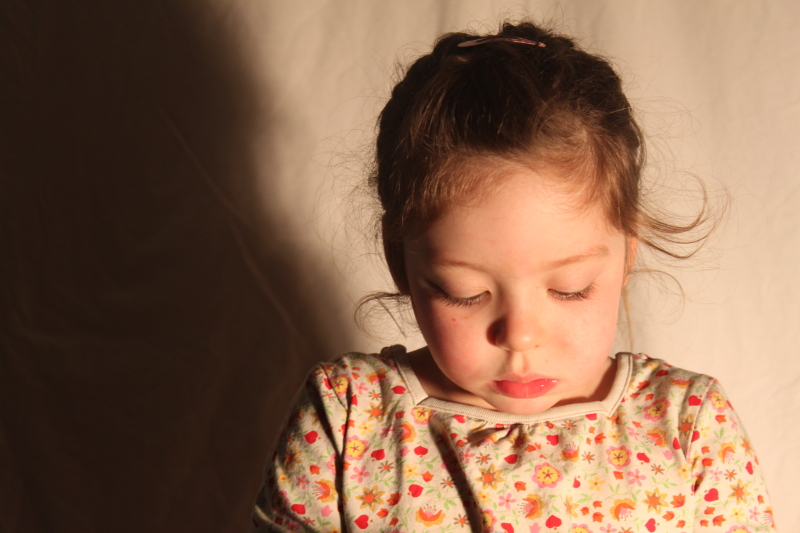
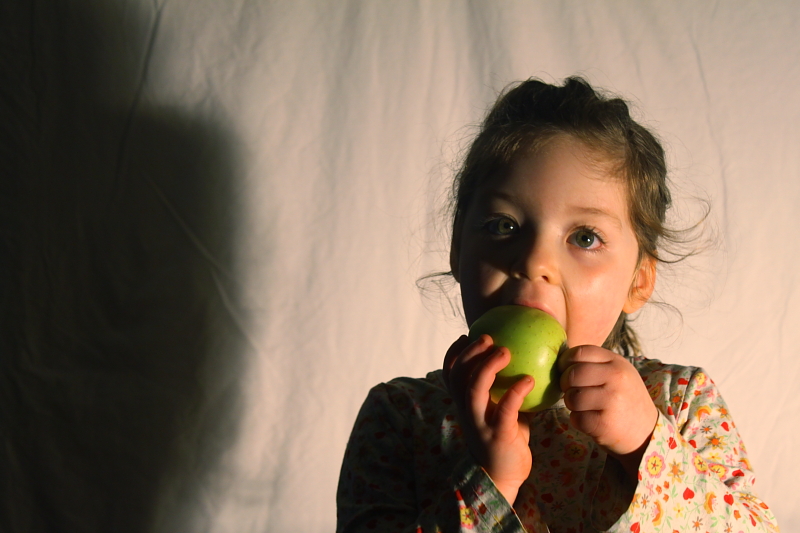
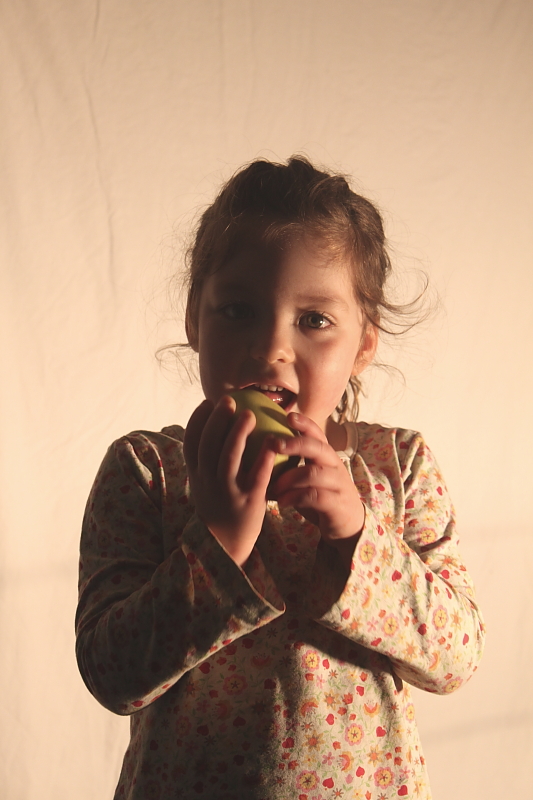
Now I took the opportunity to try and snap a few of Laura. ISO 400, aperture and shutter as for above. This is where I learnt something about lighting – I had the light slightly to one side of her and in many of the shots she has a very dark shadow on one side of her face – so, to rectify this, do I need to have a strong light on each side of her? I thought it was always meant to be more flattering to light a human subject from the side rather than straight on? Also would an additional light eliminate the hard shadow on the backdrop? I know I also have problems with the tones – too orangey despite editing, and also too MUCH shadow in general? Not nice and bright as more accomplished shots of people? (see next post down):
 
Chaz I've removed that picture - I'm sorry if I caused offense - it's my 4 year old daughter and the pic was from the waist up - I thought nothing of it :-(

ETA I did think it through actually, but thought as it was that she is only 4, above waist and in silhouette, it would be fine. And she isn't nude, she's wearing trousers!

Anyway - any advice on the lighting still appreciated.
 
Can't help with the silhouette, but my first set up with my kids was pretty similar.

I used two floodlights (which get hot so make sure kiddies know that). One closer in than the other to get a bit of shadow. This only works so much with kids as they don't stay still & in the centre, I find that a more even light works better and worry about getting a nice expression more than a shadow.

I put the studio in as much natural light as possible as floodlights aren't strong enough on their own.

For a background I used a dustsheet (not the yellow ones, if you hunt around you can find a white one), better still is vinyl, or I did use a mattress with a sheet stretched over to get rid of creases.

What camera do you have? Any editing software? It'd make a huge difference if you can shoot RAW.

Either that or see if Santa can bring you a little lighting kit. Have fun with it!!!

Edited to say: I didn't even notice your daughter didn't have a top on in the first image.
 
Chaz I've removed that picture - I'm sorry if I caused offense - it's my 4 year old daughter and the pic was from the waist up - I thought nothing of it :-(

ETA I did think it through actually, but thought as it was that she is only 4, above waist and in silhouette, it would be fine. And she isn't nude, she's wearing trousers!

Anyway - any advice on the lighting still appreciated.

PC gone mad - it's your own little child for heavens sake:'(

Silhouettes - light the background only.
Picture of vase or whatever - you have flare in the shot, caused by light hitting the lens.

Colour temperature - shoot raw, include a grey or black target in a setup shot and use that to get the colour right, or set your camera to 'Tungsten' or, if you camera will allow it, to around 2900k (in theory your halogen lamps are around 3200k but in reality it will be lower unless you have your own private power station
 
PC gone mad - it's your own little child for heavens sake:'(

This is an open forum anyone can see photos of your own child for your self is not what we are talking here. I have nothing against it BUT the rules of TP do and I was just informing the OP
 
OK I see both points, Garry's words summed up how I felt at reading your reply Chaz BUT I do see your point. I want to be as "good" as I can get at all aspects of photography and that also means being sensitive to subject matter. I realise that others can see the pictures, but didn't initially think anything of my HALF ;-) naked child being pictured in silhouette form. Maybe it's made me think more about the danger of online paedophiles (or philadelphias, as my Portuguese step Mum calls them - she also claims there is a software programme philadelphias use to remove clothes from pictures of clothed children - mental, much?!>!). I still don't think a silhoutted torso is in much danger but am keen to respect the rules of the forum so.

Rudesing, thanks very much, so you used 2 floods.... I'm a bit nervous, I burned my finger trying to angle it with a screw yesterday and my smallest is only 18 months - perhaps a good excuse to get some lighting ;-) Will lookout for the vinyl dustsheets and have now remembered to switch it to RAW. I have a Canon EOS 500D.

Garry, thank you - I will try lighting background rather than her back next time. I want to get it right before moving on to Project 2 :-) thanks for explaining the flare thing - now I understand what causes it!! Thanks for the camera settings advice too except I don't know what you mean by 2900K - that isn't ISO is it? (sorry to appear dumb).
 
I don't know what you mean by 2900K - that isn't ISO is it? (sorry to appear dumb).
It's colour temperature, expressed in degrees Kelvin, the standard method of expressing the colour of light. Named after Lord Kelvin, a very talented physicist, also invented the binnacle so saved plenty of lives by reducing navigation errors.

Take a black body (a piece of carbon, it doesn't need to be carbon but it will end up as carbon anyway when it gets hot...) Heat it up to a given temperature, say 2,900 degrees K, and it will give off a colour of light that we call 2900K.

Daylight is typically 5500K on the Kelvin scale, so anything with a lower value looks too red/yellow and anything with a higher value looks blue. The blue coloured snow scenes that we see are due to the fact that the colour temp can be as high as 18000K in snow scenes.
 
Rudesing, thanks very much, so you used 2 floods.... I'm a bit nervous, I burned my finger trying to angle it with a screw yesterday and my smallest is only 18 months - perhaps a good excuse to get some lighting ;-) Will lookout for the vinyl dustsheets and have now remembered to switch it to RAW. I have a Canon EOS 500D.

That's a vinyl sheet OR a dustsheet! I wish you could get a vinyl dustsheet!

Floodlights produce a yellow light & are hot, maybe there is a better cheap solution (do a search for 'cheap studio' on here, bound to come up with something).

How about using a daylight lightbulb in your normal light fitting? that's made a big difference for me (but I'm using it in the study when using the computer, not tried it with a studio). Also think about where the light is bouncing - light/white walls are better than coloured otherwise you'll always get a strange colour cast. Are you using your camera flash too? It may help, but put something over it so it's not so harsh (do a search for homemade diffuser).
 
I have nothing against it BUT the rules of TP do and I was just informing the OP

Just to put an official word in: There are no rules on TPF against that photo.
Please feel free to repost it.

Also, lets get back on the topic.

[ANCHOR=rules_siteaccount]Site Account[/ANCHOR]

[ANCHOR=rules_prohibitedcontent]Prohibited Content[/ANCHOR]

The following content is prohibited on talkphotography.co.uk.

  • Discussion of, encouraging of, or admitting to illegal activities, including, but not limited to :
    • Copying, distributing, uploading, downloading, or sharing copyrighted material
    • How to bypass copyright protection
    • How to obtain copyrighted material
    • Hacked or reverse engineered code
    • How to circumvent any payment systems
    • Peer to Peer software (even for legitimate use)
    • Breaking/bypassing EULA agreements
    • Linking to such information
  • Adverts or commercial content or solicitations. We do not allow traders or commercial ventures selling or trading on the forums, either items, services or otherwise unless explicitly pre-approved by the site administrators. If you wish to use the forums commercially, please Contact Us with your request and details.
  • Links to commercial sites by members with a financial or personal link to said sites.
  • Market research, surveys or similar, unless pre-approved with the site Administrators.
  • Promotion or details of, or links/URLs to affiliate, commission, referral, pyramid or multi-level marketing schemes.
  • Pornography or otherwise offensive material.
  • Private details of anyone, even if freely available elsewhere.
  • Offering or requesting to be sent privately, any prohibited content.
  • Any threads or posts the staff believe are not within the spirit of Talk Photography, regardless of content.
 
Garry thanks for explaining that, I now understand a bit more about colour temperature :-)

Rudesing, thanks for the advice - I really want some proper lighting now, I enjoyed this little shoot so so so much! (I was even chuffed with how I engaged with Laura by getting her to tell a story about the apple - she's told me all about fruit land don't you know, which is a success because normally I get frustrated with her lack of cooperation). My hubby just caught me looking at a vastly reduced softbox set up (which I saw posted on here) and he doesn't understand, he asked why do we need so many pictures of the kids.... surely it's not portraits I want to be doing? Well it's portraits I'm MOST interested in :sigh: I can't find the words to explain to him why it's important to me - it just is, I want to capture peoples' personalities.

My friend told me to stick a wet rizla to the on camera flash!! But not to let it pop down with it on of course...

Gary, thanks for letting me know the rules on this. I'm no longer comfortable with posting the pic, I spent a good while thinking oh no, everyone will think I'm some kind of weirdo yesterday (even though it was a picture of my daughter), so I'd rather not backtrack if you see what I mean!
 
I started exactly the same way as you did two years ago and now I'm working part time as a studio photographer. Pitch it to your hubby as a money-making opportunity!

I'm sure a few friends will bring their kids round for you to practice on, and if they like the shots then they can make a donation towards the equipment. It's how I started...
 
Lights are not bad on these (but not brilliant either!) - but the WB is - and they need cropped - keep the lighting simple and you'll be fine.
 
Gary, thanks for letting me know the rules on this. I'm no longer comfortable with posting the pic, I spent a good while thinking oh no, everyone will think I'm some kind of weirdo yesterday (even though it was a picture of my daughter), so I'd rather not backtrack if you see what I mean!

I completely understand.. No worries.
 
Gary, thanks for letting me know the rules on this. I'm no longer comfortable with posting the pic, I spent a good while thinking oh no, everyone will think I'm some kind of weirdo yesterday (even though it was a picture of my daughter), so I'd rather not backtrack if you see what I mean!

As Gary has stated you have not broken any rules and if you want to post an image of your child please feel free to do so - no right minded person would think the image you posted was indecent or even inappropriate. Pandering to some peoples oversensitive nature is a slippery slope and you shouldn't be made to feel guilty about photographs you have taken of your child and want to share with your peers.
 
thanks AWP - I realised I hadn't cropped them :-0 I think I know a few things I can do to help white balance next time. When editing in DPP it was impossible to improve the WB - it was either this orangey, or bluey? I did alter them a bit though :-) Glad you think the lighting is not too bad - the creases are my bugbear!

Thanks Gary :-)

Thanks Hacker - I'm going to redo the silhouette shots (not happy with results too dark, and I want to get one project right before moving on to another) so am going to put her in a slim fitting top and leggings this time! I'll still get the shape I want and maybe it's pandering but it just feels a bit too weird to shoot her torso now (oops, shoot her torso doesn't sound so good, maybe I should just put the apple on top of her head!).
 
I think I know a few things I can do to help white balance next time. When editing in DPP it was impossible to improve the WB - it was either this orangey, or bluey?

DPP will sort it :thumbs:

If you shot in raw you can use the presets, colour temperature slider or the dropper on the RAW tab of the tool. First try the presets. If none get close then aim the dropper at something on the shot that you know was white and it will adjust the balance to something close. The ideal reference source is a calibrated 18% grey card (I got an A4 one from jessops for a few £) as most "white" objects turn out to be not as white as you think either because of discolouration of the material or they are reflecting coloured light from another surface. If you cant get it just so with presets or dropper then go for the temperature slider. TWith a photo taken in raw you also get the option of playing with individual colour curves on the RGB tab . . .

If you shot in jpeg then you get only the RGB tab, but a colour correction is not difficult if you have a reference point to use the dropper on (you can then manually adjust the 3 curves individually). Otherwise you can dive straight in & play with the 3 colour curves, just select the each colour and drag them away from the diagonal line a fraction so it forms a curve. Easier to play with it and see the effect than to describe it. Start with just easing the centre of the diagonal a fraction to make a simple bow. After a few tries you'll find you can tune the colouration for the darker and lighter areas of the photo by making the curves more curvy. Only takes a little bit, lots makes it go psychadelic

Its helpful if you don't mix too many types of light source in the shot as they produce different white balance. So try not to mix tungsten / halogen / fluorescent / daylight. Flash is pretty close to daylight.
 
David, think I'm getting that soon, so will have a play :-)

Wookie, fab, thanks I will try all that - I've only ever used the sliders before now so going to give this a go. Trying to stay away from the camera this weekend :-( already this pains me - because I have a stupid chapter deadline for PhD next week (in fact, I have stupid deadline of Dec. 18th for the final thesis, which I would laugh at if it wasn't so depressing!). ETA I did manage a bit of light reading this morning in bed with a cuppa though, which has raised some q's that I'll need to ask on here!
 
Back
Top