Please advise on processing for this image

mikeyw

Suspended / Banned
Messages
1,436
Edit My Images
Yes
Hi,

Just processing some wedding images and can't quite put my finger on what this image in lacking. I like the short but feel it needs a little more ooomph maybe ?

Anything else i could try ?...done the basics, levels, sharpening, contrast, fill, brightness, blacks etc.

Possibly has a bit of a green hue to it still
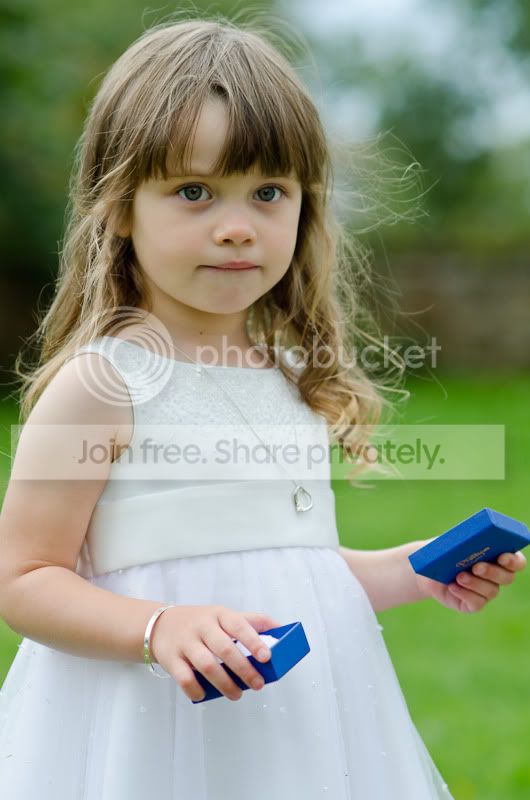
DSC_5676.jpg


tia,
Mike.
 
I'd add a litle vibrancy, warm up the skin tone a little (she does look green in the face but her arms look good). I'd also take out some of the sharpening and selectively sharpen. Alternatively, I'd probably get rid of the flyaway hairs to the right of her eyes (viewer right) as they are a bit distracting.

thanks,
rick
 
Mikey I had a go at this but had to rush it and made a few errors but the Idea is there cloned out the hair bits, sharpened the eyes and added a bit colour tone to the face..everyone to there own but if you take the time the pic is really there just needs fine tuning the problem comes when you cant stop;)

DSC_5676.jpg
 
I had a quick go.
Did some dodging around the hair to highlight it a bit, also dodged medium and highlight tones on the eyes to make them stand out a little more. I then did some selective sharpening on eyes and hair. Changed white balance of the dress in levels.
I think the skin colour still needs some work though but I've not got time at the minute.

XEOM0.jpg
 
Thanks guys - some useful ideas there.

Wayne - can you use curves in lightroom ?...a new one on me.
 
I darkened and softened it a bit but brightened the eyes...
girl.jpg
 
I made a slight levels adjustment, then made a black and white adjustment layer, changed the blend mode to 'hard light' and changed the layer opacity to around 50% or a little less.
Added a layer mask and painted black on the eyes to keep the detail, then I flattened the image and made a duplicate layer, applied a high pass filter to the image(can't remember exact figure but experiment bringing the slider to the right), changed the layer blend to 'soft light' and opacity to around 50% and flatterned the image. I considered adding a vignette, blurring the background more etc. but left that for the time being.

__by_andrew7-d4b6dpb.jpg
 
Set wb to 6500K (daylight).
Boosted highlights just a little.
Lightened pupils with selective masks.
Sharpened.


DSC_5676-edit by tonky8203, on Flickr
 
Last edited:
Back
Top