photoshop

Jack/Sharon

Suspended / Banned
Messages
43
Name
Jack & Sharon
Edit My Images
Yes
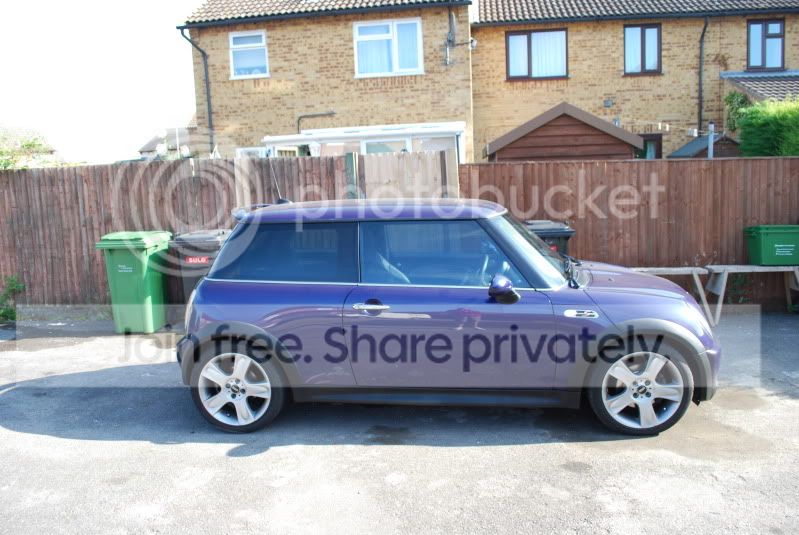
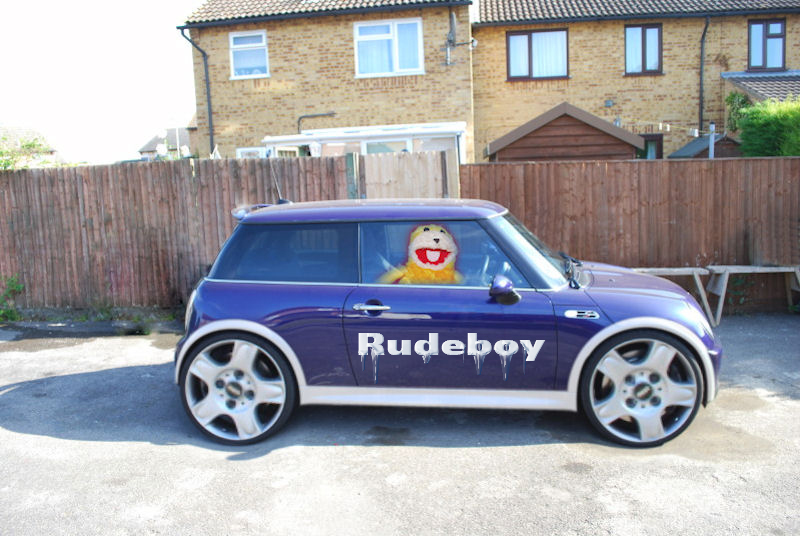
if someone has spare 5mins can some please photoshop this pic.what im after is the black arches and the side skirt in white please.
dont know how to use photoshop.
thankyou..:)
DSC_0950.jpg
 
showphoto.php
[/url][/IMG]

Just a quick effort, may i suggest 'photoshop for dummies' an easy way to learn the basics, or there are thousands of tutorials online just do a quick google.
 
Just had a go but it looked terrible!
So I wont bother putting it up. Just to let you know I did try :p:lol:
 
that is a REALLY tricky job because of the shadows, reflections and graduation of colour
 
thats great cheers for doin that.
wrx dazza ive just had stripes put on the front and the back.
 
:lol:the bin mans been
 
Nice editing Chaz. I wonder if 22 inch wheels and Flat Eric add anything? :D

(if I had the skill there would be a big wing on the back too)....

 
Now that ^^^ needs 22'' spinners :lol:
 
they are brilliant. wish i could do somthing like that.love the stretch one thats cool!
thanks everyone!!!
 
I'm newish to Photoshop - just getting to grips with cloning etc.
How on earth did you stretch the car?
I'm sure I'm not the only one who would appreciate a swifty tutorial.
 
Don't forget the dark eerie clouds.

4295574126_e67e29e287_o.jpg
 
I'm newish to Photoshop - just getting to grips with cloning etc.
How on earth did you stretch the car?
I'm sure I'm not the only one who would appreciate a swifty tutorial.

the transform tool does this. Make a selection go to Edit/Transform and look at the options, you can skew, distort, change perspective etc
 
Ok so I covered my keyboard in tea when I saw the stretch mini. Bloody brilliant, you guys are awesome.
 
thats not wrong at all, thats how you could do it, just because YOU didn't do it that way doesn't make it wrong mr chaz!

Well you try it ans see if you keep things like the wheels round and the back ground correct as are the shadows
 
Well you try it ans see if you keep things like the wheels round and the back ground correct as are the shadows

easy peasy! all I would do is move the front end first then stretch the middle. I thought you were a photoshop genius, you should know that! :thumbs:
 
easy peasy! all I would do is move the front end first then stretch the middle. I thought you were a photoshop genius, you should know that! :thumbs:

put your money where your mouth is and post a version then - my money is on not being able to do it your way.
 
No problem, I'll do one over the weekend. It's not hard to do I've done similar many times
 
Hey, I like to read a good difference of opinion unfold as much as anybody, but in order to cut out a coupla pages of said differing and to help us Photoshop rookies, I propose a stretch-off.

How's about all those who can stretch the Mini describe how they do it.
Then we-who-live-in-Mini-stretchy-ignorance can have a bash at the various methods and report back on which we get on with the best.

Oh yeah, and we'll learn a new skill into the deal.:)

Can't say fairer than that, squire.
 
And perhaps most pertinently, Jack/Sharon will be able to do it:thumbs:
 
Back
Top