Photoshop help....

will87

Suspended / Banned
Messages
152
Name
Will Reynolds
Edit My Images
Yes
Hi Guys and Girls,

Sorry if this isnt the correct place to post this thread but I was wondering if any one is able to help me with a photoshop problem and if my idea is worth doing!!!

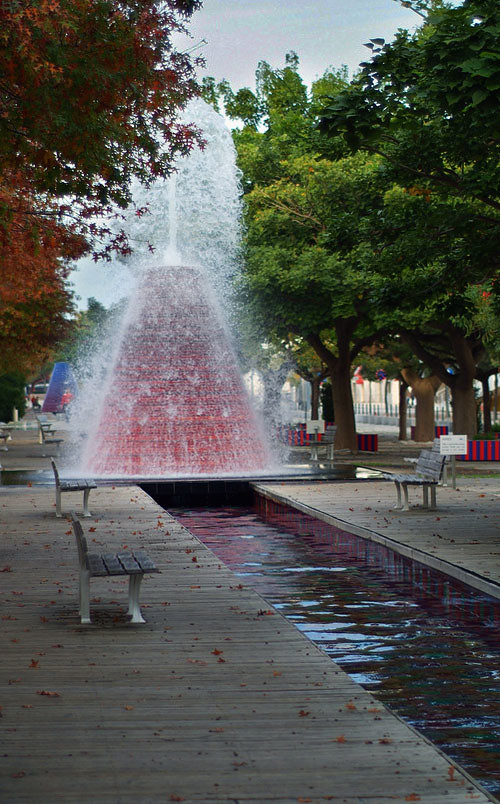
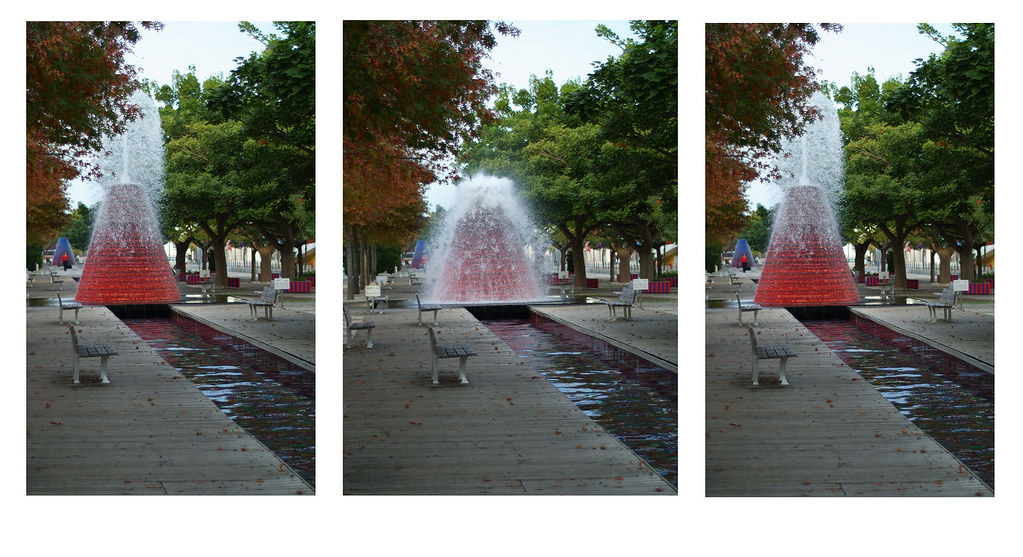
I have these three images of the water coming out of the fountain... all of them have slight problems with them!! Also as i did not use a tripod the frames are all slightly different.

I was wondering if it was possible to take this image as the base, ill clone the lady out in the background....

http://www.flickr.com/photos/willreynolds/5840482844/in/photostream

I was wondering if it was then possible to then clone/overlay one of the fountains from the other pictures in so that they have the same background lined up etc?

www.flickr.com/photos/willreynolds/5840485264/in/photostream/

www.flickr.com/photos/willreynolds/5840488054/in/photostream/


Sorry if this makes no sense... and thanks for any help in advance!! I wasnt sure where to start looking online....

Will
 
Last edited:
you could select bits , feather than copy and paste (CtlJ) then use the transform tool to line up. Possiable I should imagine if you have the patience.
 
They look close enough for Auto-Align to work. Put each image into a separate layer, select all 3 layers, go to EDIT / AUTO-ALIGN LAYERS. With luck they'll match up then all you have to do is put a layer mask on each layer and paint in/out what you want.
 
They look close enough for Auto-Align to work. Put each image into a separate layer, select all 3 layers, go to EDIT / AUTO-ALIGN LAYERS. With luck they'll match up then all you have to do is put a layer mask on each layer and paint in/out what you want.

Sorry should have said that i have CS5!!

The auto align worked, perfect! Time to mask and rub out/add what areas i want.

Thank you very much for your help!! I really need to learn how to use PS properly! Got any suggestions for a good book?

Will
 
:thumbs:


Not a book... but I found the Lynda.com movies very handy. Quite good value too if you sign up for a month and manage to cram a load in!

I think that may have to be an option... suppose an advantage of being a student im used to cramming and i have a month off!!
 
Hi

If you have CS5 I would just choose the first(#1) and last(#3) images, open both images, copy (#3) and paste it over #1, now select both image layers by clicking on the top layer, hold shift down click the background area, then go to edit on the menu auto align layers, when aligned, put a mask on the top layer and use the paint brush to remove the top half revealing #1 spout, flatten, crop, do your adjustments,levels/curves or what ever, job done, quick edit hope this is what you mean, if not forget the above :lol:

5840139675_3a28e4a9bf_b.jpg


Dave
 
Last edited:
Thank you....

looks like a better job than ill be able to do and really like the crop too. I am going to give this ago now. Thanks for all the help
 
Last edited:

Turns out I shouldnt have bothered :lol::lol::lol:

Thank you!! I was looking at create a trio of the photos and wanted them to have all the same frame so it started off with nothing coming out, then the jet and then the come down of the water, if this makes any sense.

Damn so you want a triptych :bang: if not I give up, Im off to bed, what do you really want, doh i used the wrong images Im tired LOL :thinking:

5840808860_04bf7b5afb_b.jpg


Dave
 
Last edited:
Turns out I shouldnt have bothered :lol::lol::lol:


Damn so you want a triptych :bang: if not I give up, Im off to bed, what do you really want, doh i used the wrong images Im tired LOL :thinking:


Dave

no no, what you did before was perfect!! Exactly what i wanted to do along with a trio! Has helped me out of a very confused situation that i couldnt seem to get my head around.......

i have just re-read what i posted about the trio and it makes NO sense at all...... what an idiot i am!! The original image that you created was exactly what i was looking for and the help is very much appreciated..
 
Last edited:
no no, what you did before was perfect!! Exactly what i wanted to do along with a trio! Has helped me out of a very confused situation that i couldnt seem to get my head around.......

i have just re-read what i posted about the trio and it makes NO sense at all...... what an idiot i am!! The original image that you created was exactly what i was looking for and the help is very much appreciated..

Ah Right, pleased my first edit helped you :thumbs:
 
that it did, thank you!! Can i ask how did you darken the sky like that? I have tried various methods and i seem to get bright line around the tree line and it looks funny.

Will

hi Will

I used a new layer brightness and contrast turned the brightness down, used the brush to mask to keep the sky area,then a colour boost,
 
Back
Top