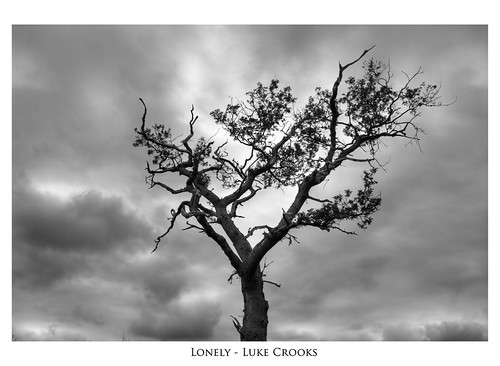
Photoshop frames

stokecity_m

Suspended / Banned
Messages
1,349
Name
Chris
Edit My Images
Yes
Is there a way to add a frame around pictures in Photoshop CS4?

Tryed google etc but that didn't help :(
 
what kind of frame are you after ?
 
the easiest way to do it is increase the canvas size by 2px, and centre your image.
 
Way I do it is hit control, alt and c to bring up the canvas size window - then if you just want a plain black border of 20 pixels all round then change colour to black and add 40 pixels onto width and height.

If you want 2 colours - ie. black and white then do one first then hit relative tick box, and you will see numbers for width and height set to 0. Change colour and add in a number for each.

Typed in a rush as I'm at work - if you want it in more detail give me a shout.
 
sorry guys - should of been more precise.

i'm looking to get a border that is part of the picture up raised up/down
 
Not exactly the answer that you are looking for but I use Photo frame 4 pro from ONE software which is an add on for CS4.It will instantly add any frame you require and is very quick.You can download the software for a free 30 day trial
 
sorry guys - should of been more precise.

i'm looking to get a border that is part of the picture up raised up/down

still not 100% sure what you're after...

you wanting to go from this:
no_border.jpg


to this:
border.jpg


?
 
Something like this?

3969399454_e3ab97519e.jpg
 
nope none of them.

the one with the black border - i'd like instead of black for it to be a raised part of the picture.

sorry guys - can't think of a better way to explain it.
 
you mean a drop shadow effect?
 
Yeah that s it :D

So.....how can i do it?
 
oh, that makes sense.

not a good look if you want my opinion, but each to their own :]
 
Bevelled edge might look better
 
:'( i'm not sure what you mean

Make a copy layer cut a hole in it to leave your border
Add a Drop shadow to this and a bevel and emboss. Make sure you have global lighten set

Set the blend mode to multiply, flatten and save
 
Cheers Chaz

Will give it ago.

Also cheers to everyone else for helpping out.
 
Back
Top