
and the site receives a small commission
You are using an out of date browser. It may not display this or other websites correctly.
You should upgrade or use an alternative browser.
You should upgrade or use an alternative browser.
photomatix help needed
- Thread starter powell7
- Start date



- Messages
- 8,852
- Name
- Tom
- Edit My Images
- Yes
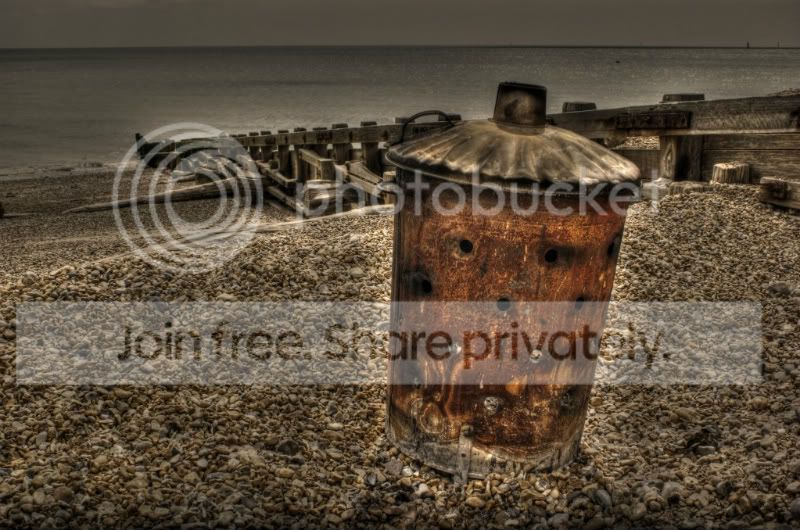
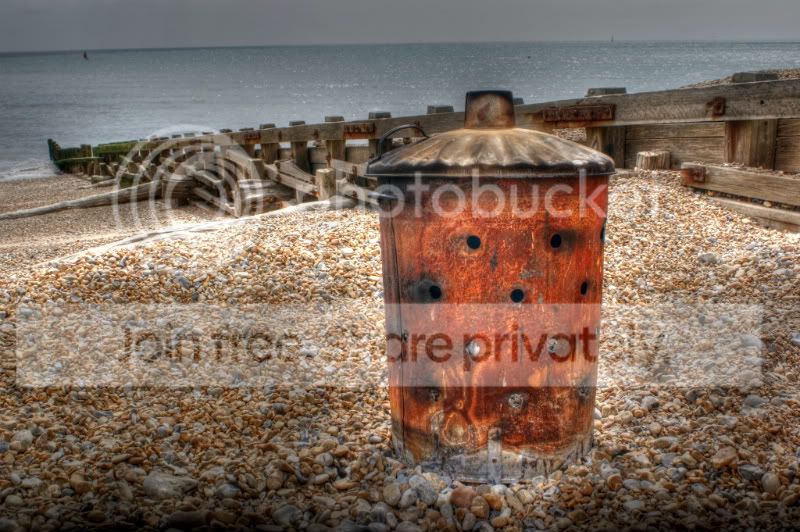
The light smoothing can cause this too. I suggest starting with the enhancer-smooth preset and then playing with light mode. Tick the lightmode box under smoothing. I usually leave it at max or high.

- Messages
- 6,133
- Name
- Dave
- Edit My Images
- Yes
I found it took me a good while, with lots of trial and error to get what I wanted from Photomatix.
I think I may be misunderstanding your question but as the effects of all controls in Photomatix are seen instantly you can see which one is causing the halo.
Agree with the suggestion about setting it to default and then experiment with the sliders. A lack of smoothing can cause halos.
Dave
I think I may be misunderstanding your question but as the effects of all controls in Photomatix are seen instantly you can see which one is causing the halo.
Agree with the suggestion about setting it to default and then experiment with the sliders. A lack of smoothing can cause halos.
Dave

- Messages
- 7,312
- Name
- Jeff
- Edit My Images
- No
try these presets
http://the-yard-collective.deviantart.com/art/Stuart-s-Photomatix-Presets-109547798
cheers
http://the-yard-collective.deviantart.com/art/Stuart-s-Photomatix-Presets-109547798
cheers

Digifrog
Suspended / Banned
- Messages
- 1,069
- Name
- Scott
- Edit My Images
- No
Make sure you select the High (5) or Medium High (4) light smoothing preset. This should make the halo's disappear. You'll also need to select the Natural, Smooth Skies or Painterly presets as the Grunge preset will give the halo effect.
Last edited:

DaveWilky
Suspended / Banned
- Messages
- 11
- Name
- Dave
- Edit My Images
- Yes
Hi Chris,
When you import a photo into Photomatix the 1st thing you ndeed to do is scroll down to the bottom of the screen, an the left hand side click the drop down menu next to presets and set the option to Default. that way you should be starting with your photo looking like it did when you 1st took it..
Hope that helps you out..
When you import a photo into Photomatix the 1st thing you ndeed to do is scroll down to the bottom of the screen, an the left hand side click the drop down menu next to presets and set the option to Default. that way you should be starting with your photo looking like it did when you 1st took it..
Hope that helps you out..

NeilG40
Suspended / Banned
- Messages
- 236
- Edit My Images
- No