

You are using an out of date browser. It may not display this or other websites correctly.
You should upgrade or use an alternative browser.
You should upgrade or use an alternative browser.
Photo posting headache!
- Thread starter Macey J
- Start date

- Messages
- 25,725
- Name
- Yvonne, pronounced Eve...
- Edit My Images
- Yes
you are posting the page link, not the image link, which is why it wont work. Click on the image, click share above it and copy the BBCode for the 800px wide version of your picture. Just paste that directly into your post and job done, you dont need any IMG tags or anything else. 

- Messages
- 16,666
- Name
- Ade
- Edit My Images
- Yes
So, you have your flickr account here is how too link from there to here:
First, upload your pic
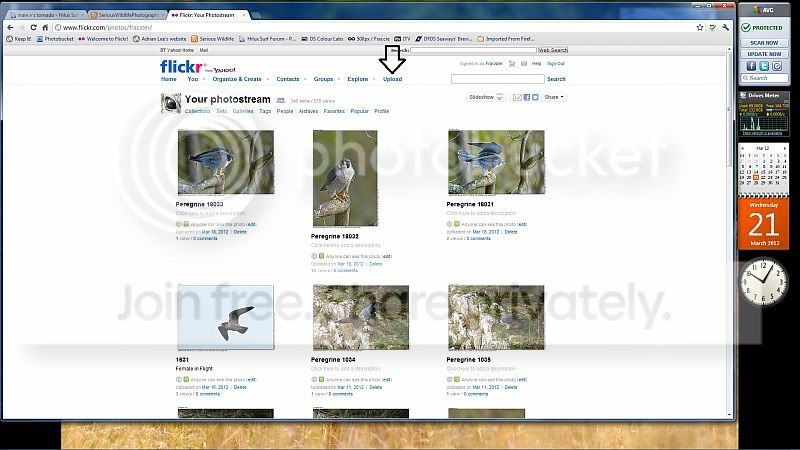
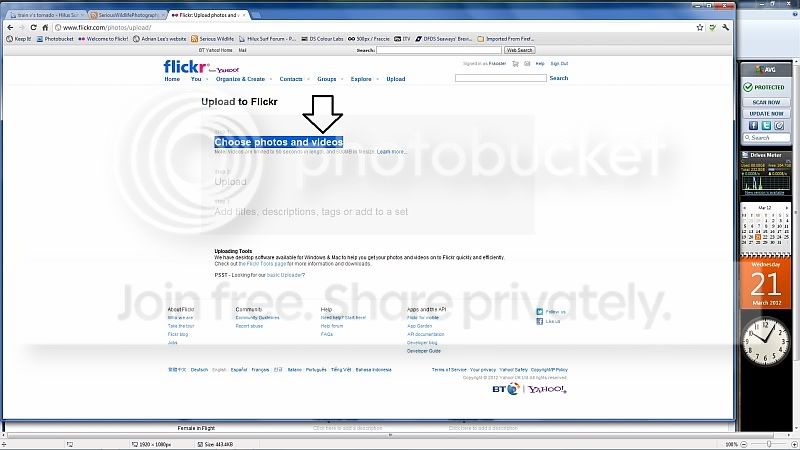
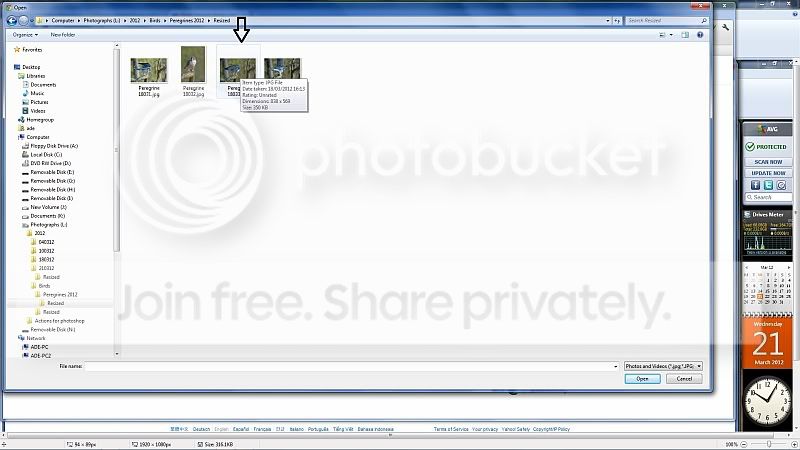
Select the folder and pic you want to upload
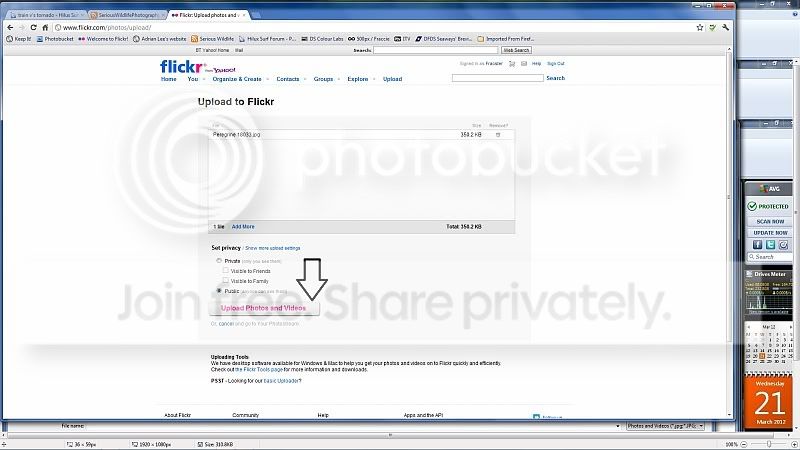
Once it has uploaded and you have watched an annoying ad,click the add description bit
Add a bit if you want here
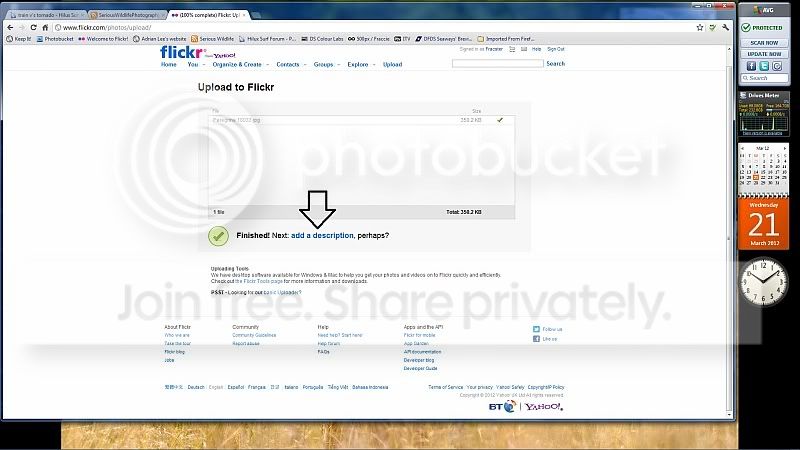
Then click save.
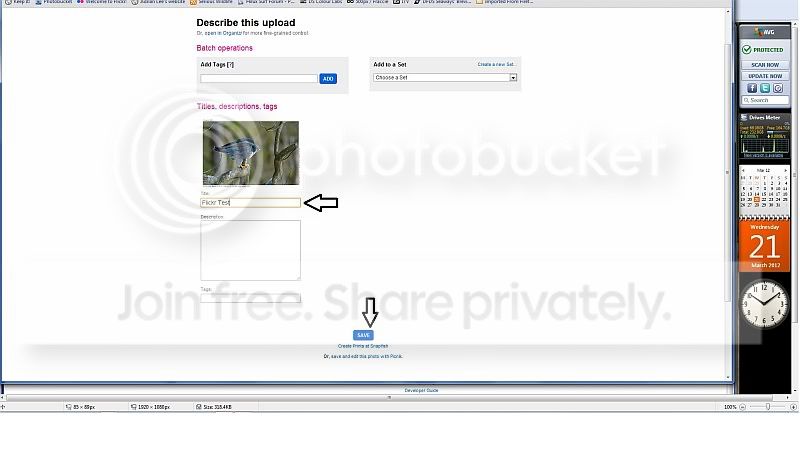
First, upload your pic
Select the folder and pic you want to upload
Once it has uploaded and you have watched an annoying ad,click the add description bit
Add a bit if you want here
Then click save.
- Messages
- 16,666
- Name
- Ade
- Edit My Images
- Yes
Your pic will now be on your Fickr page, or in an album if you choose one.Next up,click directly onto the pic
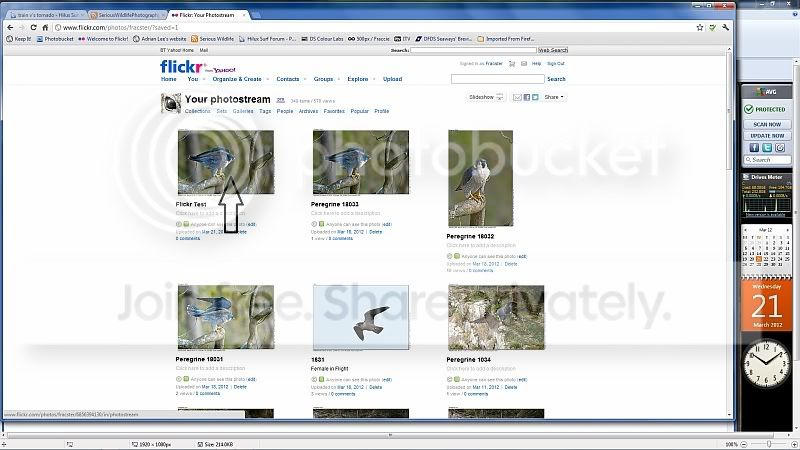
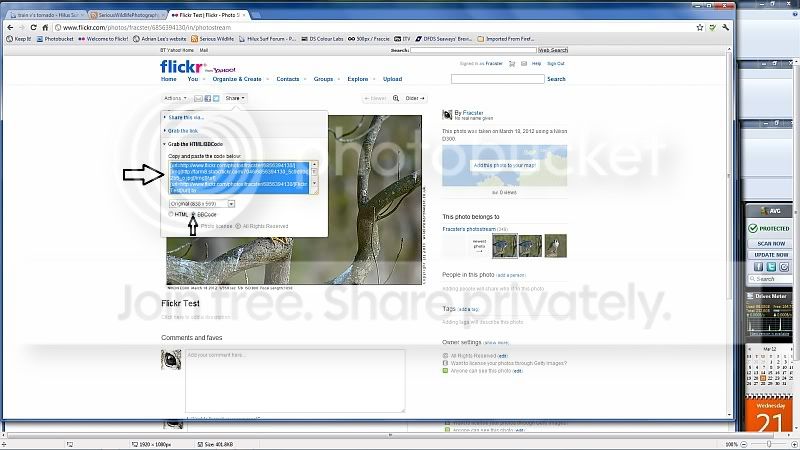
This pops up, cick the share button
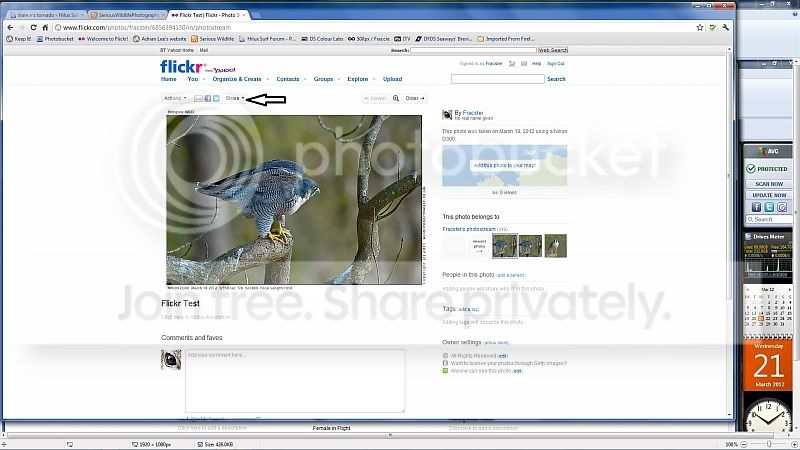
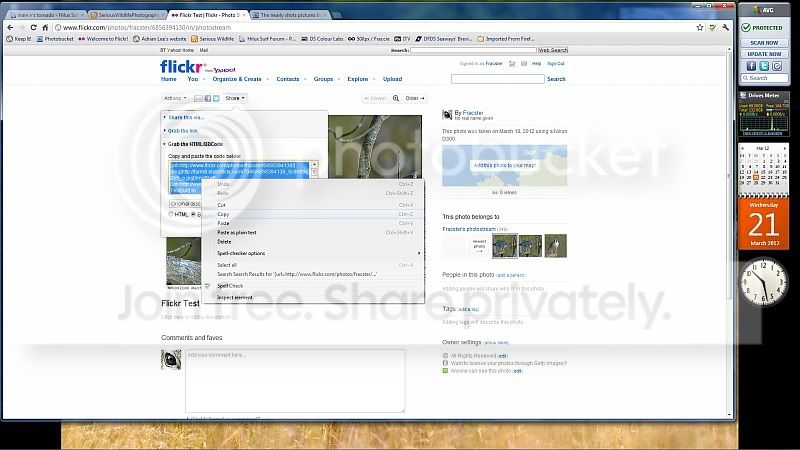
Make sure the BB code point is clicked, then right mouse button click in the code, it will turn blue,select copy.
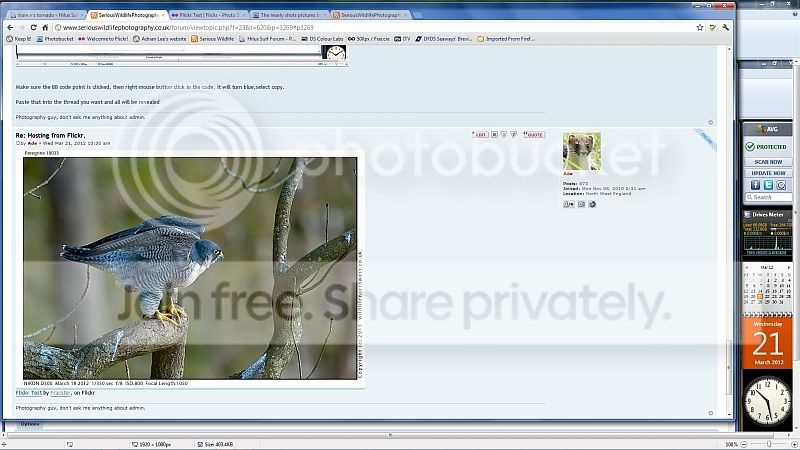
Paste that into the thread you want and all will be revealed
Make sure you resize your pics to 1024 on the longest side, makes the whole process faster, better and easier for the forum.
This pops up, cick the share button
Make sure the BB code point is clicked, then right mouse button click in the code, it will turn blue,select copy.
Paste that into the thread you want and all will be revealed
Make sure you resize your pics to 1024 on the longest side, makes the whole process faster, better and easier for the forum.

- Messages
- 16,666
- Name
- Ade
- Edit My Images
- Yes
Yes it worked!!! thanks guys and gals!
