

Peoples preferred way to deal with dull flat skies?

EspressoJunkie

Suspended / Banned
Messages
2,886
Name
Greg
Edit My Images
Yes
So I looked out the window this morning and the sky is just a flat grey (hooray for British weather!).

I know the ideol scenario would be to get out when the weather is better, but I'm limited for time these days. So I'm just interested to know what people's preferred method for dealing with flat skys are.

I know you can totally replace a sky in PS with another more interesting one, or apply a virtual grad filter. But does anyone have any other tricks or tips for this situation?

Thanks :-)
 
There's only one subject that I will shoot on dull flat days and that's waterfalls.
You dont need to include sky in the shot and its easier not to get blown highlights in the water.

Other than that I suppose you could look for subjects with texture, abstract etc
 
If my shot has to involve flat sky I try to limit it to small areas, or place an overlay of blue in PP.
 
I'm pretty much tied down by what weather is present on the day of the shoot so I either deal with them by using the flat light to help with detail shots, or I underexpose (bracketing) so I can layer images and beef up any sky detail. Grads work well but again, you need at least some detail in the clouds.

OCF works well on these days; underexpose the sky by a stop or two to go battleship grey, and the add in a couple of flashes. Makes for interesting outdoor portrait conditions.
 
If you can't deal with the sky situation try and make your subject more interesting, maybe a change of angle.

I don't like the idea of putting in a false sky to me it ruins what photography is about and starts to go into the realms of digital art,.

I will only use grads for skies, or HDR shots to make it more interesting.
 
problem with dull skies is not just the actual sky - but the rubbish flat dull lighting it gives everything. This dictates what is worth spending time photographing (basically small things plants, flowers, insects) and what isn't (large things trees, landscapes, animals).
 
I would probably add a blue graduated tint just give it some difference, I have never found the sky layer really work on photoshop, never seems to hit the spot.
 
I would convert to black and white and play with the sliders to lighten / darken different parts.
 
You you really want to shoot the sky, maybe try b&w with a graduated high contrast filter. This will exagerate any intresting light variations / patterns in the clouds that you might not have noticed.

If you dont have a filter try using the digital version in lightroom.
 
problem with dull skies is not just the actual sky - but the rubbish flat dull lighting it gives everything.


Go out and take some portraits?

People spend a lot of money on studio lights, soft boxes etc to get nice soft even lighting which is very flattering for portraits.

If good old mother nature is handing it to you for free in the form of a nice overcast day, go make use of it!
 
Go out and take some portraits?

People spend a lot of money on studio lights, soft boxes etc to get nice soft even lighting which is very flattering for portraits.

If good old mother nature is handing it to you for free in the form of a nice overcast day, go make use of it!

UGH!:thumbsdown:

There's way too much flat soft lighting nowadays - its not flattering, its just horrible, especially if its toppy from the sky - need to use some reflectors, not that there's anything to reflect...

Good Portraiture has shadows and depth to it!
 
Well this is talk basics. Start simple and move on to shadow control and the like later on. :p
 
Use ND grad filters if you cant shoot around the sky.
 
I find myself in pretty much total agreement with Marie tbh... flat lights fine for shooting waterfalls or getting the macro lens out and working with textures etc. Otherwise, save it for another day, when the lights right. Good landscape/outdoor photography is pretty much down to 3 things

the right location.
the right light.
the photographer being there at the right time.

take any one of the three away, and you're not going to have much joy :(
 
All my previous ramblings aside, this was taken on a grey overcast day and it didn't take more than a couple of minutes in lightroom to get something usable out of the sky.

IMG_9679-Edit.jpg
 
I have been having the same problem as the op, I get around it by using a blue grad filter in photoshop then use cloud brushes which isn`t bad for a small area of sky but can look a bit false if you try it on a large area.
 
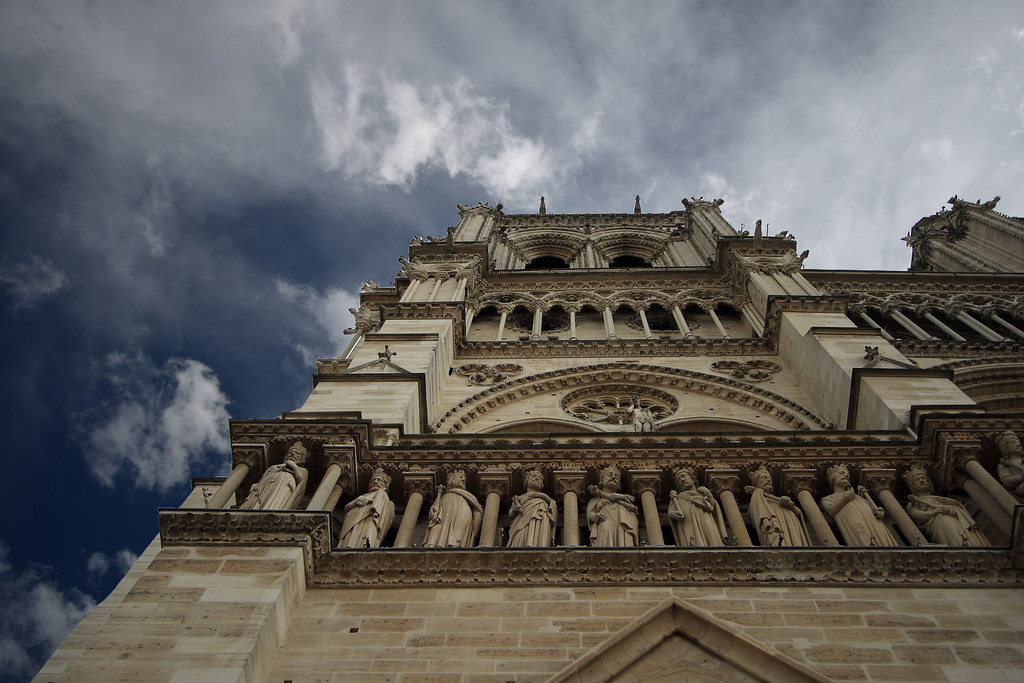
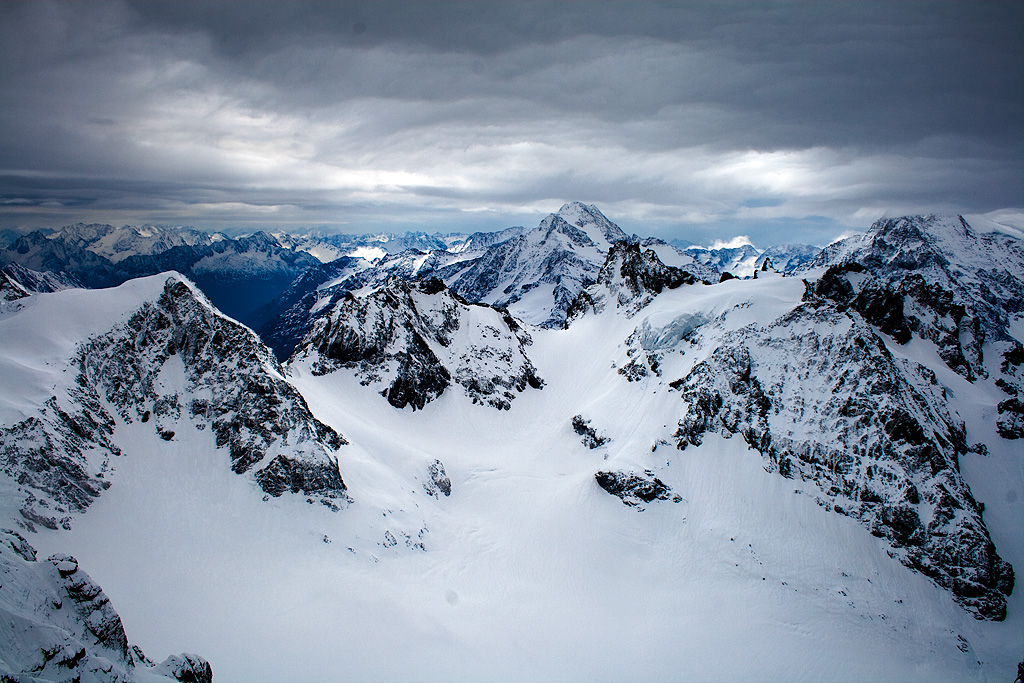
B&W is worth trying, it can make the sky seem more dramatic...
 
Here's one that I made more interesting (or significantly worse :D) by copying the sky to a separate layer and using a different blending mode to darken it and bring out more details (I forgot how I exactly did it).
5112796606_11df6dd5c7_b_d.jpg
 
Shooting HDR can yield some interesting cloud textures! generally though, great landscape photography relies on great light and the best shots can't be faked or bodged... you just have to be patient and wait for the right conditions sadly!
 
Just crop out as much sky as possible when you compose, shoot sunrise and sunset as there is still some direction to the light when the sun is at its extreme angles and the light won't be quite as flat.

Black and white will sometimes work well too.

Shoot portraits using the nice soft directional window light you get with overcast days. Outdoor portraits are great if you leave out the sky and put some directional light on your subject with a reflector or off camera flash.

Moving water looks good you can use slow shutter speeds and a tripod without an nd grad filter when light levels are low.

Chuck on an nd grad, and or stop down and use really long exposures if there is any clouds in the sky and convert to black and white. The movement in the clouds can look surreal even when its pretty drab.
 
Back
Top