PC Expert Needed

redhed17

Suspended / Banned
Messages
7,316
Edit My Images
Yes
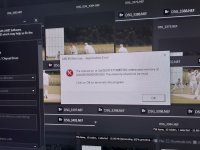
Hello, I am having problems with my PC crashing certain programs. It started with a game called Cities Skylines. The game freezes and shows multiple instances of the icon of the game from the Task Bar, and then the Radeon graphics pop up and ask me if I would like to send a report, so I am assuming it is something graphics related. It started before the really hot weather, but I am not sure whether the graphics card has something physical or software wrong with it. But it also mentions problems accessing memory. 20210729_162153 resize.jpg
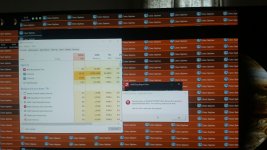
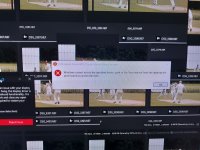
I now have also started to have problems with Adobe Bridge over the last week. I imported some Raw files, and as I am going through the full page previews after awhile Bridge crashes. I get a message saying that memory can't be accessed.
20210725_151340 resize.jpg

20210725_151433 resize.jpg


I can't think of anything I have changed for this to start happening other than a couple of M$ updates, and Radeon updates. I have tried uninstalling the Radeon software and re-installing. :(

Any ideas would be appreciated.

Here are the specs of my system.

Processor a
3.50 gigahertz Intel Core i5-4690
256 kilobyte primary memory cache
1024 kilobyte secondary memory cache
6144 kilobyte tertiary memory cache
64-bit ready
Multi-core (4 total)
Not hyper-threaded

Main Circuit Board b
Board: Gigabyte Technology Co., Ltd. Z97-D3H-CF
Bus Clock: 100 megahertz
UEFI: American Megatrends Inc. F7 06/17/2014

Drives
4140.02 Gigabytes Usable Hard Drive Capacity
280.07 Gigabytes Hard Drive Free Space

TSSTcorp CDDVDW SH-S223F [Optical drive]

SAMSUNG HD103UJ [Hard drive] (1000.20 GB) -- drive 1, SMART Status: Healthy
ST2000DM001-1ER164 [Hard drive] (2000.40 GB) -- drive 3, SMART Status: Healthy
WDC WDS500G2B0A-00SM50 [Hard drive] (500.11 GB) -- drive 0, SMART Status: Healthy
WDC WD6400AAKS-00A7B2 [Hard drive] (640.13 GB) -- drive 2, SMART Status: Healthy

Memory Modules c,d
32696 Megabytes Usable Installed Memory

Slot 'ChannelA-DIMM0' has 8192 MB
Slot 'ChannelA-DIMM1' has 8192 MB
Slot 'ChannelB-DIMM0' has 8192 MB
Slot 'ChannelB-DIMM1' has 8192 MB

Display
Radeon RX550/550 Series [Display adapter]
DELL UP2716D [Monitor]
 
First obvious questions:

Have you installed anything new?
Recent windows update? (We had one a couple of weeks back that broke a work computer)
In the light of the above, are your drivers up to date?
Are all cards seated properly?
Checked for viruses?
Checked for known faults with the game?
 
In addition to Toni's questions:

Can you reliably reproduce the error?
Are there any unusual noises coming from the PC?
Have you popped the case open while it's running to make sure all the fans are operating? (check GPU fan as well as CPU fan if you have one and the case fans)
Checked for blocked vents/dust buildup inside the case?

With you saying "hot weather" I'm reminded of the time my PC gave up "in the summer". I ended up taking the side off and putting a desk fan next to it to keep it cool until I could replace the GPU (the fan had broken)

I've also had a lot of success with Aida 64 as a monitoring tool to check on fan speeds and GPU/CPU/Mobo temperature. With the Aida Sensorpanel you can monitor things on a second monitor/iThing in much more detail than monitors like Rainmeter. I think they still do a 30 day limited functionality (but free) trial - don't know whether temp & fans are out of the "limited" bits though.
 
Others reporting the same error showing in the last picture, perhaps some solution(s) for you to try

 
Run the free version of system mechanic it is very good at computer problems solving
 
Thanks all for replying. :)

ancient_mariner - I think I have done two Windows updates since this all started. A similar number of Radeon updates. I did one a few days ago, and just did another newer version. Found a guide that advised using the AMD uninstaller first, but then the graphics card disappeared from Device Manager, so couldn't complete the guide by installing just the driver and then the Radeon software, so just installed the software again. :rolleyes:

RIR - Tried to follow the guide you linked but got stuck pretty quickly. When I tried to run DISM.exe a box flashed up for a fraction of a second and then nothing. May be beyond my capabilities.

Harliquin565
- The problems are happening with just these two programs so far, but seem to happen randomly. Sometimes the game plays for hours, sometimes tens of minutes. No unusual sounds. All fans running and memory and graphics card seems to be seated properly.

Box Brownie - That is the guide I mentioned above (before seeing your post)I followed. :)

realspeed - I will have a look into that later. :)

I tried re-installing the Cities Skylines game, I think to a slightly newer version, and now it just goes off, with none of the weird graphical stuff it was doing before. :oops: :$ :rolleyes: I am going to try and do that again though, because there was assets in the game which were not there that should have been. I haven't tried Bridge to see how that is working. I'll do that later after I have watched the footy. Don't want to have to restart PC atm when streaming the game. ;)
 
Try re-seating the memory.
What kind of PSU do you have- is it powerful enough for the system?
You have four HDDs fitted but no SSDs?
For what you're trying to do with the system it seems under specced to me.
If you're streaming a game how fast is your download speed?
All these things can combine to cause problems.
 
Hi petersmart, thanks for replying. :)

I have re-seated the memory. There is a SSD, the 500Gb one in the list, which was not differentiated in the software (Belarc) I used to take a snapshot of my system.

I have just been on 6 different sites claiming to calculate the Wattage of my system, and got pretty much 6 different results. :oops: :$ :thinking: :rolleyes: The results were, and some say the Wattage, and some recommend PSU's.
260W,
a PSU between 450 and 650W,
610W :oops: :$,
a PSU between 300W and 1000W,
Load 327W, recommended PSU 377,
281W

I think the PSU is 500W, so the one calculating 610W aside, I think I have more than enough power. Newer GPU's can draw a lot of power, but mine is quite modest in comparison.

If it were a power problem, the problems I am having should have manifested a year or so ago, as that was when I started playing the game regularly. I've always used Bridge, but updated that a couple of times in the last few months. And I think other programs like Photoshop, Lightroom, which are similar intensive programs, would be showing similar problems.

The (one) game I play is not streamed, though my internet is 100Mbps. ;)

I have a feeling I may have to do a total re-installation of everything to rule out software/drivers if I can't come up with a reason/solution for the problems. :rolleyes:
 
If it only happens while playing the game have you tried watching the performance tab of Task Manager to see if there is anything unusual happening during/just before the crash? I've had memory leaks in LR before which caused issues. The resolution was the same though - uninstall/reinstall. Usually only helpful with a dual screen setup because the game blocks your view of the monitor.

Are you playing the game through Steam/Epic? Things like the Steam overlay and cloud saving can sometimes cause problems - esp after a Steam update.
 
Task Manager can be set to stay on top. It's the first entry in the Options menu. It then needs persuading to be the size and in the position you want.....
 
Restrict how much CPU is being used by the demanding program try what this link shows shut down about half the cores and monitor what happens in task manager
You might only need to reserve a couple
 
Back
Top