Panasonic G5 owners thread.

arad85

Suspended / Banned
Messages
9,438
Name
Andy
Edit My Images
Yes
Last edited:
Me too. I want to see what people think about how it feels in the hand and if the images are any better than the G3.
 
You little devil ! Or should I say splitter :D
;) :D

Me too. I want to see what people think about how it feels in the hand and if the images are any better than the G3.
I don't think the images will be any better really. I've bought it for the handling. I've outgrown the configurability of my G3 very quickly. Love the images vs size, but find I'm missing pictures cos I can't change things quickly enough (focus point and aperture or shutter speed mostly). G5 looks - on paper - to be streets ahead.
 
Got my G5 yesterday, no time to play until weekend. So far like the new LCD, EVF eye sensor, non mechanical shutter noise mode and the big grip :)
 
I'd be interested to know if the G5 has a different algorithm in P mode to the G3. I find the P mode has bias toward large apertures, much more so than the aperture/shutter combination I get in the a D300 for example.
 
Really tempted to get one of these rather than wait for the EM-5 price drop...
But as my local Jessops have neither in stock to play with my money will be staying in my wallet!
 
Right. It's here (although Panny have closed the cheap offer as it was meant to be for Lumix Lifestyle members only). What can I say other than the battery is on charge for the moment.

It feels slightly less solid than the G3 - although that could be down to it not having a battery in. I should be able to use the screen as a touchpad folded in which is great (the fact I wear glasses means I can get a thumb between me and the camera with my eye to the viewfinder). The AE lock and Q menu buttons are perfectly placed - this is much better ergonomically than the G3. The grip is nicer, although where the strap attachment is placed it digs in a bit (on the G3 it is recessed and angled up). I like the thumb wheel; It is easier to reach and is slightly less recessed than the G3 so it's easier to move it and push it in. Generally, I like it :)

SilkyPix (only option for raw files for the moment) seems to be a bit hit and miss though....
 
I have been waiting for the 'right' 4/3 camera and the G5 appeared to fit the bill. Liked the idea of the OM having been an OM 35mm user, didn't like the price!

Had my G5 for 10 days now (was pre-ordered from WEX) and so far am very impressed. I bought with the standard 14-45 kit lens as I wasn't happy with what I'd read about the Vario and an extra £100 as well.

I had previously considered the G3 but it just felt wrong when I handled it, my index finger was no where near the shutter button. The G5 has resolved that and all the controls are easy to reach and are intuitively placed.

The fold out screen is very clear with good articulation.

Images are sharp, colour rendition is excellent, so far very happy.
 
Can anyone give any feedback on DR when compared to G1/2/GF1? Feedback on low and high ISO performance v earlier models wuld be nice too.
 
Can anyone give any feedback on DR when compared to G1/2/GF1? Feedback on low and high ISO performance v earlier models wuld be nice too.
Until we get ACR support, you're not going to get any sensible answers here Alan. Best that can be said is it's the GH2 sensor so has a stop or so extra dynamic range at low ISOs falling to about the same as G3/GX1 at ISO800 and possibly slightly lower at highest ISOs.

If you want the best DR in MFT at the moment, it's the OM-D. We shall see what sensor is in the rumoured GH3 in - possibly - September.
 
I didn't realise it's the GH2 sensor, I thought I'd read somewhere that it was a "new digital" sensor.
 
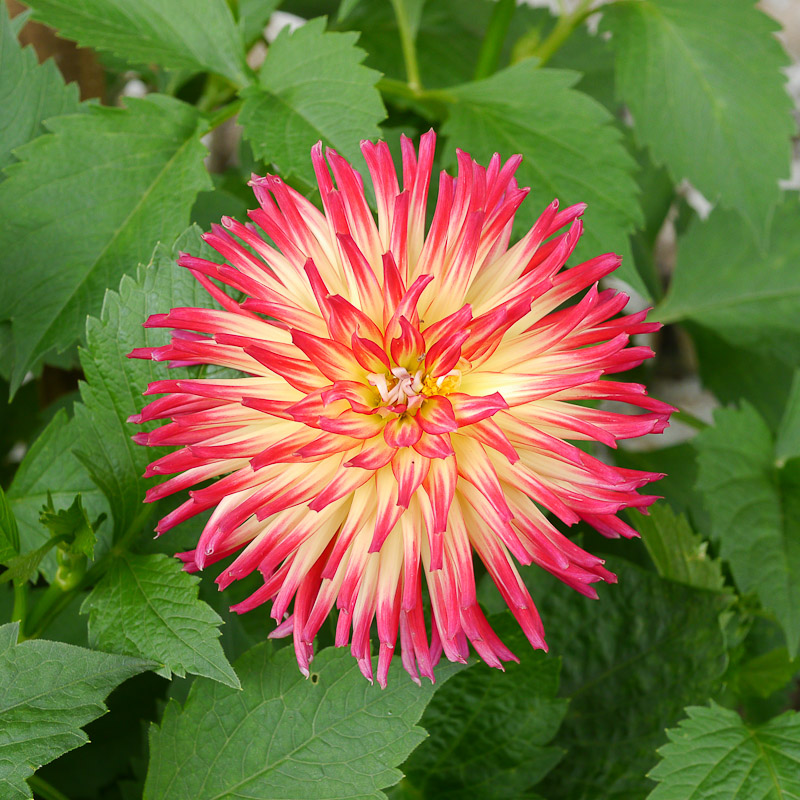
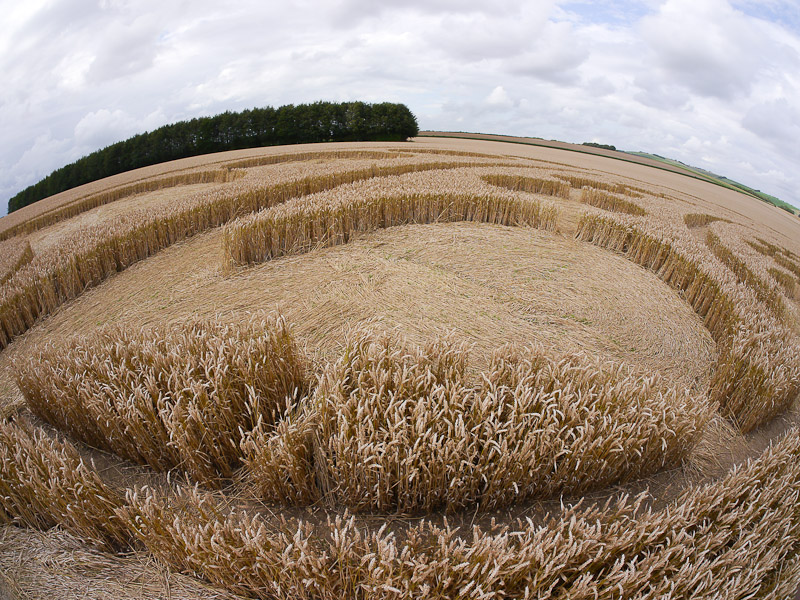
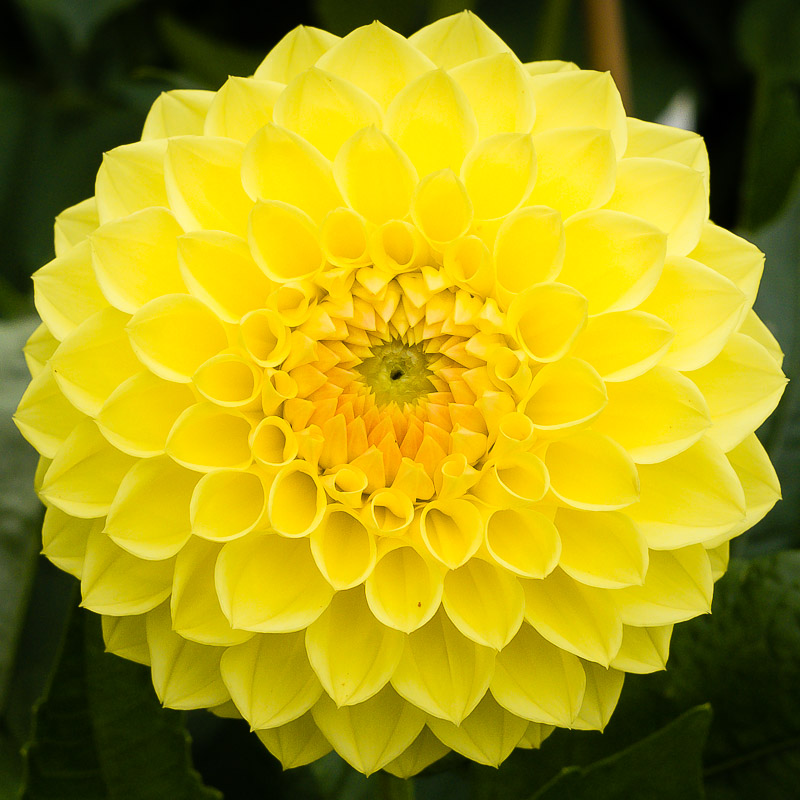
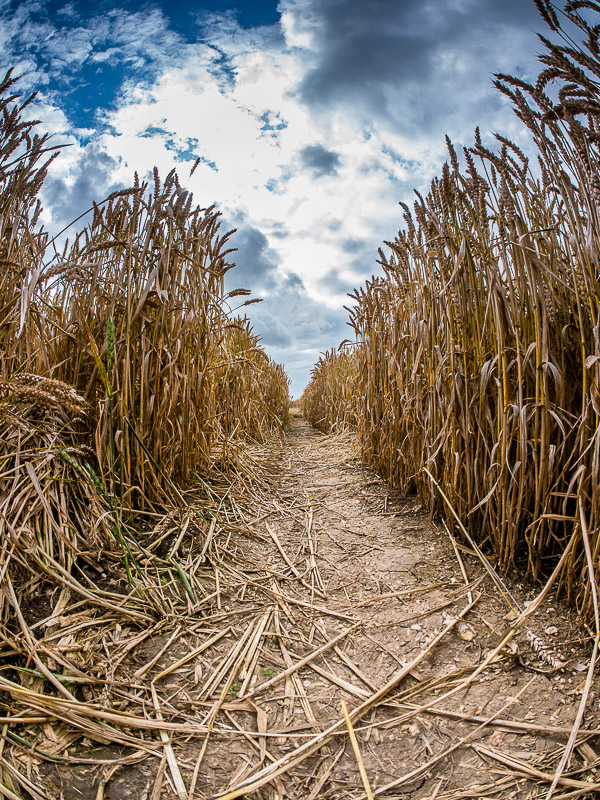
Right. I went out today. These are all with the G5 and 25mm Summilux apart from the crop circle one which is the Samyang 7.5mm. I don't like SilkyPix so these are SOOC JPEGs with some crop and in some cases a little extra processing. I'm very happy: the 100mm L macro will be up for sale in a day or so as I start to move away from DSLRs....

The crop circle can be seen from the air here: http://www.cropcircleconnector.com/2012/avebury/avebury2012a.html I think I was standing in the second serpents eye when I took this.

P1000015-800.jpg


P1000048-800.jpg


P1000080-800.jpg


P1000081-800.jpg


P1000099-800.jpg


P1000122-800.jpg
 
Last edited:
I've only had a play, but I'm getting more image "pop", better detail and better colour rendering when compared to the JPEG. Coupled with the ability to remove chromatic aberrations more precisely and it's a winner.

I'll post some images comparing some of the pics above when I've had a chance to reprocess...
 
Those are lovely Andy. I'm keeping my eye on this thread because the G5 might tempt me back to M4/3.
 
Those are lovely Andy. I'm keeping my eye on this thread because the G5 might tempt me back to M4/3.
You aren't having the Oly 45mm back ;)
 
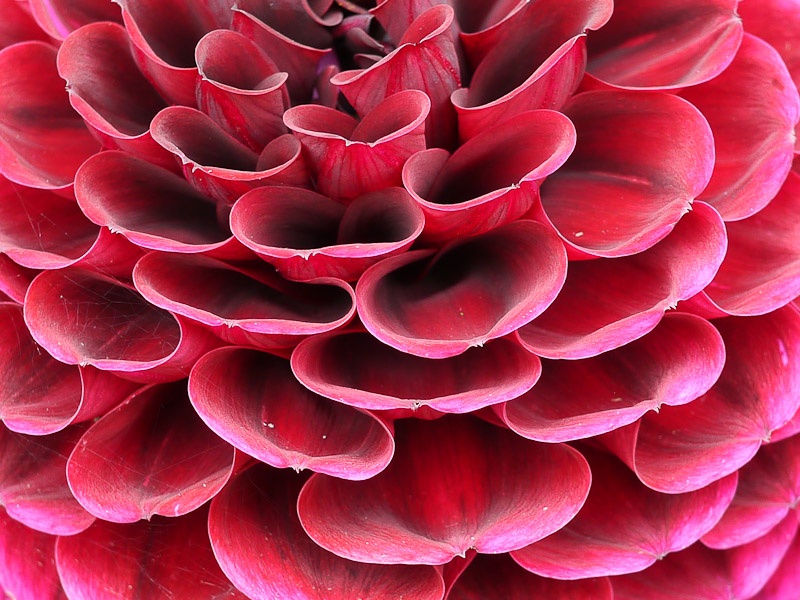
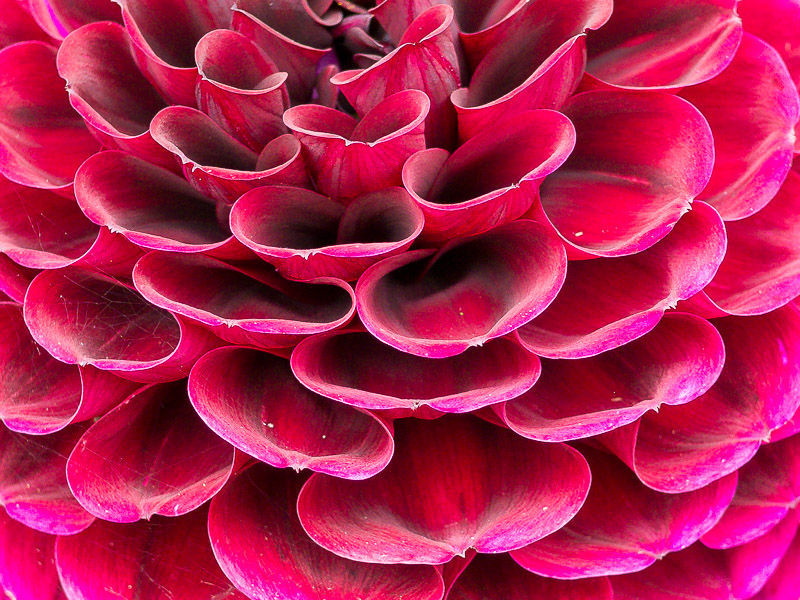
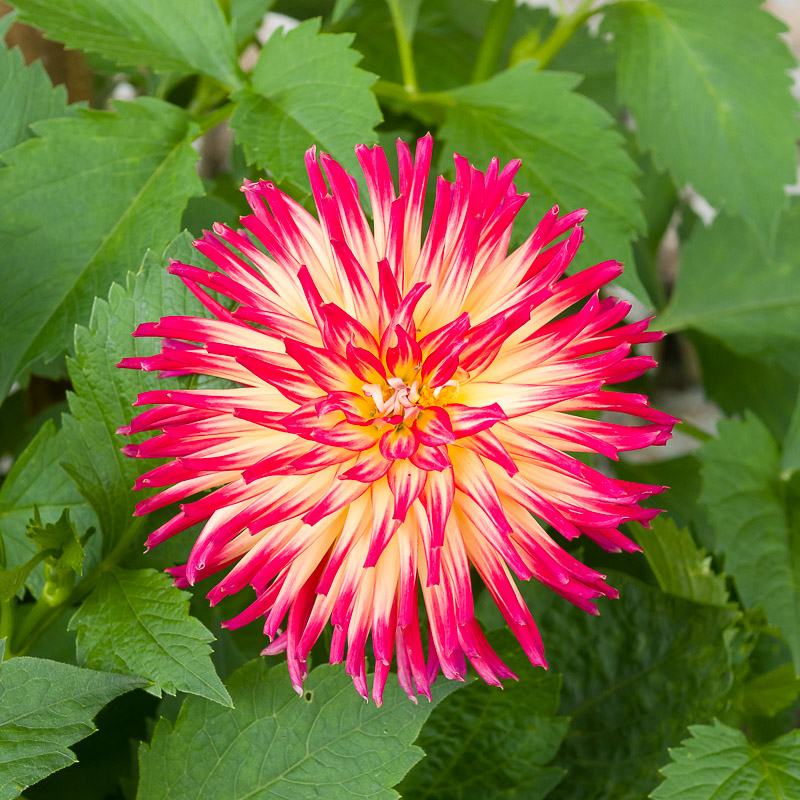
OK. Now we have RAW support, here's a couple of reprocesses. Primarily I've applied an X-rite colour profile, but the RAW files do have a huge amount more saturation than the OSOOC JPEGs (particularly on "standard" setting).

P1000015-800.jpg
cake-800.jpg


P1000048-800.jpg
window-knobs-800.jpg


P1000080-800.jpg
yellow-800.jpg
 
P1000081-800.jpg
red-flower-800.jpg


P1000099-800.jpg
red-n-yellow-800.jpg
 

Some nice shots there Andy, you tried the RAW processing yet with Lightroom release candidate ?

I'm waiting for DxO update too, but that's not coming until October
 
Some nice shots there Andy, you tried the RAW processing yet with Lightroom release candidate ?
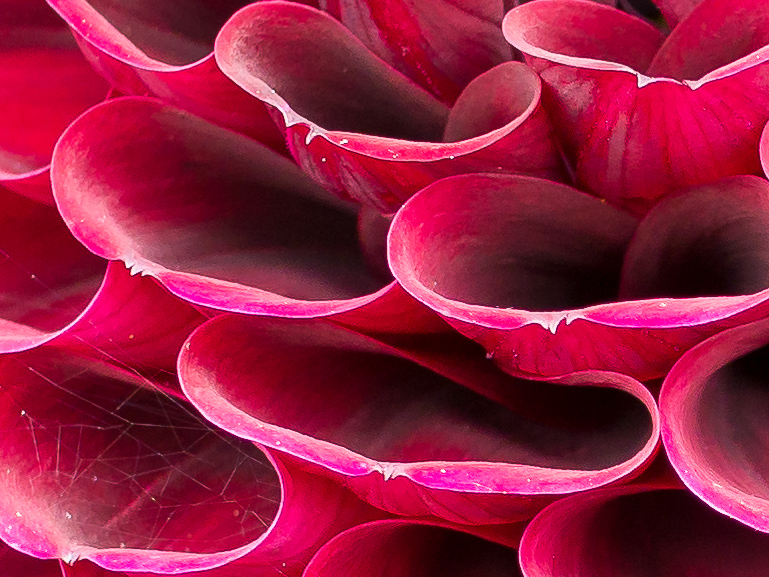
The reprocesses are next to each other in the posts above - that's why there's two of everything. If you look closely, you can see this ;) :D. At 100%, they are clearer, more vibrant and you can get more contrast and detail out of them. You can see this most clearly with the spiders web on the red image. On the raw processed, it is visible, on the JPEG, it isn't.

Here's a 100% crop:

red-flower-Copy%201.jpg


Here is one with a lot more processing that I prepared earlier:

down-the-tracks-new-800.jpg


Time to spend some time figuring out how to create a set of lens profiles for the zooms/primes I have.... That's a good one for a rainy day....
 
Use DxO, they've already done it for you ;)
No they haven't. Not until October.... ;)

EDIT: and even then, they are planning on not supporting all the lenses I'll have.

TBH: I like the idea of creating my own profiles. I know it will be done with my camera, my lens and I can be as a..l about it as I like :D
 
Last edited:
Would people say that the GH2 is still better than the new G5 ?
 
Would people say that the GH2 is still better than the new G5 ?
Define "better"? Given it uses the same sensor, picture quality won't be better, but it does have a different set of capabilities in camera (different sized images on aspect ratio, different video frame rates to name but two).
 
Define "better"? Given it uses the same sensor, picture quality won't be better, but it does have a different set of capabilities in camera (different sized images on aspect ratio, different video frame rates to name but two).

I guess by better I mean better IQ and more options/flexibility.

The reason I ask is that teh GH2 is cheaper than the G5 :eek:
 
I guess by better I mean better IQ and more options/flexibility.
I've not played with a GH2, but whilst there are a lot more manual dials and knobs, I'd say the pressure pad to move the focus around and the front lever make it a very close call (I use the pressure pad for almost every shot!).

The reason I ask is that teh GH2 is cheaper than the G5 :eek:
Well they have to get rid of stock before the GH3 comes along....
 
I've not played with a GH2, but whilst there are a lot more manual dials and knobs, I'd say the pressure pad to move the focus around and the front lever make it a very close call (I use the pressure pad for almost every shot!).

What do you mean by the 'pressure pad' ?
 
dpreviews preview says that it is a newly developed sensor?

Have any of you got any thoughts on the high iso?

Not new, same as the GH2 with multi-aspect disabled.
 
What do you mean by the 'pressure pad' ?
When the EVF is on (i.e. you are looking through it) you can move the focus point around the frame simply by touching the LCD screen. Even though the LCD is not on, the pressure sensitive screen is active allowing you to move the focus point around. It is surprisingly easy, avoids focus/recompose and allows you to place the focus point anywhere on screen from image to image without moving your eye from the viewfinder. I love it.
 
When the EVF is on (i.e. you are looking through it) you can move the focus point around the frame simply by touching the LCD screen. Even though the LCD is not on, the pressure sensitive screen is active allowing you to move the focus point around. It is surprisingly easy, avoids focus/recompose and allows you to place the focus point anywhere on screen from image to image without moving your eye from the viewfinder. I love it.

I think I have seen that feature and does sound useful. Does the GH2 not have this then Andy ?
 
I think I have seen that feature and does sound useful. Does the GH2 not have this then Andy ?
Nope. New in G5 (and probably GH3 I'd guess. It is incredibly useful. Moving the focus point was the single biggest issue I have with the G3...
 
Time to spend some time figuring out how to create a set of lens profiles for the zooms/primes I have.... That's a good one for a rainy day....

Use DxO, they've already done it for you ;)

Or just use Lightroom (or most any other RAW converter). The RAW file carries EXIF information which tells the raw convertor how to correct. Supported in LR since 2.2 according to MadManChan2000 (Adobe staff) here: http://forums.adobe.com/message/3124173

I wondered why there were no profiles for u4/3rds cameras.
 
arad85 said:
Or just use Lightroom (or most any other RAW converter). The RAW file carries EXIF information which tells the raw convertor how to correct. Supported in LR since 2.2 according to MadManChan2000 (Adobe staff) here: http://forums.adobe.com/message/3124173

I wondered why there were no profiles for u4/3rds cameras.

Hmm I see a wealth of difference between DxO and LR images, so not 100% sure when or where the LR corrections are applied?
 
Hmm I see a wealth of difference between DxO and LR images, so not 100% sure when or where the LR corrections are applied?
On import...

What difference do you see? The software compensates for distortion and chromatic aberration. See:

http://forum.getdpi.com/forum/444234-post3.html

for further confirmation.

It's why there are no profiles for Panny/Oly lenses in LR and why the ones I have seen only do peripheral illumination correction - I wondered why the 25mm was 100% geometrically perfect....
 
arad85 said:
On import...

What difference do you see? The software compensates for distortion and chromatic aberration. See:

http://forum.getdpi.com/forum/444234-post3.html

for further confirmation.

It's why there are no profiles for Panny/Oly lenses in LR and why the ones I have seen only do peripheral illumination correction - I wondered why the 25mm was 100% geometrically perfect....

Ok that's what I thought, but I still see the corrections that DxO makes to be vast, obviously only comparing the lens correction settings, discounting the HDR corrections that it applies by default too
 
Back
Top