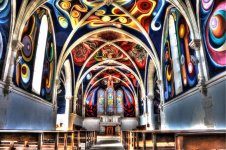
Over processed images

Thank for all your replies

Lightroom users - I have been using LR since it was first launched - Adobe update it regularly and enhance pp possibilities - what I have noticed more and more is as soon as I load an image into LR I start hitting the sliders, sometimes spending more and more time sitting in front of the screen - also I have now noticed that if I go back say 5 or 10 years I start re-processing images that I was happy with bringing in new "possibilities"

As mentioned in a posting above small bird images, in particular, tend to be large crops and there is a tendency on my part to try to get the image as sharp as possible and it's always very tempting to try to eliminate any distractions in the BG.

Also I feel that the "big" megapixel sensors that are now becoming the norm are more and more "digital" if that makes sense

PP is a personal thing but I feel that it is separate from any "technical" issues relative to an image - i.e. try another (faster) shutter speed or use a wider stop value to "blurr" the BG

Most of the time "advice" says take and use a RAW image which invites PP

The latest version of LR is way different from the first version
 
Last edited:
Maybe a straight out of the camera forum would be fun :ROFLMAO::ROFLMAO:


Almost all the (few!) shots I post here are SOOC. Not only that but they're JPEGs, resized and/or cropped in the compact too.
 
Thank for all your replies

Lightroom users - I have been using LR since it was first launched - Adobe update it regularly and enhance pp possibilities - what I have noticed more and more is as soon as I load an image into LR I start hitting the sliders, sometimes spending more and more time sitting in front of the screen - also I have now noticed that if I go back say 5 or 10 years I start re-processing images that I was happy with bringing in new "possibilities"

As mentioned in a posting above small bird images, in particular, tend to be large crops and there is a tendency on my part to try to get the image as sharp as possible and it's always very tempting to try to eliminate any distractions in the BG.

Also I feel that the "big" megapixel sensors that are now becoming the norm are more and more "digital" if that makes sense

PP is a personal thing but I feel that it is separate from any "technical" issues relative to an image - i.e. try another (faster) shutter speed or use a wider stop value to "blurr" the BG

Most of the time "advice" says take and use a RAW image which invites PP

The latest version of LR is way different from the first version
In bold.

For me. I feel raw and PP is essential, as I want colours, contrast, and saturation to look the way I saw them, and not the way Nikon or/and Adobe technicians (along with their marketing people and psychologists) have decided they should look. This is one reason I still find digital processing difficult, but I'm better than I was and re-processing older images always gives me something that looks better than the original.

Additionally, SOOC, or the Lightroom defaults start out as looking over-processed to me. The Capture One defaults (using its linear curve default), or those from Raw Therapee, or Darktable give better starting points, which are flatter, tonally richer and gentler than SOOC images or Lightroom defaults. You can of course tweak LR, and there are different options for SOOC images, but none seem as useful to me as beginning with a minimally processed Raw preview.
 
another question

Do the images that you post on here, i.e on this forum at say 1200 x 1200 and under 500KB look like the same imaged that you process in LR

I find that they have less colour vibrant and lack the same level of clarity and "black"

what export parameters do you use when exporting from LR for images posted on the Forum - (I tend to use 1100 x 1100 - under 500KB and colour space sRGB and sharpened for Screen)
 
another question

Do the images that you post on here, i.e on this forum at say 1200 x 1200 and under 500KB look like the same imaged that you process in LR

I find that they have less colour vibrant and lack the same level of clarity and "black"

what export parameters do you use when exporting from LR for images posted on the Forum - (I tend to use 1100 x 1100 - under 500KB and colour space sRGB and sharpened for Screen)
This forum only allows 1000px under 500kb, so your settings above may be getting compressed again.
 
Another factor that plays a role is the aesthetic of an image. In the example below, the original unedited image is on the left, while the right was processed to my personal preference. To my eyes, it is more pleasing, but it may be ‘unnatural’ to others.

Screenshot2.jpg


That looks fine to me. A RAW file always looks a bit on the dull side and there's no harm in "improving" it, as you have done. In the days of film Fuji Velvia always gave a look that would now possibly be described as "over-processed" but many landscape photographers (including me) loved it.
 
Last edited:
I do a lot of processing on my still life images in LR and Photoshop, but that's because I'm aiming for a style that requires it. On most of my other photos e.g. dogs, flowers, macro they get a few tweaks.
I have a couple of import presents in LR, one is for lens corrections and the other is to set a neutral Adobe colour space. I've found this to be a much better place to start adjusting sliders from. I really don't like the new(ish) adaptive colour profile feature.
 
Last edited:
The important thing is not how much processing you do - moving a single slider a little too far will make an image look horribly over-processed - but rather how the final image appears.
 
Last edited:
The important thing is not how much processing you do - moving a sing slider a little too far will may an image look horribly over-processed - but rather how the final image appears.
Yes, it isn't actually, the time spent processing; it's the implications of making extreme adjustments. And you don't need to spend much time on a picture if you only make a few extreme adjustments.

Most of the advice I read about using Photoshop and Capture One suggests making multiple small changes to slowly build the final image, which inevitably make it a longer process.

But it's also easy to degrade image quality as you add more and more adjustments, which might also compound undesirable effects if you aren't paying attention
 
I think of PP as adding salt and pepper to recipe, a bit can make the ingredients sing, too much and its unpalatable.
 
I think it depends on your definition of "over-processed". I know people that to photography for a living and their approach to portrait editing leaves me very confused as it's almost like a cheap Facetune filter thrown onto the picture. I might overdo Phototiva makeup here and there myself, but I always try to avoid clearly plastic look as it's just unnatural, while some seem to be after it. Another thing is saturation, I've seen plenty of pictures where it could be toned down, but apparently this was the effect the photographer was going for.
 
Yes, it isn't actually, the time spent processing; it's the implications of making extreme adjustments. And you don't need to spend much time on a picture if you only make a few extreme adjustments.

Most of the advice I read about using Photoshop and Capture One suggests making multiple small changes to slowly build the final image, which inevitably make it a longer process.

But it's also easy to degrade image quality as you add more and more adjustments, which might also compound undesirable effects if you aren't paying attention


As an off road instructor taught me many years ago, "as slow as possible but as fast as necessary!". Translates well (in this instance) to "As little PP as possible but as much as necessary."
 
Colour Profiles - I'm just learning so what I say may be inaccurate, so please correct me if I am talking rubbish

I now have the BenQ 272U 4K which has features that help to see different colour profiles "on the fly" as it were. There is quite a (initial) noticable different between the 272 and my iMac 27" 5K Retina ....... the "iMac" profile on screen is brighter to the eye, (maybe an Apple ploy to please the viewer?) ....... but after a few adjustments you can bring them closer together ............it is interesting to see how the Adobe RGB profile differs from the "iMac" profile which seems to be the default on the 5K Retina.
I'm trying to figure out which is the most "realistic" for "on screen" and for "posting to the internet" use ....... so to start with I'm sticking to Adobe RGB, although I believe that a P3 profile is being used more and more for internet posting??

I'm planning to buy a printer and print images and it looks as if I should always use, (and download), the profile for the paper that I use and then adjust/re-process the image for that particular paper, (the image for printing being different from the image used for posting on the internet/viewing on screen.

I read above that maybe Adaptive Colour in LR is not liked ........... I find it quite useful as a start point to editing for the screen

The definition from the internet and from Adobe - Lightroom - Adaptive Color is defiined as an AI-powered feature that analyzes an image and generates a custom color profile to provide a natural-looking starting point for editing.

I started the thread with the Title "Over processed images" - I was referring to mine as much as others in that I was/am seeing LR and other image processing software, (including in camera adjustments) pushing "more processing" into image processing if you get what I mean ........ changing the original to add more colour etc., etc. .............
 
Last edited:
Colour Profiles - I'm just learning so what I say may be inaccurate, so please correct me if I am talking rubbish

I now have the BenQ 272U 4K which has features that help to see different colour profiles "on the fly" as it were. There is quite a (initial) noticable different between the 272 and my iMac 27" 5K Retina ....... the "iMac" profile on screen is brighter to the eye, (maybe an Apple ploy to please the viewer?) ....... but after a few adjustments you can bring them closer together ............it is interesting to see how the Adobe RGB profile differs from the "iMac" profile which seems to be the default on the 5K Retina.
I'm trying to figure out which is the most "realistic" for "on screen" and for "posting to the internet" use ....... so to start with I'm sticking to Adobe RGB, although I believe that a P3 profile is being used more and more for internet posting??

I'm planning to buy a printer and print images and it looks as if I should always use, (and download), the profile for the paper that I use and then adjust/re-process the image for that particular paper, (the image for printing being different from the image used for posting on the internet/viewing on screen.

I read above that maybe Adaptive Colour in LR is not liked ........... I find it quite useful as a start point to editing for the screen

The definition from the internet and from Adobe - Lightroom - Adaptive Color is defiined as an AI-powered feature that analyzes an image and generates a custom color profile to provide a natural-looking starting point for editing.

I started the thread with the Title "Over processed images" - I was referring to mine as much as others in that I was/am seeing LR and other image processing software, (including in camera adjustments) pushing "more processing" into image processing if you get what I mean ........ changing the original to add more colour etc., etc. .............
There are people who will be able to help you more with this than me, but a starting question for me is "How are you calibrating your monitors?"

Even with calibration, at least until you start spending multiple thousands on one, you won't get two monitors to look identical, The calibration sets your monitors to match "standard" colours. Which once setup allows the displayed colour profiles e.g. Adobe RGB to match the gamut of colours that those profiles work within.

EDIT: I accidentally posted this before I finished typing it, but I'll leave it as is, for now :-(

EDIT 2: there is a useful booklet from Fotospeed which might be useful

 
Last edited:
There are people who will be able to help you more with this than me, but a starting question for me is "How are you calibrating your monitors?"

Even with calibration, at least until you start spending multiple thousands on one, you won't get two monitors to look identical, The calibration sets your monitors to match "standard" colours. Which once setup allows the displayed colour profiles e.g. Adobe RGB to match the gamut of colours that those profiles work within.

EDIT: I accidentally posted this before I finished typing it, but I'll leave it as is, for now :-(

EDIT 2: there is a useful booklet from Fotospeed which might be useful


Thanks Graham

just reading about and looking at getting Spyder X Pro or X rite il Display
 
Thanks Graham

just reading about and looking at getting Spyder X Pro or X rite il Display
Having looked it up, it looks as if your BenQ monitor uses its own calibration software, so it might be worth finding out if one or other of the two options work best with he BenQ, or whether it doesn't matter.

Historically, I think the now, Calibrite kit (Xrite display) has been seen as a bit better than the Spyder, but lots of people, who seem to know what they are doing, use the Spyder kit.
 
Having looked it up, it looks as if your BenQ monitor uses its own calibration software, so it might be worth finding out if one or other of the two options work best with he BenQ, or whether it doesn't matter.

Historically, I think the now, Calibrite kit (Xrite display) has been seen as a bit better than the Spyder, but lots of people, who seem to know what they are doing, use the Spyder kit.

Yep the BenQ has a drop down list of Calibration tools ........ plus lots of other stuff/Software ............Pallet Master Ultimate......... it seems to be quite a clever piece of kit!!
 
Back
Top