One light in Hilite

markyboy.1967

Suspended / Banned
Messages
8,171
Name
Mark Molloy
Edit My Images
Yes
Folks, i just did a shoot for my work for the website so that everyone can upload their images.I did this with 2 lights and a black background however the manager ( Internal Coms ) has asked me to shoot the next batch against a white background( they use images with white in other media so it would help). The department have a Lastolite Highlite but only have continious lighting for the videos they shoot. I powered one up and it gets a bit hot so wouldnt think about using it.

They have told me a can take the Highlite home with me to play around with it over the christmas shutdown. I only have a 2 light set up which i know is preferable for the highlite to get an even exposure. In the internal coms room it doesnt have natural light so i was thinking of trying 1 light in the highlite and the other on the subject ( head and shoulders shots only).

What`s your thoughts on this and is there a proven method for lighting with just 1 light.
 
Last edited:
Stick it in the middle, low down, pointing towards the top back edge. If you can fit a diffuser of some kind on the head then so much the better.
 
I've used just a single light in the Highlite and a single key light with good results. See the set up thread in the portrait section.
 
markyboy.1967 said:
Will look at that shortly, off out just now.:thumbs:

Mark, only ever use 1 light in the highlight after seeing the Noirdude doing it with an 8x6 with great results.
 
I'm far from an expert as I've only used a hilite twice - but I used one on Sat night with one light in hilite and one as key and it seemed to work ok.

An example (Full set here)

 
Cool, have fun putting it away. Let us know how you get on.
 
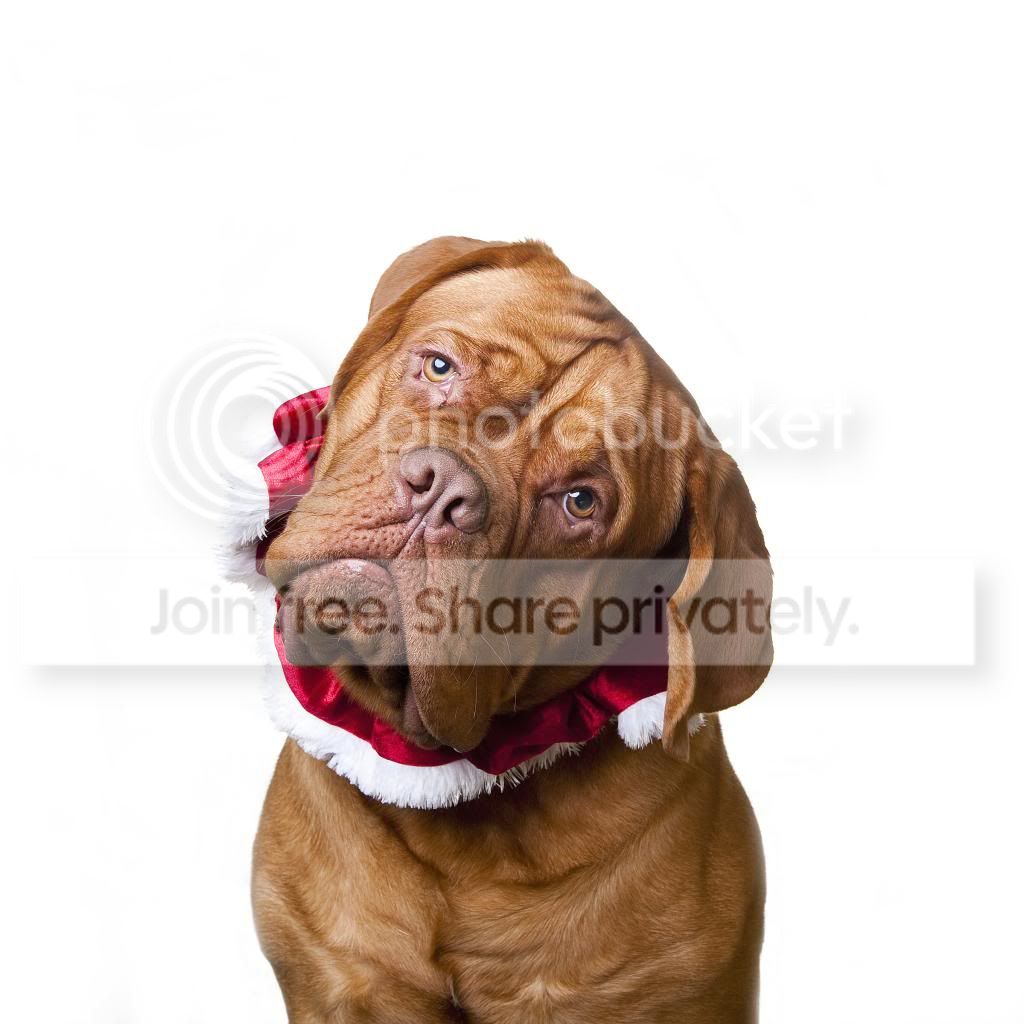
Well i ran into a little problem, the hilight didnt have the small rods to keep it open--must still be at work...I tried a head shot of my dog with just 1 lightt on the background behind the dogs head ( rather than inside the hilite) and one on the dog itself. This needed a bit of pp but here is my first shot from it in my living room.Found it difficult to seperate the background from the white material on his neck--couldnt move him further away due to lack of space

DSC_3148_zpse5d8dad7.jpg
 
I now have the hilight at home to play around with for a few weeks. I was hoping it was a 7x76 or so but its a bit bigger, think its 8x7 but im sure i will make room.

When I first read they were letting you take it home I was hopeing it wasnt the 7x8, in an office or hall they seem small but put them in a home and they are huge.

As your only doing head shots then your not worrying about the corners and edges of the highlite not being even so just position the light and get your heads in the right place. I have done the print station for a highlite used with a single light and it just means a little more pp on the whites as the light fades to the edges.
 
Thanks, yeah it's the big one which is to big for my needs. I'm going to buy myself a 5x7 Hilite in the next few weeks as I already have a 9x7 pop up background( Pellier Noir) so hoping they between them cover most needs.Even though I couldn't use the Hilite as it should be used I still like the look of the white for pets.
 
Hi mate, bounced brolly lights the floor and the subject two stops less than the background seems to give good coverage

Then i saw a good tip by Mr Lastolite Mark Cleghorn for post work. set the white point of the image to the non blown out floor to subtly lift the image and make the greyish flooring white. Then go round with dodge tool set to highlights @ 9% around any darker parts and hi-key complete.

I always have the brolly on camera right, but I'm sure another brolly on camera left would help with blowing the floor and improving the lighting on the subject but for now I don't do them a lot so it's more than sufficient :)

cheers

drew
 
Nice shots Drew - good to see what can be done with a simple set up. Thanks for sharing. I'm hoping to buy a 6x7 in the New Year.
 
Back
Top