

You are using an out of date browser. It may not display this or other websites correctly.
You should upgrade or use an alternative browser.
You should upgrade or use an alternative browser.
Olympus OM-D E-M5, E-M1, E-M10 - Mk1, Mk2 & Mk3 Owners Thread
- Thread starter bl0at3r
- Start date




jerry12953
Suspended / Banned
- Messages
- 12,421
- Name
- Jeremy Moore
- Edit My Images
- No
A well-observed selection.A few from my recent foray to Beamish Living Museum
EM510353-ORF_PR2.jpg by Stephen Lee, on Flickr
Men or Coal? by Stephen Lee, on Flickr
No Trespassing by Stephen Lee, on Flickr
Engine Shed by Stephen Lee, on Flickr

the black fox
Suspended / Banned
- Messages
- 17,082
- Name
- Jeff
- Edit My Images
- No


trevorbray
Suspended / Banned
- Messages
- 9,141
- Name
- Trevor
- Edit My Images
- No
Out yesterday with my 100-400 paired with the MC-14
This at ISO 6400 Processed in PureRaw
 Just a Robin by Trevor, on Flickr
This at ISO 6400 Processed in PureRaw
Just a Robin by Trevor, on Flickr
jakeblu
Suspended / Banned
- Messages
- 10,874
- Name
- Steve
- Edit My Images
- Yes
Robin fest today at the Wetlands
 Robin by Steve Vickers, on Flickr
 Robin by Steve Vickers, on Flickr
 Robin by Steve Vickers, on Flickr
Although I did manage to capture a Reed Bunting (I think)
 Reed Bunting by Steve Vickers, on Flickr
And a Dunnock
 Dunnock by Steve Vickers, on Flickr
Robin by Steve Vickers, on FlickrRobin by Steve Vickers, on FlickrRobin by Steve Vickers, on FlickrAlthough I did manage to capture a Reed Bunting (I think)
Reed Bunting by Steve Vickers, on FlickrAnd a Dunnock
Dunnock by Steve Vickers, on Flickr
Last edited:
the black fox
Suspended / Banned
- Messages
- 17,082
- Name
- Jeff
- Edit My Images
- No

trevorbray
Suspended / Banned
- Messages
- 9,141
- Name
- Trevor
- Edit My Images
- No
Absolute faith in the Olympus weather sealing.
Camera got very wet and extremely cold. Faultless
OM-1 with 12-40 Pro
 Snow in March by Trevor, on Flickr
Camera got very wet and extremely cold. Faultless
OM-1 with 12-40 Pro
Snow in March by Trevor, on Flickr
- Messages
- 7,468
- Name
- Stephen
- Edit My Images
- No
Take it you've had a bit of white stuff? Still waiting for ours!Absolute faith in the Olympus weather sealing.
Camera got very wet and extremely cold. Faultless
OM-1 with 12-40 Pro
trevorbray
Suspended / Banned
- Messages
- 9,141
- Name
- Trevor
- Edit My Images
- No
Yep. Overnight. Doesn’t look as if it’ll be here for long.Take it you've had a bit of white stuff? Still waiting for ours!
jakeblu
Suspended / Banned
- Messages
- 10,874
- Name
- Steve
- Edit My Images
- Yes
Me tooTake it you've had a bit of white stuff? Still waiting for ours!

the black fox
Suspended / Banned
- Messages
- 17,082
- Name
- Jeff
- Edit My Images
- No
White stuff started here about 30 minutes ago
jakeblu
Suspended / Banned
- Messages
- 10,874
- Name
- Steve
- Edit My Images
- Yes
Lovely Robin, Trevor. Can I ask how you incorporate Pure Raw into your workflow?Out yesterday with my 100-400 paired with the MC-14
This at ISO 6400 Processed in PureRaw
the black fox
Suspended / Banned
- Messages
- 17,082
- Name
- Jeff
- Edit My Images
- No
I’ll second that ,always willing to learnLovely Robin, Trevor. Can I ask how you incorporate Pure Raw into your workflow?
trevorbray
Suspended / Banned
- Messages
- 9,141
- Name
- Trevor
- Edit My Images
- No
Lovely Robin, Trevor. Can I ask how you incorporate Pure Raw into your workflow?
I use it as a Lightroom Plug in. Once I’ve selected an image to process. In Library panel. I click on the File menu-Plug in Extras-Process in PureRAW. When complete I finish off in Lightroom Develop panel.I’ll second that ,always willing to learn
- Messages
- 7,468
- Name
- Stephen
- Edit My Images
- No
That’s about the same way I use it. Import via Lightroom, quick scan through to weed out the obvious dross, then batch-process by PureRaw as Trevor says. PR automatically sends the converted DNG files back to LR and places them into a sub-directory which it creates. Then continue processing with LR.I use it as a Lightroom Plug in. Once I’ve selected an image to process. In Library panel. I click on the File menu-Plug in Extras-Process in PureRAW. When complete I finish off in Lightroom Develop panel.
jakeblu
Suspended / Banned
- Messages
- 10,874
- Name
- Steve
- Edit My Images
- Yes
I use it as a Lightroom Plug in. Once I’ve selected an image to process. In Library panel. I click on the File menu-Plug in Extras-Process in PureRAW. When complete I finish off in Lightroom Develop panel.
Thanks for that. I've just downloaded a trial version and run a couple of images through it. Have to say for the most part I was impressed but one of the images for my liking was over sharpened and I don't seem to able to work out how you can adjust the process, if you can at all.That’s about the same way I use it. Import via Lightroom, quick scan through to weed out the obvious dross, then batch-process by PureRaw as Trevor says. PR automatically sends the converted DNG files back to LR and places them into a sub-directory which it creates. Then continue processing with LR.
- Messages
- 7,468
- Name
- Stephen
- Edit My Images
- No
Unfortunately you can’t. All you can do is switch it off completely then sharpen in the programme of your choice. You can always “unsharp” it of course.Thanks for that. I've just downloaded a trial version and run a couple of images through it. Have to say for the most part I was impressed but one of the images for my liking was over sharpened and I don't seem to able to work out how you can adjust the process, if you can at all.

GreenNinja67
Suspended / Banned
- Messages
- 6,176
- Name
- Terry
- Edit My Images
- Yes
Not religious in the slightest but I do like church / interior photography.
EM1 MK2 @ 7mm
Can't wait for better weather so I get some landscapes done with this lens.
[url=https://flic.kr/p/2omgrqA] St. Philips' Cathedral, Birmingham by Terence Rees, on Flickr[/URL]
EM1 MK2 @ 7mm
Can't wait for better weather so I get some landscapes done with this lens.
[url=https://flic.kr/p/2omgrqA]
 St. Philips' Cathedral, Birmingham by Terence Rees, on Flickr[/URL]
Last edited:
GreenNinja67
Suspended / Banned
- Messages
- 6,176
- Name
- Terry
- Edit My Images
- Yes
No idea why that's not showing for me.
Ah, it is now.
Ah, it is now.
Last edited:

Bebop
Suspended / Banned
- Messages
- 7,318
- Edit My Images
- No
Nor me, but the link is there and that works.No idea why that's not showing for me.
Lovely shot. My Dad went to St. Philip’s Grammar School in Brum.
Last edited:
GreenNinja67
Suspended / Banned
- Messages
- 6,176
- Name
- Terry
- Edit My Images
- Yes
Nor me, but the link is there and that works.
Lovely shot. My Dad went to St. Philip’s Grammar School in a Brum.
Thanks Bebop.
Only here for work but can think of worse places.
- Messages
- 7,468
- Name
- Stephen
- Edit My Images
- No
I’m with you on this - great shotNot religious in the slightest but I do like church / interior photography.
EM1 MK2 @ 7mm
Can't wait for better weather so I get some landscapes done with this lens.
[url=https://flic.kr/p/2omgrqA]
GreenNinja67
Suspended / Banned
- Messages
- 6,176
- Name
- Terry
- Edit My Images
- Yes
Cheers Steve,I do like a church interior shot, and that's a cracker. Good job keeping the detail in the stained glass.
Created some Dodge / burn brushes and they really helped.
the black fox
Suspended / Banned
- Messages
- 17,082
- Name
- Jeff
- Edit My Images
- No
little grebe (dabchick ) this morning after the snow had melted
 upon reflection by jeff cohen, on Flickr
upon reflection by jeff cohen, on Flickr
the black fox
Suspended / Banned
- Messages
- 17,082
- Name
- Jeff
- Edit My Images
- No

Bebop
Suspended / Banned
- Messages
- 7,318
- Edit My Images
- No
Fabulous capture Jeff.

mazdaman
Suspended / Banned
- Messages
- 1,022
- Name
- terry
- Edit My Images
- Yes
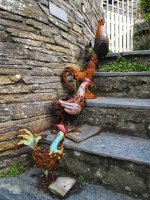
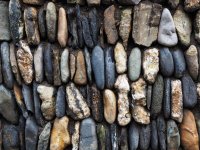
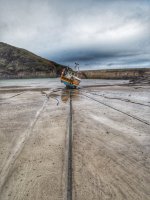
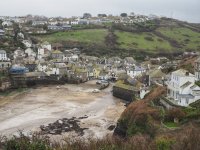
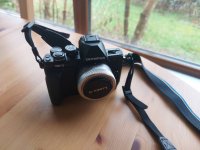
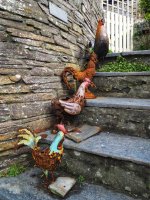
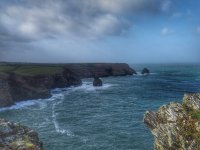
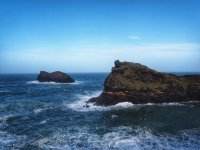
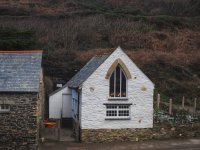
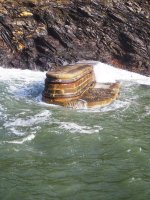
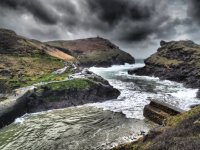
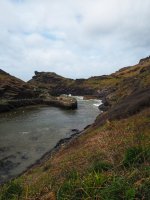
All taken on OMD EM 10 Mark 2 my new travel camera paired with Panny 12-32 and the 35-100 A very wet Port Issac Cornwall Doc Martin territory minor tweaks in snapseed really pleased with the camera less than 200 shots and I registered on Om site as a chance and it was never registered previously so 30 month warranty and came with the optional grip
Attachments
Last edited:
the black fox
Suspended / Banned
- Messages
- 17,082
- Name
- Jeff
- Edit My Images
- No

the black fox
Suspended / Banned
- Messages
- 17,082
- Name
- Jeff
- Edit My Images
- No

mazdaman
Suspended / Banned
- Messages
- 1,022
- Name
- terry
- Edit My Images
- Yes

alfbranch
Suspended / Banned
- Messages
- 13,478
- Name
- Alf
- Edit My Images
- Yes
So I got my 90mm f3.5 macro lens today. I only managed a short session with it but I got used to it quickly. This is a handheld manual focus 6 shot stack with a fair crop on an E-M1ii and using the STF-8 flash.
 Entomobrya intermedia by Alf Branch, on Flickr
Entomobrya intermedia by Alf Branch, on Flickr
Bebop
Suspended / Banned
- Messages
- 7,318
- Edit My Images
- No
Impressive!So I got my 90mm f3.5 macro lens today. I only managed a short session with it but I got used to it quickly. This is a handheld manual focus 6 shot stack with a fair crop on an E-M1ii and using the STF-8 flash.
alfbranch
Suspended / Banned
- Messages
- 13,478
- Name
- Alf
- Edit My Images
- Yes
From today in a brief gap in the weather when the snow was thawing. This is one sharp lens. single shots as this guy was on the move.
 Kat on ice by Alf Branch, on Flickr
 Kat on the edge by Alf Branch, on Flickr
Another from yesterday again a single shot
 Springtail in moss by Alf Branch, on Flickr
Next time I need to start adding the MC-14 and I am going to need to buy a MC-20
Kat on ice by Alf Branch, on FlickrKat on the edge by Alf Branch, on FlickrAnother from yesterday again a single shot
Springtail in moss by Alf Branch, on FlickrNext time I need to start adding the MC-14 and I am going to need to buy a MC-20
Micro-four-thirds
Suspended / Banned
- Messages
- 1,097
- Name
- James
- Edit My Images
- Yes
Wow that looks to be a fantastic lens.From today in a brief gap in the weather when the snow was thawing. This is one sharp lens. single shots as this guy was on the move.
Another from yesterday again a single shot
Next time I need to start adding the MC-14 and I am going to need to buy a MC-20
the black fox
Suspended / Banned
- Messages
- 17,082
- Name
- Jeff
- Edit My Images
- No
Superb lens ,used by a master at macro
alfbranch
Suspended / Banned
- Messages
- 13,478
- Name
- Alf
- Edit My Images
- Yes
Wow that looks to be a fantastic lens.
I think it is an amazing lens. It is astounding how sharp the images are in fact I am having to completely rethink my sharpening.
alfbranch
Suspended / Banned
- Messages
- 13,478
- Name
- Alf
- Edit My Images
- Yes
Superb lens ,used by a master at macro
Thanks Jeff and it is a superb lens.
the black fox
Suspended / Banned
- Messages
- 17,082
- Name
- Jeff
- Edit My Images
- No

- Messages
- 7,468
- Name
- Stephen
- Edit My Images
- No
