Olympus OM-D E-M5, E-M1, E-M10 - Mk1, Mk2 & Mk3 Owners Thread

This shot I done last week was live composite using the em1 and I think it came out much cleaner than it would have done as one image . The em1 is terrible at long exposures.
correct this is the way i did mine i used 20second exposures and did it for an hr, i never used very long shutters only 20 second chunks in LC mode..
 
Not that I've seen, no
 
This shot I done last week was live composite using the em1 and I think it came out much cleaner than it would have done as one image . The em1 is terrible at long exposures.

Looks good to me. Any idea what the exposure was? ISO, shutter, aperture etc. It does look clean.
 
So does the stacking algorithm take account of star movement, or would it simply produce a star trail picture? I've done some star stacks using Deep Sky Stacker which takes the movement into account to give a non-trailed result - can the Olympus do that in camera?

My understanding is that it will not account for star movement it just show the brightest result from any of the exposures for each pixel site. So stuff doesn't just continue to get brighter as it would with a long exposure but if a star moves from one pixel site to another, you'll see the movement as it'll be the brightest thing that pixel site has seen.

Deep Sky Stacker sounds good. Didn't realise that was possible.
 
My understanding is that it will not account for star movement it just show the brightest result from any of the exposures for each pixel site. So stuff doesn't just continue to get brighter as it would with a long exposure but if a star moves from one pixel site to another, you'll see the movement as it'll be the brightest thing that pixel site has seen.

Deep Sky Stacker sounds good. Didn't realise that was possible.

OK that's fair enough - I didn't really expect it to do more than that. Deep Sky Stacker is designed to bring out faint deep-sky objects such as galaxies, which would be pretty much impossible any other way.
 
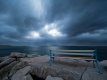
Classic view of my home town :). Great shot!

Simon.

Thanks Simon. Must admit I photograph from that spot far too often. Need to broaden my horizons but it did seem like a good option to try out my new gear.

Off out again tonight, hopefully somewhere different.
 
Thanks Simon. Must admit I photograph from that spot far too often. Need to broaden my horizons but it did seem like a good option to try out my new gear.

Off out again tonight, hopefully somewhere different.

Me too! In fact, I was there tonight. Unfortunately, the weather didn't play ball. Never mind, there's always next time!

Simon.
 
Me too! In fact, I was there tonight. Unfortunately, the weather didn't play ball. Never mind, there's always next time!

Simon.

Was on the quayside myself last night. Great weather forecast all day, hail when I arrived for sunset :(
 
Was on the quayside myself last night. Great weather forecast all day, hail when I arrived for sunset :(

Indeed. I got down there is good time for the sunset (given in aligned reasonably well with high tide and slack water), but was on my way home by 1730hrs as the hail and snow started. Always another time :-)!

Simon
 
Yesterday's town centre meet.
EM-!0 Mk1 and kit 14-42. Really need a faster lens to sort out those backgrounds though!
You'd be hard pressed to blur the background even with a wide aperture and even on medium format. The only solution is a low or oblique angle or some serious PP. Such as change the bath store blue bits to grey. Next would be to remove the words bathstore and the other words too.
 
Last edited:
To add to my collection, or rather replace the EM10 I smashed in November last year, I've just ordered an EM5ii from HDEW - the price came down to £529 yesterday which is the cheapest by miles from anywhere and given the exchange rates are going in the wrong direction I can't imagine it getting any cheaper for a long while.
 
To add to my collection, or rather replace the EM10 I smashed in November last year, I've just ordered an EM5ii from HDEW - the price came down to £529 yesterday which is the cheapest by miles from anywhere and given the exchange rates are going in the wrong direction I can't imagine it getting any cheaper for a long while.
Nice, black or silver?
I should have waited a bit, still £549 was a bargain in my book :D
 
Nice, black or silver?
I should have waited a bit, still £549 was a bargain in my book :D

Silver, I always thought silver looked naff on the EM1 but I think it looks great on the smaller cameras and besides, I have a couple of silver lenses that mess with the feng shui :D

£549 is still a great price though, especially compared to the £1k of the Pen F!

The plan is for this to become my go-to camera with the EM1 being for special occasions.
 
Last edited:
Silver does look good although I went for stealthy black :)
The Pen F looks great in silver too I must admit but yes it's a costly proposition and actually I think in most areas the E-M5 MkII is the better solution for me.
My E-M5 MkII is also my go-to camera now with my E-M1 getting more occasional use.
 
I have used Hi res mode but I am now not able to select it.:mad:
In the menu it set to off and I cannot select it and it no longer apears in the drive mode selection.

I have read the manual and I getting nowhere.:thinking:
 
Last edited:
Silver does look good although I went for stealthy black :)
The Pen F looks great in silver too I must admit but yes it's a costly proposition and actually I think in most areas the E-M5 MkII is the better solution for me.
My E-M5 MkII is also my go-to camera now with my E-M1 getting more occasional use.


Yeah, I did consider the Pen-F but the EM5ii seems more suitable for me, weather sealing is a must for a main body which means the Pen would always be a second camera and I'm a left-eye shooter so the rangefinder style appeals to me less than it might others.
 
I have used Hi res mode but I am now not able to select it.:mad:
In the menu it set to off and I cannot select it and it no longer apears in the drive mode selection.

I have read the manual and I getting nowhere.:thinking:
I couldn't find a clear reason. Apart from being in Movie mode or Art mode or something crazy like that.

Try to reset to a Base Myset. And, failing that, check what special modes you may have activated.

I had this problem once. "Where's Hi Res mode gone?" I have both the mk1 and mk2, and without my reading glasses on I picked up the mk1! Just kiddin'.
 
Last edited:
I couldn't find a clear reason. Apart from being in Movie mode or Art mode or something crazy like that.

Try to reset to a Base Myset. And, failing that, check what special modes you may have activated.

I had this problem once. "Where's Hi Res mode gone?" I have both the mk1 and mk2, and without my reading glasses on I picked up the mk1! Just kiddin'.
No art modes and I not set any mysets though I should.
 
Is the camera in Jpeg only or Jpeg+RAW
Both but I cannot select it in the menu system let alone on SCP drive tab
Still try the Base Myset. It'll clear whatever setting you might have changed.

I reckon you are right but I still wont know why if it sorts it.
 
Both but I cannot select it in the menu system let alone on SCP drive tab

So you get to the menu 2 > Hi-res shot > ok > Hi res shot off.

Then when you press the right pad to select the time delay nothing happens?
 
So you get to the menu 2 > Hi-res shot > ok > Hi res shot off.

Then when you press the right pad to select the time delay nothing happens?
Yeah I can't get the off to change to on.
 
Back
Top