Olympus OM-D E-M5, E-M1, E-M10 - Mk1, Mk2 & Mk3 Owners Thread

Probably best put a thread in the price check forum, otherwise I guess go by MPB/Wex prices and maybe drop a little off to tempt people to buy from you instead.

What are you planning to switch to?


Cheers for the help everyone.

Dunno what to switch to to be honest Keith.

Just picked up a couple of nice Pentax bodies and PK lenses which I'm enjoying using at the moment.

Not too sure about what to keep or sell the lot and try something different like a Sony or a Pentax K1.
 
Cheers for the help everyone.

Dunno what to switch to to be honest Keith.

Just picked up a couple of nice Pentax bodies and PK lenses which I'm enjoying using at the moment.

Not too sure about what to keep or sell the lot and try something different like a Sony or a Pentax K1.

I was just looking through the Pentax thread last night, some great images in there, great to see people still using that system.
 
The colours are fabulous and the DR on the K3ii is so much better than the M43's.

Well, the DR on most larger sensor cameras is better than M43, it is one of the main weaknesses ... but still better than Canon APSC :D
 
Is it possible to adjust the saturation of individual colours on the OMD-EM1 mk II ? (I see its possible on some models via the colour wheel but cant see how on EM1)

You can use the colour wheel on the Em1ii. I would do it via the color creator which is on the multi function button - or you can go via the picture style option on the super menu... or menu ..1st camera icon and choose color creator.

I think the different picture styles will produce different results too.
 
Last edited:
You can use the colour wheel on the Em1ii. I would do it via the color creator which is on the multi function button - or you can go via the picture style option on the super menu... or menu ..1st camera icon and choose color creator.

I think the different picture styles will produce different results too.


Thanks, I thought you can only add a cast of a
single colour using that feature rather than adjust individual colours? (Like +1 red, -1 green & +3 blue)
 
Thanks, I thought you can only add a cast of a
single colour using that feature rather than adjust individual colours? (Like +1 red, -1 green & +3 blue)
yes - you mentioned colour wheel on the others.

From what I can see, under the spanner menu, you can change the brightness and warmth, but under menu G, go to WB, then Auto and you can change the colours
 
yes - you mentioned colour wheel on the others.

From what I can see, under the spanner menu, you can change the brightness and warmth, but under menu G, go to WB, then Auto and you can change the colours
Ok thanks, will give it a try when home tonight [emoji3]
 
Hi Steve - just wondering if you managed to try out the new settings? While I was at Bushy Parkrun yesterday, I tried tracking a few moving dogs with the settings I suggested and I got quite a good keeper rate, despite not really being used to doing this - runners are definitely more predictable!

A few examples - not the greatest shots in the world but they are all critically sharp if you zoom to 100%:

20190323_090446_055 by Maarten D'Haese, on Flickr

20190323_091201_069 by Maarten D'Haese, on Flickr

20190323_085717_003 by Maarten D'Haese, on Flickr

Full album here; there are 30 shots of which 24 were critically sharp and 6 where the focus was slightly off:

https://www.flickr.com/photos/151407326@N05/albums/72157704221801682

All photos taken with the 40-150 f/2.8
Sorry for the late response Maarten, been a busy few weeks, that and I really don't do a lot of action type shots.

I think the change in settings and not using caf+t has helped.

nelly-sea by Steve Vickers, on Flickr

nelly-sea copy3 by Steve Vickers, on Flickr

nelly-sea copy2 by Steve Vickers, on Flickr

nelly-sea copy1 by Steve Vickers, on Flickr

Pretty tricky environment with the spray from the water that and shes bloody fast, probably not helping the focus, but these are sharper than previous attempts. I beginning to think any softness is due to the limitations in the lens I'm using and my technique. More on that in the next post

Edit just noticed colour balance is off. Started using on1 for processing so maybe thats why.
 
Last edited:
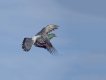
I took these two last week. The bird literally was a blip in the sky. At first I thought it a red kite but I think its actually a buzzard. Happy to be corrected on that.

buzzard2 by Steve Vickers, on Flickr

buzzard by Steve Vickers, on Flickr

These two were from a set of around twenty with these been the most in focus. I'm confident that the camera hit focus ok and any softness is due to the limitations of the lens, the fact they were very small in the frame and are pretty much 100% crops.
 
Last edited:
Pretty tricky environment with the spray from the water that and shes bloody fast, probably not helping the focus, but these are sharper than previous attempts. I beginning to think any softness is due to the limitations in the lens I'm using and my technique. More on that in the next post

Edit just noticed colour balance is off. Started using on1 for processing so maybe thats why.

I can't zoom to 100% but most of these shots look pretty good to me - focus looks like it is where it needs to be. The shots with 1/400 shutter speed might have a bit of movement blur if your dog is especially energetic.

One more thing you could try to get more consistent sharpness is to stop down the lens a little and to keep the shutter speed up to at least 1/1000. You could do this by using M (manual mode), set the aperture at f/6.3 or f/7.1 and the shutter speed to 1/1000. The ISO will then adjust itself to an appropriate value to get the right exposure. Again this will work best when outdoors in bright conditions.
 
I took these two last week. The bird literally was a blip in the sky. At first I thought it a red kite but I think its actually a buzzard. Happy to be corrected on that.
These two were from a set of around twenty with these been the most in focus. I'm confident that the camera hit focus ok and any softness is due to the limitations of the lens, the fact they were very small in the frame and are pretty much 100% crops.

For this type of scenario (small moving object in the far distance), I think SAF works better than CAF. For example, the photo below was shot with a single small AF point on the first runner. When I tried getting this shot with CAF, focus was usually off whereas with SAF it's pretty consistently on target:

20190324_093700_012 by Maarten D'Haese, on Flickr
 
Hope you get what you want - I think you can only change the red and green, but there are various other starting points if you don't choose auto.
Thanks for help, after having a fiddle with the settings it doesn't look like I can achieve what I was trying to do. Will have to be done in post, the idea came from me looking back at some images I took on my last SLR a Fujifilm S5pro. The S5 & S2 (maybe others) all had great colours and also film emulation settings. The colours looked great and was trying get something similar (for some reason people think Fuji only did this in their mirrorless cameras, but it dated back to their slr's)
 
Thanks for help, after having a fiddle with the settings it doesn't look like I can achieve what I was trying to do. Will have to be done in post, the idea came from me looking back at some images I took on my last SLR a Fujifilm S5pro. The S5 & S2 (maybe others) all had great colours and also film emulation settings. The colours looked great and was trying get something similar (for some reason people think Fuji only did this in their mirrorless cameras, but it dated back to their slr's)
You might be interested in Rob Trek on Youtube. He has set up some simulations of certain film types on his Oly cameras https://www.youtube.com/channel/UC4k4g9LVWmGOidD7tzRnYFg

Kodachrome example - ah might be in post!
View: https://youtu.be/QdgRRZ24azc
 
Last edited:
I'm having trouble with tracking, for example, a bird in flight. Can you set small groups/cluster AF points on the em10 mk2 or do I have to use that box focus for the tracking?
 
I'm having trouble with tracking, for example, a bird in flight. Can you set small groups/cluster AF points on the em10 mk2 or do I have to use that box focus for the tracking?

I haven’t got my camera in front of me and mines an EM5ii anyway but what happens when you press info when you’re on focus select screen? I think that is how I then get to choose cluster size.
 
I'm having trouble with tracking, for example, a bird in flight. Can you set small groups/cluster AF points on the em10 mk2 or do I have to use that box focus for the tracking?

Hi Dave for any kind of reasonable tracking performance I'm afraid the E-M10II is going to fall short. CAF only really works on the E-M1I, E-M1II or E-M1X.

Still I've seen people get reasonable results for BIF with the E-M10II using SAF and using high fps.
 
Aye it would go lengthways but then theres no room for anything else, Im pretty much down to this camera plus the 7.5mm samyang and the BYOB 9 aint cutting it so its going back, luckily Ive already received the BYOB from wex and tried it, it fits pretty much perfectly :-) and will have room for the 7.5 too.
 
I'm having trouble with tracking, for example, a bird in flight. Can you set small groups/cluster AF points on the em10 mk2 or do I have to use that box focus for the tracking?
I use an E-M10ii

If you bring up the focus point selection screen from the Super Control Panel then press up or down you can choose smaller, single or a clusters of focus points.
I don't do BIF but when shooting motorsport I generally use SAF and Sequential Low.
Sequential High is quicker fps but doesn't attempt to acquire focus on each frame, so if the first one is blurred the chances are the rest will be too.

I'd also consider using an UHS-II card -I noticed the camera is snappier
I talked about it before the purchase over at AVF & e-group so I won't go into it all again.
https://www.avforums.com/threads/best-sd-card-and-checking-sd-card-write-speeds.2212496/
£18 well spent IMHO
https://www.7dayshop.com/products/l...xpiry=1556974083&source=webgains&siteid=54264

I've never used the M1 or MX but they are supposed to be superior for tracking and the M1i is pretty cheap used if this is a major interest.
 
I haven’t got my camera in front of me and mines an EM5ii anyway but what happens when you press info when you’re on focus select screen? I think that is how I then get to choose cluster size.

Hi Dave for any kind of reasonable tracking performance I'm afraid the E-M10II is going to fall short. CAF only really works on the E-M1I, E-M1II or E-M1X.

Still I've seen people get reasonable results for BIF with the E-M10II using SAF and using high fps.
I use an E-M10ii

If you bring up the focus point selection screen from the Super Control Panel then press up or down you can choose smaller, single or a clusters of focus points.
I don't do BIF but when shooting motorsport I generally use SAF and Sequential Low.
Sequential High is quicker fps but doesn't attempt to acquire focus on each frame, so if the first one is blurred the chances are the rest will be too.

I'd also consider using an UHS-II card -I noticed the camera is snappier
I talked about it before the purchase over at AVF & e-group so I won't go into it all again.
https://www.avforums.com/threads/best-sd-card-and-checking-sd-card-write-speeds.2212496/
£18 well spent IMHO
https://www.7dayshop.com/products/l...xpiry=1556974083&source=webgains&siteid=54264

I've never used the M1 or MX but they are supposed to be superior for tracking and the M1i is pretty cheap used if this is a major interest.


Thanks for all the help.
If I was to upgrade one day what would be my next step from the em10 mk2?


-----------

I found a video of what I was looking for but my camera doesn't have it.

 
Thanks for all the help.
If I was to upgrade one day what would be my next step from the em10 mk2?
I found a video of what I was looking for but my camera doesn't have it.

Thanks - I wasn't aware of that - will need to try that out on my E-M1II.

Re: upgrade it depends on your budget and on what you plan to shoot. For moving subjects and if you are happy to spend the money the E-M1II or E-M1X are probably the best current options if you want to stay with Olympus. If you don't want to spend that much, the E-M1MkI is the next best option for moving subjects.

Panasonic has a few bodies with decent CAF as well: G80, GH5, and G9 I think.

Personally I've used the E-M5I, E-M10II, E-M5II, GH5, E-M1MkI and the E-M1MkII. For photography I prefer the E-M1MkII.
 
Thanks - I wasn't aware of that - will need to try that out on my E-M1II.

Re: upgrade it depends on your budget and on what you plan to shoot. For moving subjects and if you are happy to spend the money the E-M1II or E-M1X are probably the best current options if you want to stay with Olympus. If you don't want to spend that much, the E-M1MkI is the next best option for moving subjects.

Panasonic has a few bodies with decent CAF as well: G80, GH5, and G9 I think.

Personally I've used the E-M5I, E-M10II, E-M5II, GH5, E-M1MkI and the E-M1MkII. For photography I prefer the E-M1MkII.


I would stay with Olympus because of my lenses... but for a grand or 3 I better master the em10 tracking :D
 
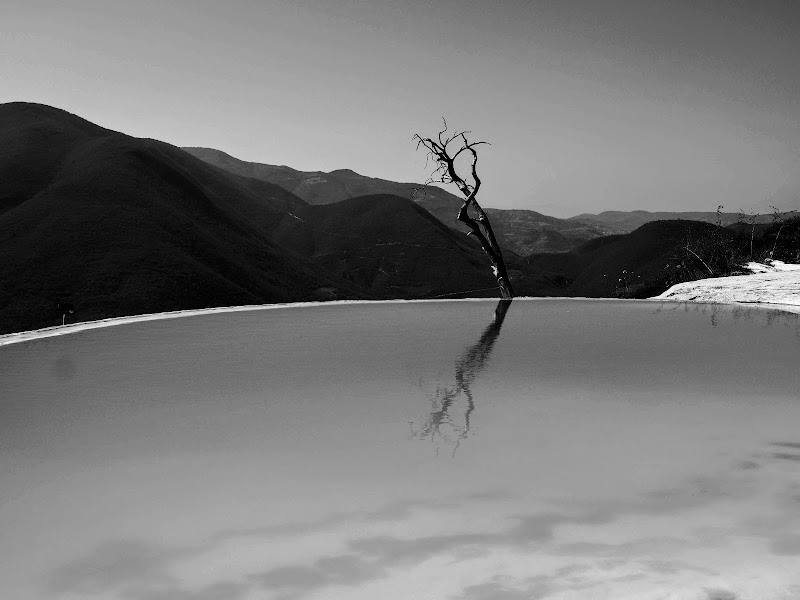
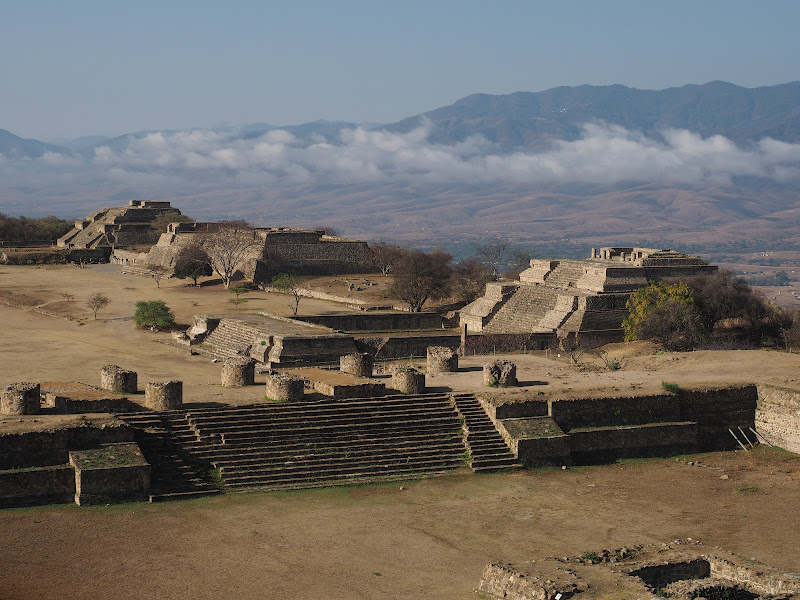
A bit of rambling anecdote. Just back from three weeks in Mexico, while on holiday with some exceptions I tend to use a camera to record holiday shots (to the best of my ability) rather than to accentuate the photography aspects. Gear-wise I carry the OM-10, using a Lowepro passport sling because of its non-camera bag look, I use a paracord wrist strap and hold the camera all the time it might be useful. The 12-40 lens sits on it almost all the time, I hate swapping out lenses unless necessary in the field, although in the bag I have the Panny 45-150 for long stuff and the 17mm 2.8 pancake for street photography, two filters for the 12-40, a ND grad and polariser. Means that I am making the best use of the compact factor of the m43, works for me anyhow, I appreciate it wouldn't for everyone.

Anyhow, early on, I had a nasty moment when I thought the 12-40 had broken, as the camera would only set MF. Now there are many who, reading that will immediately realise what had happened, it was early on and I was suffering from jet lag, alright? I didn't. It took me a good few hours to work out that, where I normally have the lens hood inverted on the lens, for and because it is REALLY sunny over there (30+ in the shade all the time....) I was actually using the little b****r. And, yes, of course, putting it into the bag I had knocked the focus ring into MF :facepalm:

At the risk of boring with holiday snaps, here are a couple, straight out the camera (except obv for a basic b&w using google)


HAM50013.JPG


HAM30633.JPG
 
I'm having trouble with tracking, for example, a bird in flight. Can you set small groups/cluster AF points on the em10 mk2 or do I have to use that box focus for the tracking?

I never found tracking much of help on my EM10MK11, i just keep the focus point on the bird.

With the EM10MK11 i used SAF and pumped the shutter, some examples

p3051276_33261971505_o.jpg

p3290054_40866620354_o.jpg

p4111487_33930478006_o.jpg
 
A bit of rambling anecdote. Just back from three weeks in Mexico, while on holiday with some exceptions I tend to use a camera to record holiday shots (to the best of my ability) rather than to accentuate the photography aspects. Gear-wise I carry the OM-10, using a Lowepro passport sling because of its non-camera bag look, I use a paracord wrist strap and hold the camera all the time it might be useful. The 12-40 lens sits on it almost all the time, I hate swapping out lenses unless necessary in the field, although in the bag I have the Panny 45-150 for long stuff and the 17mm 2.8 pancake for street photography, two filters for the 12-40, a ND grad and polariser. Means that I am making the best use of the compact factor of the m43, works for me anyhow, I appreciate it wouldn't for everyone.

Anyhow, early on, I had a nasty moment when I thought the 12-40 had broken, as the camera would only set MF. Now there are many who, reading that will immediately realise what had happened, it was early on and I was suffering from jet lag, alright? I didn't. It took me a good few hours to work out that, where I normally have the lens hood inverted on the lens, for and because it is REALLY sunny over there (30+ in the shade all the time....) I was actually using the little b****r. And, yes, of course, putting it into the bag I had knocked the focus ring into MF :facepalm:

At the risk of boring with holiday snaps, here are a couple, straight out the camera (except obv for a basic b&w using google)

HAM50013.JPG


HAM30633.JPG

Oh I've been there, and I was just at home using the 12-40, scratching me head as to why it wouldn't AF ... it is easily knocked back to MF, as wonderful a feature as that it, really is great for precision close ups in particular, I kinda wish instead of the Fn button [which is useless to me on a Panasonic body] they put a button on the MF ring to lock it instead. Otherwise almost the perfect lens :) Nice images btw :)
 
I've had pretty mixed results with the E-M5ii. I assume its behavior would be similar to the E-M10ii?

For the shots above of birds against a blue sky, I'd actually be pretty confident with the 3D tracking, at least with a fastish lens and low continuous bursts. But as soon as there is any kind of clutter in the scene, forget it.
 
Oh I've been there, and I was just at home using the 12-40, scratching me head as to why it wouldn't AF ... it is easily knocked back to MF, as wonderful a feature as that it, really is great for precision close ups in particular, I kinda wish instead of the Fn button [which is useless to me on a Panasonic body] they put a button on the MF ring to lock it instead. Otherwise almost the perfect lens :) Nice images btw :)

I have done it too and same effect with the little 2 position lever on the back of the E-M1, think the E-M5 might have it too,
Fuji has the little rotating switch on the front for focus type, knocked that on to M a couple of times as well
 
A bit of rambling anecdote. Just back from three weeks in Mexico, while on holiday with some exceptions I tend to use a camera to record holiday shots (to the best of my ability) rather than to accentuate the photography aspects. Gear-wise I carry the OM-10, using a Lowepro passport sling because of its non-camera bag look, I use a paracord wrist strap and hold the camera all the time it might be useful. The 12-40 lens sits on it almost all the time, I hate swapping out lenses unless necessary in the field, although in the bag I have the Panny 45-150 for long stuff and the 17mm 2.8 pancake for street photography, two filters for the 12-40, a ND grad and polariser. Means that I am making the best use of the compact factor of the m43, works for me anyhow, I appreciate it wouldn't for everyone.

Anyhow, early on, I had a nasty moment when I thought the 12-40 had broken, as the camera would only set MF. Now there are many who, reading that will immediately realise what had happened, it was early on and I was suffering from jet lag, alright? I didn't. It took me a good few hours to work out that, where I normally have the lens hood inverted on the lens, for and because it is REALLY sunny over there (30+ in the shade all the time....) I was actually using the little b****r. And, yes, of course, putting it into the bag I had knocked the focus ring into MF :facepalm:

At the risk of boring with holiday snaps, here are a couple, straight out the camera (except obv for a basic b&w using google)

HAM50013.JPG


HAM30633.JPG
Some lovely shots there. My travel bag sounds similar if it's a family holiday - Pen F, 12-40 plus polariser, 17mm 1.8 and 40-150 (cheap one). and I have the Lowepro passport too. Did 2 weeks in Japan with that set up plus a pull along carry on, no other luggage - only I used the Em5ii before I had Pen F.

We've all done that MF trick - still do it now, but I'm quicker to spot it, and it is a functionality I really like.

Even DSLRs struggle to track when there is a cluttered background. I barely attempted it when I had the Em5ii.
 
Last edited:
I can't zoom to 100% but most of these shots look pretty good to me - focus looks like it is where it needs to be. The shots with 1/400 shutter speed might have a bit of movement blur if your dog is especially energetic.

One more thing you could try to get more consistent sharpness is to stop down the lens a little and to keep the shutter speed up to at least 1/1000. You could do this by using M (manual mode), set the aperture at f/6.3 or f/7.1 and the shutter speed to 1/1000. The ISO will then adjust itself to an appropriate value to get the right exposure. Again this will work best when outdoors in bright conditions.
I hadn't really noted the Shutter speed until you mentioned it. I will set to Shutter priority at around 1000 in future.
 
Accidentally found a handy feature on my Olly EM1-II whilst on holiday, and is probably a feature of other ollies and probably other brands too. Anyway, I always forget to change the clock/time on my camera whilst away so often my photos will have the wrong time stamp on them, however after the first day I noticed that all my photos had the correct time. The reason being is that I was playing about with the Olly app and tried transferring a couple of photos via the app over Wi-fi and when you connect to a phone via the app it automatically updated the gps and time to your phone’s. Didn’t know this
clear.png
:oops: :$
 
Last edited:
Back
Top