Old Dell PC and SSD.

Graham

Suspended / Banned
Messages
7,448
Name
Graham
Edit My Images
Yes
Hi all, I have a dilemma here and I hope that there is some nice people out there to help me.
I have a Dell inspiron 531 (2007) model I think, originally Vista.
Dual core 64 bit processor, 4 GB of DDR2 5600 Nvidia Geforce 210 card (im not into Gaming) MOBO is 32 bit but capable of 64 bit (i do have win 7 64 bit running atm)
Now my BIG problem is that I would like to install a SSD but THIS is where my troubles begin, I cant change the Sata ports in the BIOS to AHCI, that part is greyed out and I`ve searched in the other bios areas but to no avail.
Do I really need to change this to AHCI and as I cant will it make a difference?
I will at some point today revert back to VISTA to see if that helps (to un-grey) the S-ATA bits.
All help appreciated and also note, although im ok with a PC and changing some parts but Im not technically minded.
I`ve also searched online but again to no avail. HELPPPPPP :D
 
yes. running an SSD in IDE mode will hamper its performance.

the operating system will have no impact on bios options.

is the current drive sata?

if you go to the dell website, go to the support section. punch in the machines service tag and look for a newer bios version download.
 
Hi Neil, yes it's SATA,
 
I had to update the BIOS on my vostro which is very similar to your dell to change bios and install a data drive.
 
Thanks, this is where I don't excel in PC's, if I put the update onto a sd card will that be OK,? I have sd card to USB and I go into bios and change 1st boot to?
 
From P 178 of the manual for your machine
178
Appendix
Flashing the BIOS
The BIOS may require flashing when an update is available or when replacing the system board.
1
Turn on the computer.
2
Locate the BIOS update file for your computer at the Dell Support website at support.dell.com.
3
Click Download Now to download the file.
4
If the Export Compliance Disclaimer window appears, click Yes, I Accept this Agreement.
The File Download window appears.
5
Click Save this program to disk, and then click OK.
The Save In window appears.
6
Click the down arrow to view the Save In menu, select Desktop, and then click Save.
The file downloads to your desktop.
7
Click Close when the Download Complete window appears.
The file icon appears on your desktop and is titled the same as the downloaded BIOS update file.
8
Double-click the file icon on the desktop and follow the on-screen
instructions.

manual here http://downloads.dell.com/Manuals/a...desktop/inspiron-531_owner's manual_en-us.pdf
 
Thanks Pete, I came across this wall now
upload_2015-12-3_14-51-32.png
So what to do next?
Sorry but I am really am useless at this and as I dont want to screw the pc up, im very cautious.
 
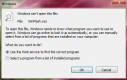
Thats the file I have and the box above is the one I get if I try to open the winflash.sys file
EDIT, I have also gone into "regedit" and changed the strings if that is what they are as shown above from you and nothing changed. still cant change sata in BIOS :(
 
Last edited:
It seems you need to do the BIOS update from a boot disk.

Available formats
File Format:Non-Packaged
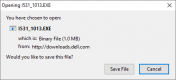
File Name:I531_1013.EXE
Download Type:HTTP
File Size: 1MB
Format DescriptionThis file format consists of a BIOS-executable file. To use it, download the file and copy it to a DOS-bootable USB flash drive, then boot the system to the USB flash drive and run the program.

Download File
Add to download list

Warning: Do not turn off your computer or disconnect from your power source while updating the BIOS/Firmware or you may harm your computer. During the update, your computer will restart and you will briefly see a black screen.
To ensure the integrity of your download, please verify the checksum value.
MD5:
4337f696e2f630cdfa425ece511fbfb0
SHA1:
Not available
SHA-256:
Not available

I have to go out now, will be back at 17.30 ish, if you are not sorted then we can pick this up again,

Pete
 
Hi Graham
have you got any further?
Pete
Hi,
I managed to get usb drive done and loaded "RUFUS" but it stalls at the 2nd screen after 3 seconds, its really got me P1$$$ed off.
I have downloaded the 1531_1013 file and added it to the usb with no probs, now, im just stuck :(
Thanks for getting back to me.

Edit, is there supposed to be a "BIN" file or am I missing something here?
 
Last edited:
Hi Graham
download this http://www.sevenforums.com/tutorials/46707-ms-dos-bootable-flash-drive-create.html
format the USB stick with it, make sure you make the drive bootable, copy the BIOS file to C drive, restart the computer, while it is booting enter the BIOS setup( Delete I think) , set the boot order to USB first, save and exit, when it is booting you may have to press the space bar to boot from USB, you will be in DOS, type cd\ and press enter then type i531_1013.exe and press enter this should give you the BIOS setup.
Pete
 
Hi Graham
download this http://www.sevenforums.com/tutorials/46707-ms-dos-bootable-flash-drive-create.html
format the USB stick with it, make sure you make the drive bootable, copy the BIOS file to C drive, restart the computer, while it is booting enter the BIOS setup( Delete I think) , set the boot order to USB first, save and exit, when it is booting you may have to press the space bar to boot from USB, you will be in DOS, type cd\ and press enter then type i531_1013.exe and press enter this should give you the BIOS setup.
Pete
Thanks for your time and patience Pete,
I'll give it another go tomorrow. I did get into dos but I didn't know what to type in so that's where I got stuck. I'll get back to you tomorrow to let you know the details, probably a few bad words that I can't put here lol here's hoping.
Cheers again Pete.
 
not done anything with rufus but it seems to be linux and the BIOS file is a DOS exe, see what happens tomorrow, I will be missing same time as today btw.
Pete
 
Graham,

I used Unetbootin to create a USB dos flash drive, the booted from the USB drive and using dos run the exe to update the BIOS.
 
If you're not confident messing with bios and registry stop. There is potential to brick your computer.
Thanks Neil, confident as long as I have the correct info in front of me.
 
not done anything with rufus but it seems to be linux and the BIOS file is a DOS exe, see what happens tomorrow, I will be missing same time as today btw.
Pete
Hi Pete,
Well it seems like that anything I throw at this PC it throws it back and cant be changed.
I entered the code in that you gave me, cd\ ent
and i531_1013.exe and ent but just comes up with bad command.
flumoxed now :(:mad:
 
Hi Graham
did you copy the bios file to the c drive, copy the file from where you downloaded it to and put it on the c drive, eg C:\I531_1013.exe not in the folder it was downloaded to
 
Hi Graham
did you copy the bios file to the c drive, copy the file from where you downloaded it to and put it on the c drive, eg C:\I531_1013.exe not in the folder it was downloaded to
Hi Pete,
No I didn't do that, would it make a difference?
I have not read anything about putting the exe file to the C drive.
Do I put it anywhere? Or drag and drop it it and let it decide?
 
Back
Top