Oh My! RAW!

Sparkles33

Suspended / Banned
Messages
5,226
Name
Nattelie
Edit My Images
Yes
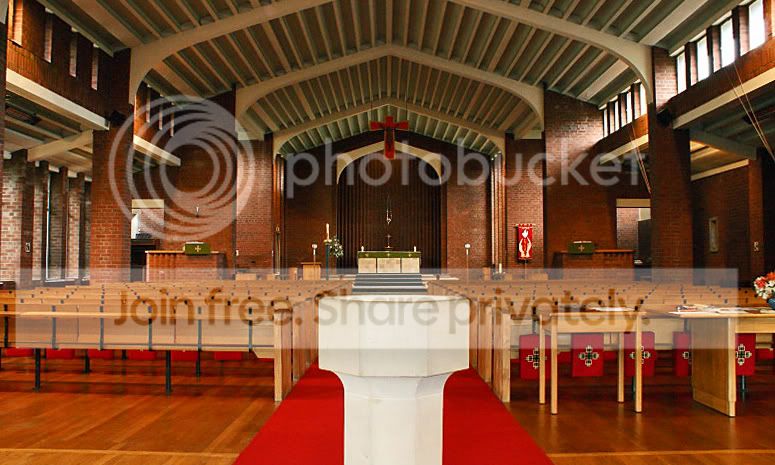
Tonight I shot my first pics in RAW and oh my! I was so impressed! Much easier to ajust etc and I'm really detrmined to take more pictures in this format.

I didn't believe all the hype but after seeing it myself - I'm impressed!
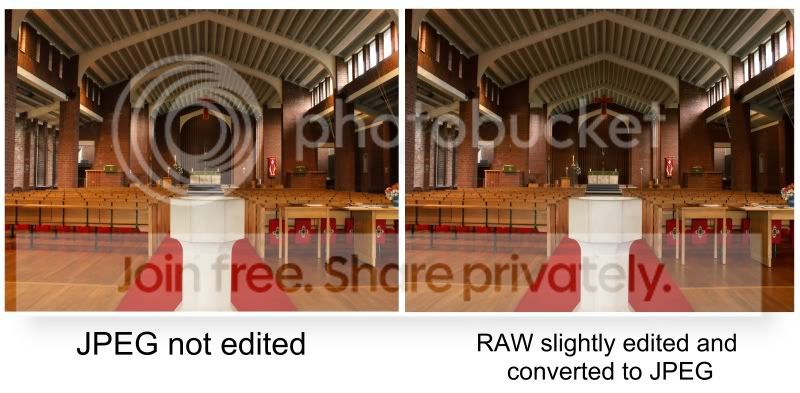
vs.jpg


A fair bit more tweaking to do etc just very basic slightly changed the red levels and green levels.

At a first shot, I think it's alot better than shooting in JPEG then editing on PS or paint.net etc
 
Good for you Magic..I also only recently became a RAW convert, and haven't been back to Jpeg since
 
ive always used RAW but i have to say that apart from a tiny diff in colour I cant see anything else different. :thinking:
 
ive always used RAW but i have to say that apart from a tiny diff in colour I cant see anything else different. :thinking:

I always use JPEG but ditto comment!
 
you will always have to sharpen RAW in pp whereas jpgs will be sharpened in camera if your picture style or whatever settings your camera has is set on. So dont forget to sharpen your RAW once when making it a big copy then again after making it small for web.
 
ive always used RAW but i have to say that apart from a tiny diff in colour I cant see anything else different. :thinking:


That will be the contrast and shadows, methinks.

It would look even better level!
 
ive always used RAW but i have to say that apart from a tiny diff in colour I cant see anything else different. :thinking:

Do you use Photoshop - specifically Adobe Camera Raw? If you do, you will know that you have far more control over raw rather than jpg whilst still keeping quality.

Not wishing to sound holier than thou, but I think that one of the main reasons for buying a DSLR is to take full control of the image production and believe that post processing is a big part of output.

Chris
 
Can't see a lot of difference tbh, maybe the JPEG has a touch higher saturation.

A better example would be to take a mis-exposed shot and comparing the damage limitation you can do with each format :)
 
Do you use Photoshop - specifically Adobe Camera Raw? If you do, you will know that you have far more control over raw rather than jpg whilst still keeping quality.

Not wishing to sound holier than thou, but I think that one of the main reasons for buying a DSLR is to take full control of the image production and believe that post processing is a big part of output.

Chris

Haven't got photoshop, use sony lightbox for RAW and then paint.net

I agree though, a DSLR has many advantages, but the biggest is having complete control of production and it's free to see your images
 
thanks

does it really look better darker though?

TBH it's an awful Church to take photographs in (IMO anyway, as an amature) so I had to have the ISO right up and quite a slow shutter speed, to get the colours and detail from the back of the church
 
it was 1/15 but on a tripod so shouldn't be any vibrations as the tripod was sturdy and nothing moved around me on the floor making any vibrations.

This is the JPEG (I shot JPEG and RAW) at large size on photobucket ;) ... ah that kitten advert on photobucket is becoming soooo annoying! lol
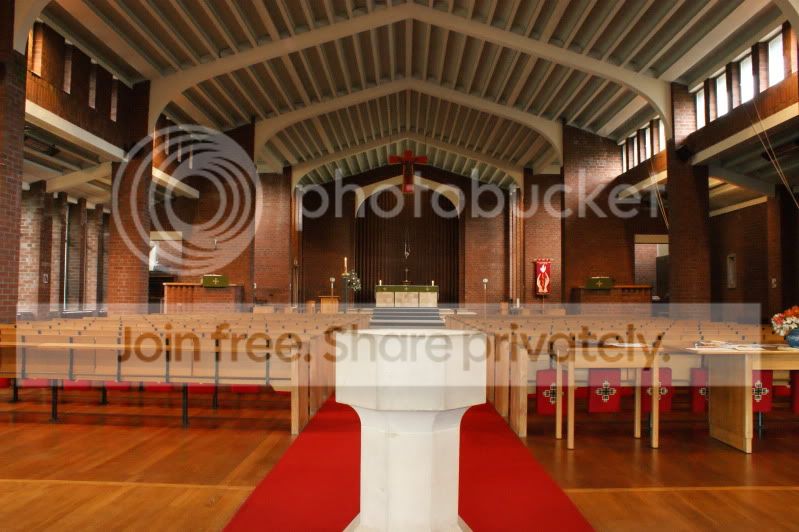
DSC00621.jpg


completely unedited and straight off the camera
 
The quality or feel or the finished file will also depend on which software you use to convert the RAW file to a jpeg, some does such a poor job you may as well stick to shooting jpegs.
 
coz I didn't have my flash gun and that church is awful to take pics in with regards to light. Anything lower than 400 ISO comes with lots of noise. Anything less than 800 and you can only take pics with a depth of a few metres, even with a slower shutter speed. The slowest that I went to was 1/3 of a second.

ISO relates to the sensitivity of light, the higher the number the more sensitive it is to light.
 
coz I didn't have my flash gun and that church is awful to take pics in with regards to light. Anything lower than 400 ISO comes with lots of noise. Anything less than 800 and you can only take pics with a depth of a few metres, even with a slower shutter speed. The slowest that I went to was 1/3 of a second.

ISO relates to the sensitivity of light, the higher the number the more sensitive it is to light.

Surely you're missing the point - with the tripod you could have used 100 iso, a fairly narrow aperature and exposure time into seconds if needs be. It's not as if the pews were going to get up and move about, after all :lol:
 
it was 1/15 but on a tripod so shouldn't be any vibrations as the tripod was sturdy and nothing moved around me on the floor making any vibrations.

This is the JPEG (I shot JPEG and RAW) at large size on photobucket ;) ... ah that kitten advert on photobucket is becoming soooo annoying! lol

DSC00621.jpg


completely unedited and straight off the camera

Thats a better one to work on how about this
3642829139_bb22059e74_o.jpg
 
coz I didn't have my flash gun and that church is awful to take pics in with regards to light. Anything lower than 400 ISO comes with lots of noise. Anything less than 800 and you can only take pics with a depth of a few metres, even with a slower shutter speed. The slowest that I went to was 1/3 of a second.

ISO relates to the sensitivity of light, the higher the number the more sensitive it is to light.

As Big Yin says, you just need to lower the shutter speed on ISO 100. As your on a tripod, you don't need to achieve a faster shutter speed as nothing is moving. I took some pics in a church recently and was using 13 second exposures on a tripod, nice and sharp and lots of depth of field. :thumbs:
 
Thanks guys

will definately take it all into account on the next one I do, which is ironically tomorrow, but for a different Church. Just helping out getting some pics to update their websites with ;) and using it as a learning tool, if you know what I mean?

I think the best way to learn these things and improve is (as well as learning the theory and maybe doing a course) to just do it and crit it with other people who know what they're talking about.
 
FWIW here's my (quick) go.........

Slight straighten, slight crop, and a bit of a contrast tweek!

After:

DSC00621a.jpg


Before:

DSC00621.jpg
 
Back
Top