Off Camera Flash - Where to start?

jeniveeev

Suspended / Banned
Messages
1,407
Name
Mac
Edit My Images
No
Hi everyone - Im now looking to start shooting with my SB600 outdoors (and indoors). I have tried it once or twice and to be honest i dont know what im doing. Is there a good tutorial on here that i can use or perhaps someone would kindly explain to me in basic terms where to start, such as settings, metering etc. I know how to set it up where it works independently from my camera but im at a loss how to shoot without blowing the faces white, also where do you bounce flash outdoors....or do you aim it at subject face? Sorry for all the questions. Regards
Jen
:)
 
CLS which is Nikon's wireless flash technology ie easy enough to set up. That is the best way for a simple wireless solution.

Setup Camera

press menu
select the pencil in the left
goto e bracketing/flash
press right
goto e3 (flash control for inbuilt flash)
goto commander mode
setup built in flash to --
setup group A to TTL 0.00
setup Channel to 1
click OK

Setup Flash (SB600)

turn on
press mode plus on for 3 secs to reset (you can miss this later)
press zoom plus - for 2 secs
it should say OFF with a squiggle, press MODE
press ZOOM plus - for 2 secs again
press MODE till channel number flashes and change this to 1 (to match camera)
press MODE till group flashes and change this to A

Use

Right thats it grab camera and pop up the flash.
Compose your shot and focus
take your shot and the flash will fire off the camera
 
Generally outdoors I use radio triggers and therefore manual settings, sometimes you can get away with CLS via your pop-up flash but often ambient light and non line of sight render this difficult at best. However indoors it is reasonably fool proof.

Edit:

Oh look I've passed 2000 posts, do I get a prize :D
 
CLS which is Nikon's wireless flash technology ie easy enough to set up. That is the best way for a simple wireless solution.

Setup Camera

press menu
select the pencil in the left
goto e bracketing/flash
press right
goto e3 (flash control for inbuilt flash)
goto commander mode
setup built in flash to --
setup group A to TTL 0.00
setup Channel to 1
click OK

Setup Flash (SB600)

turn on
press mode plus on for 3 secs to reset (you can miss this later)
press zoom plus - for 2 secs
it should say OFF with a squiggle, press MODE
press ZOOM plus - for 2 secs again
press MODE till channel number flashes and change this to 1 (to match camera)
press MODE till group flashes and change this to A

Use

Right thats it grab camera and pop up the flash.
Compose your shot and focus
take your shot and the flash will fire off the camera

thank you for this - il set it all up tomorrow and give it a try.
 
Generally outdoors I use radio triggers and therefore manual settings, sometimes you can get away with CLS via your pop-up flash but often ambient light and non line of sight render this difficult at best. However indoors it is reasonably fool proof.

Edit:

Oh look I've passed 2000 posts, do I get a prize :D

V8 - your a wealth of knowledge, so you are. i dont know anything about radio triggers, il do a google search on this otherwise i will be asking more questions? :lol:
 
Just for completeness this is the equivalent for an SB800

Power on
Press SEL for 3 seconds
Press RIGHT to select the wireless icon (looks like 2 squiggles and 2 caravans)
Press SEL
Press DOWN to move cursor to REMOTE
Press SEL
Press SEL for 3 seconds
Press SEL to select CH
Press UP to select "1"
Press SEL to select GROUP
Press UP to select "A"
 
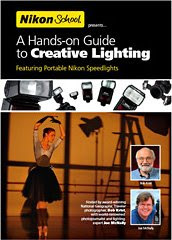
There's an excellent DVD (region 0) from Nikon on how to use the CLS. Unfortunately it's a US-only product, but well worth getting ahold of a copy

NikonVidCover.jpg
 
There's an excellent DVD (region 0) from Nikon on how to use the CLS. Unfortunately it's a US-only product, but well worth getting ahold of a copy

NikonVidCover.jpg

I am looking to buy this DVD myself, will region 0 play on my laptop?

My laptop is currently set to region 2, and although you can change it, you can only select 1 - 4 and not 0.
 
Back
Top