bass_junkie83
Suspended / Banned
- Messages
- 4,367
- Name
- Dave
- Edit My Images
- Yes
I am hoping someone has come across something like this before, and knows how to resolve it, because I'm stumped.
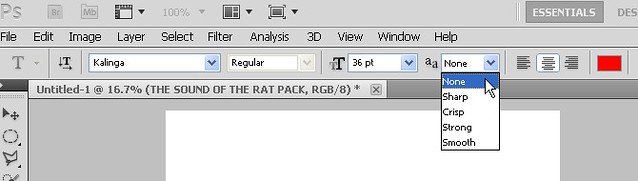
I am putting together a poster for a charity event I am organizing. If you look at the text for the Frank Sinatra singer, the N in Antony and the O in sound are partially missing.
When I go in to edit the text, it comes back, but as soon as I finish editing text, it goes back.
I thought it was just a graphics quirk, but it's still there when I export it as a jpeg. So I need to get this fixed before printing!
Anyone got any ideas please?

I am putting together a poster for a charity event I am organizing. If you look at the text for the Frank Sinatra singer, the N in Antony and the O in sound are partially missing.
When I go in to edit the text, it comes back, but as soon as I finish editing text, it goes back.
I thought it was just a graphics quirk, but it's still there when I export it as a jpeg. So I need to get this fixed before printing!
Anyone got any ideas please?