Noise Ninja v's Noiseware

jamesward93

Suspended / Banned
Messages
1,146
Name
James
Edit My Images
Yes
I am thinking of purchasing some noise reduction software but cant really decide on which one to go for. I have download the demo's for both but of course these are limited demos and don't allow the full functionality.
I think i prefer the UI of Noiseware but the results seemed to look better on Noise Ninja.

Can anyone offer some advice on which they think is best and why?
 
I use Noise Ninja and find it superb. Pretty simple to use once you've read and understood the instructions. I love the fact you can apply the noise reduction selectively.

I'm afraid I've never tried Noiseware so can't offer any comparison between the two
 
Maybe its an opportunity for people to do a comparison. Post one image and people can run it through their own systems and post a second version with 100% crops to satisfy pixel peepers.
 
I find Noisewear better IMHO, I find NN tends to over soften fine detail.
I hope to get a 5d2 and some lens tonight to play with, if I get time I'll shoot some high iso stuff for a side by side test.
 
At last, something I can have input to. I went through this when I first joined and posted images from both Noiseware and noise ninja. The general concensus was the noiseware was better ...

and the community edition is free :thumbs:
 
Damn, now I'm going to have to get a copy of Noiseware :bonk:
 
I went through this same debate a few days ago. I downloaded the demo of ninja and was 'provided' a full copy of noiseware and I found that noiseware provided much better results. I have to admit though that I am totally new to noise reducing software and didn't really know how to use them properly but with just random playing about with them I found noiseware easier to use with good results.

BTW, I was working on an image taken at iso3200 on a Nikon D300 that was totally unuseable before the noise reduction but perfectly acceptable after it.
 
I use NoiseWare, I initially used the community version but soon paid out the £20 for the standalone license just to have the batch processing ability. I think its a cracking bit f kit and a bargain price too.
 
Just downloaded Noiseware, for a novice processor like myself :clap:. Thanks for the heads up.

Scott
 
I have to say that for Noise reduction ( and I know this was suppose to be a direct comparison of two other pieces of software.) I have yet to find anything better than DFine 2 it reduces noise very effectively without softening the image too much. Mind you, I am a fan of most of Nik's plugins.
 
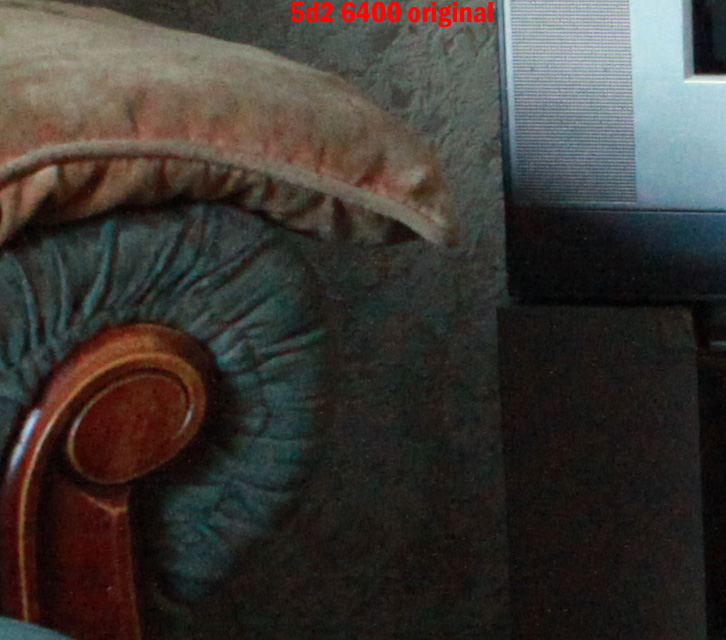
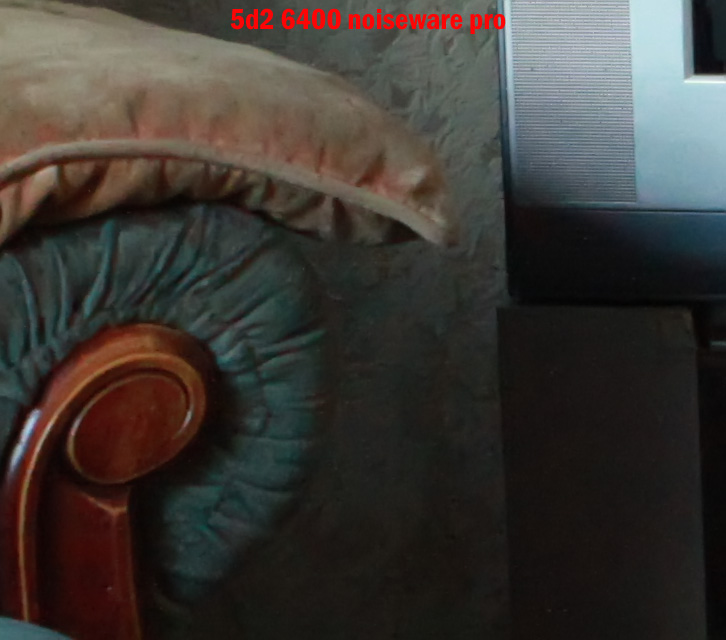
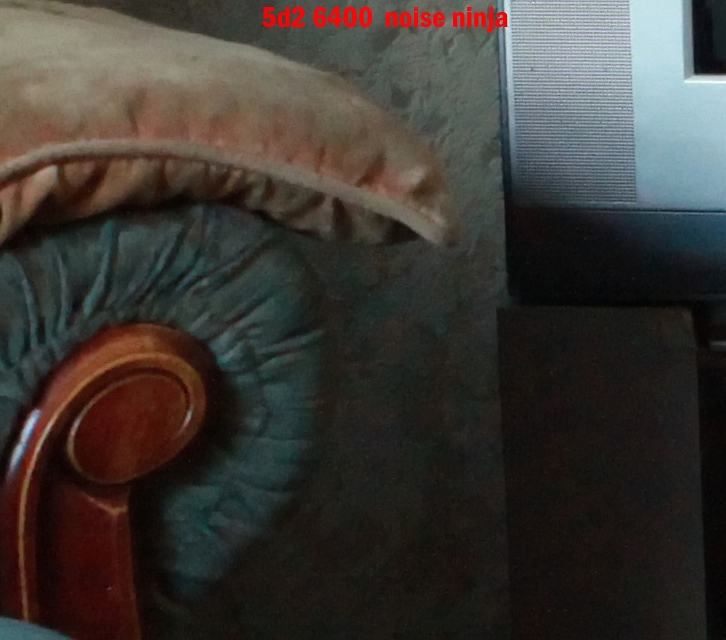
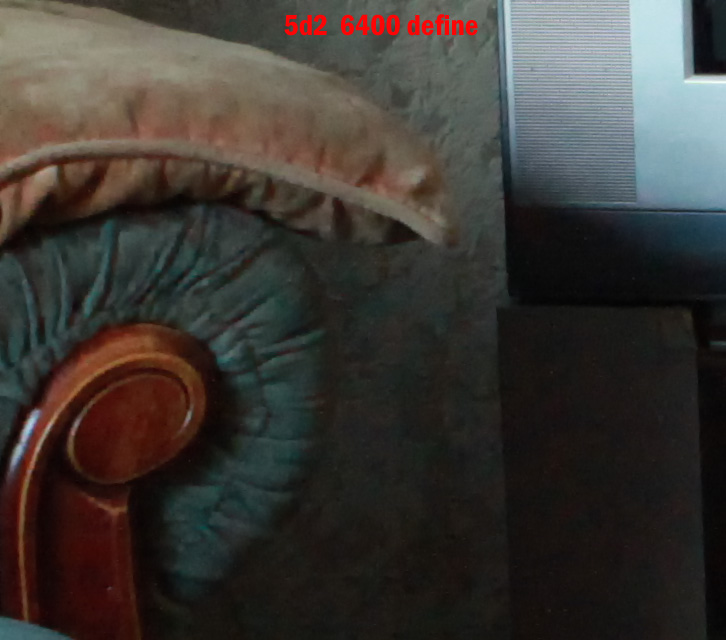
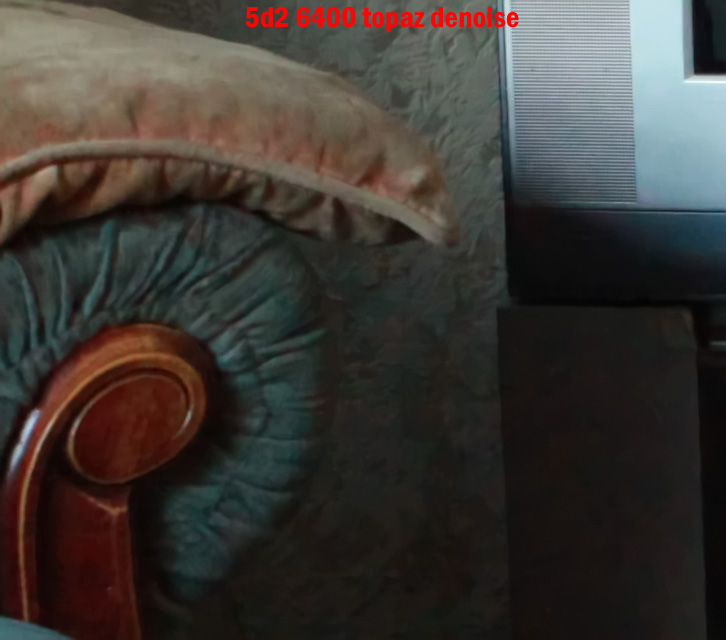
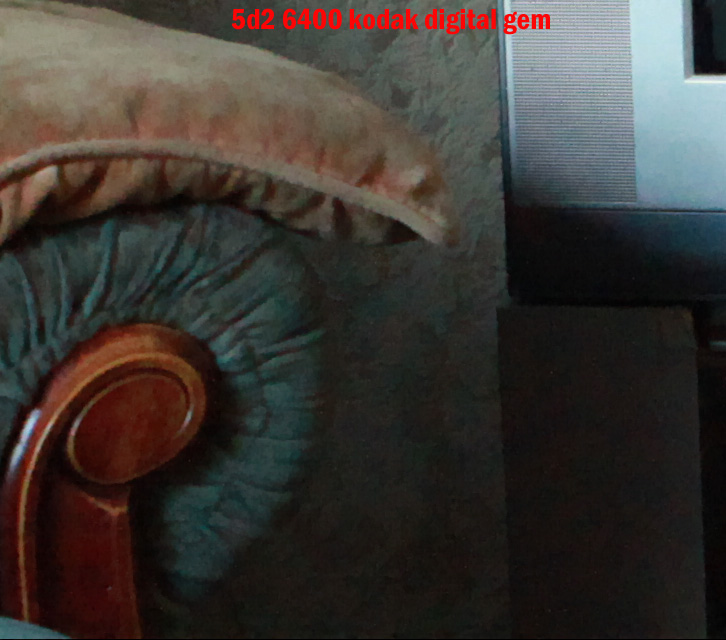
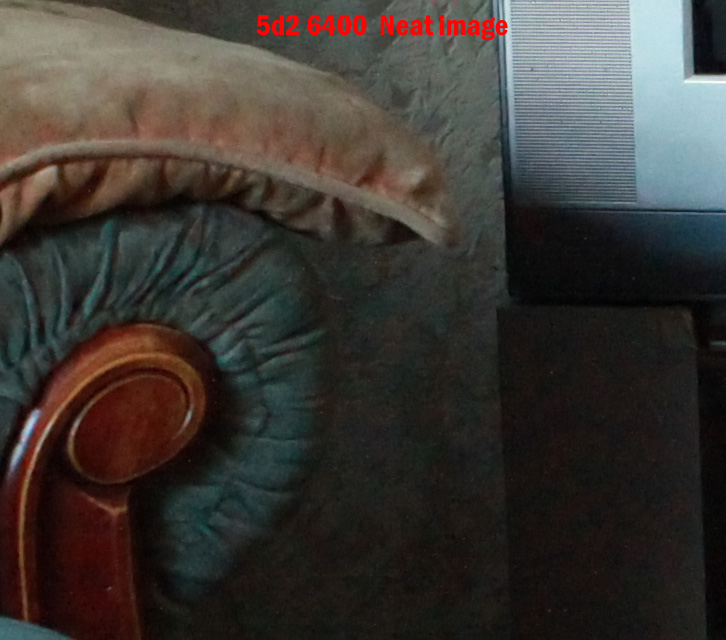
Ok heres the comparrison, original shot 5d2 at 6400 iso jpeg as off camera at default settings cropped to 100% in photoshop cs4.
For the software I used the default settings in all. Wayne
3906316406_a0b625b4d1_o.jpg


3905536565_472d381b3f_o.jpg


3905536427_044aec48c2_o.jpg


3905536689_9a80ac7ff4_o.jpg


3905536777_c9d91f6f83_o.jpg


3905537039_a30cc685aa_o.jpg
 
Thanks Wayne, thats superb. I will have a look at the samples properly when i get home tonight. My work monitor is not the best, but so far looks like Noiseware just has the edge over NN
 
I have to say that for Noise reduction ( and I know this was suppose to be a direct comparison of two other pieces of software.) I have yet to find anything better than DFine 2 it reduces noise very effectively without softening the image too much. Mind you, I am a fan of most of Nik's plugins.

Seconded.

I use Nik's Dfine and if it's a possible 3rd option for you then it's well worth a look. While you're at it download the demo of Nik's Viveza, far and away the most useful plugin I've ever bought. If the budget will stretch to the Complete Collection there are some other seriously usable plugins there too.
 
Great stuff swanseamale47. Thanks for doing this :thumbs:
 
I am thinking of purchasing some noise reduction software but cant really decide on which one to go for. I have download the demo's for both but of course these are limited demos and don't allow the full functionality.
I think i prefer the UI of Noiseware but the results seemed to look better on Noise Ninja.

Can anyone offer some advice on which they think is best and why?

You can also add NeatImage to that list - when I was looking for a noise reduction software two years ago this was topping the lists with Noise Ninja and after testing I opted for NeatImage. To me that gave better results for people photos - Noise Ninja NR made the faces look too plasticy (for me at least). The NeatImage has lots of advanced options and as usual with any NR software those advanced functionality and tuning are not easy to master. But when you do, I find that results can be tuned a lot to achieve exactly the result I want. They do have trial so you can try it out.
 
Interesting thread. Thought I'd have a look for myself at the free Noiseware Community version. This is a quick snap of my little'n in the dark kitchen (no lights on) with the D200 at iso3200 (yes that is the highest setting on a body that is not known for its high iso performance). I wanted to see what it could do in a portrait (of sorts) situation...

Camera settings: 135mm @ f/2.8 1/180" shutter speed iso3200.


Original iso 3200 (no PP just resize without any sharpening in the process)

DSC_8092.jpg


Default portrait setting in Noiseware (again no other PP)

DSC_8092_filtered.jpg


And all guns blazing settings in Noiseware (again no other PP)

DSC_8092_filtered2.jpg


Not bad I think :thumbs:

Ok you wouldn't really put all the sliders to max but the result isn't as plastic as I'd expected.
 
Heres the neat image one, I can't add it to the others theres a 6 pic limit.

3906130143_639cee1b34_o.jpg
 
Thanks for the comparisons guys! looks like Noiseware does the job well...

cheers again for the hookup... wheres the 'thanks' buttons here ;)
 
I am thinking of purchasing some noise reduction software but cant really decide on which one to go for. I have download the demo's for both but of course these are limited demos and don't allow the full functionality.
I think i prefer the UI of Noiseware but the results seemed to look better on Noise Ninja.

Can anyone offer some advice on which they think is best and why?

I've got both as well as Neat Image, and Noiseware always comes out on top, was the most expensive but I use it exclusively now. If you check the reviews you'll find that Noiseware is Number 1 for the pros.
 
:agree:After doing thorough research on the net for NR software i chose Noiseware aswell, i also found it quickest to use and get used to..
 
I use the plug-in for convenience, I'm already working in photoshop most of the time it's easier to add it as a step in the workflow if needed (plus you can make an action to bacth if you need to)
 
Well after reading people views and trying out the a couple of different bits of software, i decided to go for Noiseware, i have the community edition at the moment but don't think it will be long before i upgrade the licence.
 
hey guys

just got the pro plugin of noiseware, its awesome!!

However do have one question for you guys but the self learning thing, how does it work? I know that over time it learns and gets better at reducing noise but according to the stats the self learning status is 0.0% on mine, is that right?
 
Another vote for Noiseware, not only does it do a great job, but it does it very quickly as well, and if you look around you might be able to find some discount coupons which make it even more of a bargain!
 
Theres a comparrison pic further up this thread. Personally I found Define "smeared" the image too much for my taste.
 
Personally I found Define "smeared" the image too much for my taste.

Is that just when using it on a basic 'default' setting or do you still not like it after fine tuning? I find the application of the 'u-point technology' to selectively apply varying amounts of 'colour noise reduction' or 'contrast noise reduction' to multiple areas of the image to be really simple and intuitive to use and gives a much better result than just leaving it to it's own devices in default.
 
I have played with it a fair bit but was never really happy with the results.
 
Noiseware gets my thumbs up, I really should learn to use it rather than just allow the default settings to do their thing. In my opinion though, I'd rather a noisy image than one where the details has been smudged away from noise reduction but noiseware seems to keep it sharp so I'm happy :D.
 
To add my thoughts, after adding both plugins to PS4 today and going through a bunch of noisy gymnastics photos, I can say that Noiseware has become my tool of choice already. The auto results were superior anyway (didn't have time to go thru each photo in detail).
 
CAn anyone advise whether Noiseware plugs into Lightroom or Elements? (I'm not a PS user) Alternatively, will it work as a stand alone program?
 
Hi everyone
those tests with the various NR softwares look fantastic.
Just something quick that I noticed so perhaps you might shed some light here. Doesn't it look like NN enhances it a bit and lightens up the images on its default settings that's the reason why it looks like losing some of the definition when applied? Looking at the images on the page the Noiseware one looks like the brightness setting has been left as it was in the original I think while NN enhanced it.

Up until now I was using NN and quite happy with it but then as I became more experienced with it and wanting more refinement I started noticing what one of the members just mentioned, that it leaves portraits looking plasticky when applied on its default setting. So I started using Neat Image but I miss the feature that NN has which is to isolate the parts that I do not want the noise engine applied.

Haven't tried Noiseware yet but am about to dl it and give it a try. Reading here it looks like it is the noise engine of choice.
Giving it a go now

Thanks
 
Doesn't it look like NN enhances it a bit and lightens up the images on its default settings that's the reason why it looks like losing some of the definition when applied? Looking at the images on the page the Noiseware one looks like the brightness setting has been left as it was in the original I think while NN enhanced it

I should add that in my tests yesterday, I found the same thing. I was losing definition on the gymnasts faces with NN (and had some other general brightness issues) but found the noiseware results much closer to the original (sans noise of course :))
 
I should add that in my tests yesterday, I found the same thing. I was losing definition on the gymnasts faces with NN (and had some other general brightness issues) but found the noiseware results much closer to the original (sans noise of course :))

Thanks for that,
sounds excellent. I have downloaded Noiseware but still haven't come across a pic that I could use it for now after a small batch of shots merit of 7D :). But I know there should be somewhere there one or two that will definitely need a noise engine running.

Thanks for the thumbs up
 
CAn anyone advise whether Noiseware plugs into Lightroom or Elements? (I'm not a PS user) Alternatively, will it work as a stand alone program?

There is a Windows standalone version, if you are on Mac (no stand alone version) the plug in works on Elements.
 
Back
Top