Nikon D800......

without a comparable image WITH MA applied, it's not giving me much.. I mean.. it looks sharp... where were you focusing?

 
Please what is MA and how do you carry it out ??.
 
MA = Manual Adjustment. Look for AF (autofocus) fine tuning in the manual.
 
I went and found the file to check it was OK because it had taken over a minute to save. Yeah, it was OK. It was also a shade over 2GB.


Something wrong there... even an average mechanical hard drive shoudl be able to write at 100MB/sec, so therefore, even an average mechanical hard drive shoudl take around 20secs to save a 2GB file.

2GB!!! What the hell are you doing to create a 2GB file??
 
So crops at 1:1, excuse the screengrab quality. Select is before update, candidate is after update, both at 200mm F2.8

 
Something wrong there... even an average mechanical hard drive shoudl be able to write at 100MB/sec, so therefore, even an average mechanical hard drive shoudl take around 20secs to save a 2GB file.

The particular drive I'm using benches at 135 MB/s. But the process isn't 100% efficient. Photoshop has to do some clever stuff to prepare it for save and so forth. Then it has to return it to Lightroom and do a render. Watch the save progress bar and you'll see that it lurches and crawls.

Also I didn't time it at a minute - that's just subjectively "hmm, that took a while" kind of time.

2GB!!! What the hell are you doing to create a 2GB file??

Ummm, working....

16 bit D800 file with maybe 10 layers. It all adds up you know.

I have a relatively quick machine so it's only when I'm working in 16 bits with layers and come to save that it chokes a little.
 
16 bit D800 file with maybe 10 layers. It all adds up you know.

I have a relatively quick machine so it's only when I'm working in 16 bits with layers and come to save that it chokes a little.

That makes more sense now.... You originally said 'a couple of layers and a bit of retouch' so I too was wondering how you got such big files.

I guess you could always reduce the image dimensions if you don't need all the pixels... Or switch to a lower resolution camera I guess. Personally I'd rather have a lot of data that I can downsize rather than a little data that I can't upsize!
 
Ummm, working....

16 bit D800 file with maybe 10 layers. It all adds up you know.


You said a couple of layers :)


Personally... if newer, better equipment pushes my IT too far, I upgrade my IT, not compromise my photography. Computer upgrades are relatively cheap.

Not referring to yuo here... but so many people moan about the D800's "massive" files. Quite frankly if your machine can't handle a 200MB TIFF, then it needs upgrading. It's called progress.
 
Last edited:
So crops at 1:1, excuse the screengrab quality. Select is before update, candidate is after update, both at 200mm F2.8


That is a big difference. Was that testing the left focus point?

I haven't noticed any differences after the update
 
Nope, just center, my other points are fine though. Noticed a difference in AFC also, faster and more accurate.
 
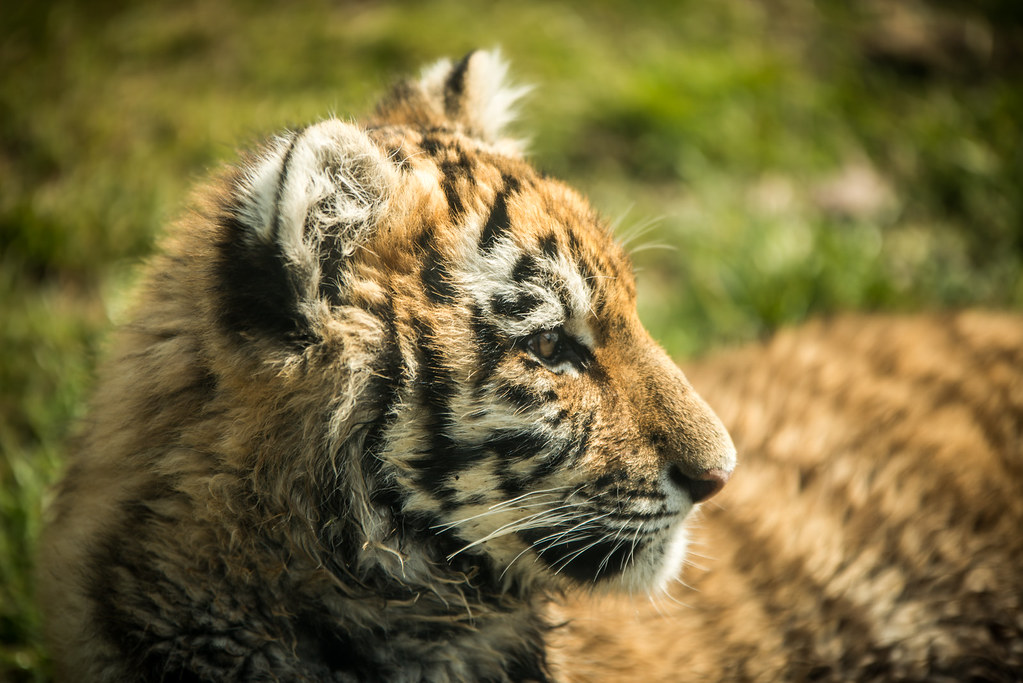
One from today, first time Ive gotten out and used my D800 in half decent weather, shot through glass, 200mm F2.8. Nothing special just nice to get out! Tiger cub.

 
I currently use 2500mAh Eneloops in my Meike grip. I've not done any scientific testing at all and both will last me all day at the track and then some. I do feel that the Eneloops do last a fair bit longer than the normal battery, but as I said I have no proof.

I've had absolutely no issues using AA with my D800 at all. Both the grip and the batteries have been superb.

I use the Eneloops in mine, I have had days when Ive shot 1300'ish in a day and according to the gauge they have approx a third left. I have never had them go completely flat yet so not sure how long they last.
 
after scanning in some 5x4 negs today and getting 190meg tiff's im not going to moan about the d800 files ever again :)

Did a couple of shots today for my course work, post firmware, and its still focussing fine


after scanning in some 5x4 negs today and getting 190meg tiff's im not going to moan about the d800 files ever again :)

Did a couple of shots today for my course work, post firmware, and its still focussing fine


Love those match shots - can you share the setup and the settings?
 
Yeah, 3 bits of black card in my kitchen. Extractor fan. Tamron 90mm macro lens, reasonably fast exposures for the flarey one (160th) and quite a slow exposure for the glowing one (15th) to make sure i got the red. All the exif is in the flickr file.

Each match was held in the blades of a pair of scissors to make sure it stood up, got through about 30 matches with a few shots per match before they went out, and then picked out the luckily timed ones :)
 
You said a couple of layers :)

"Couple" = fewer than 20 ;)

Of course it depends on the content of the layers. If it's just a retouch layer then it doesn't add a lot to the file weight but if you start using full layer overlays then on a 16 bit file you are adding 200MB a pop. Often I'll build up some layers then use a layer stamp (not sure what this is really called - ctrl-alt-shift-E) to build a composite layer and then work again from there. On this image I had some unused texture layers that were bulking it up.

There is something slightly odd in the PSD format though. A 4 layer file shows up in PS as 206/827 MB which is pretty much what you expect. However, when you save it to PSD this grows to 950MB or so. It doesn't really matter as I run from 2 X 3TB internals plus network backups ;)

As for people's computers not being able to cope with D800 files...I kind of agree. I was baffled when I heard of so many people buying a 36MP camera and then being a bit upset at the large file sizes. But really, it's that they grow exponentially. It's fine to think "ah it's 3 times the size of a D3 image". But when you start 16 bit editing and layering the file size really racks up. There must come a tipping point where all of a sudden your computer slows down. I know I was mildly vexed when I accidentally opened 46 X 16bit D800 images from Lightroom into Photoshop the other day....
 
"Couple" = fewer than 20 ;)


...as opposed to the commonly understood meaning of the word... 2 :lol:


Yeah.. 20 layers of stuff on a 200MB 16MB TIFF will get pretty big.

You want quality images, this is the price you pay. Worth it though. Upgrading computers is a relatively cheap affair.
 
Has anyone tried the sigma 85mm 1.4 on the D800? If so what did you think?
 
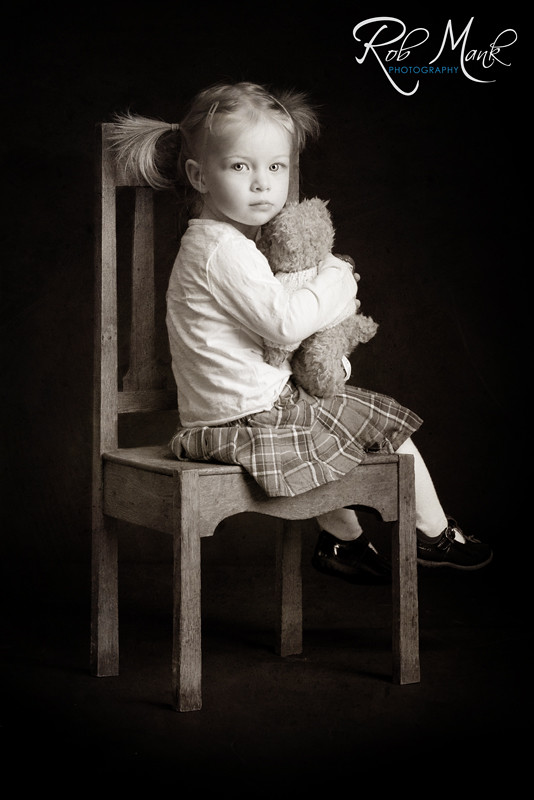
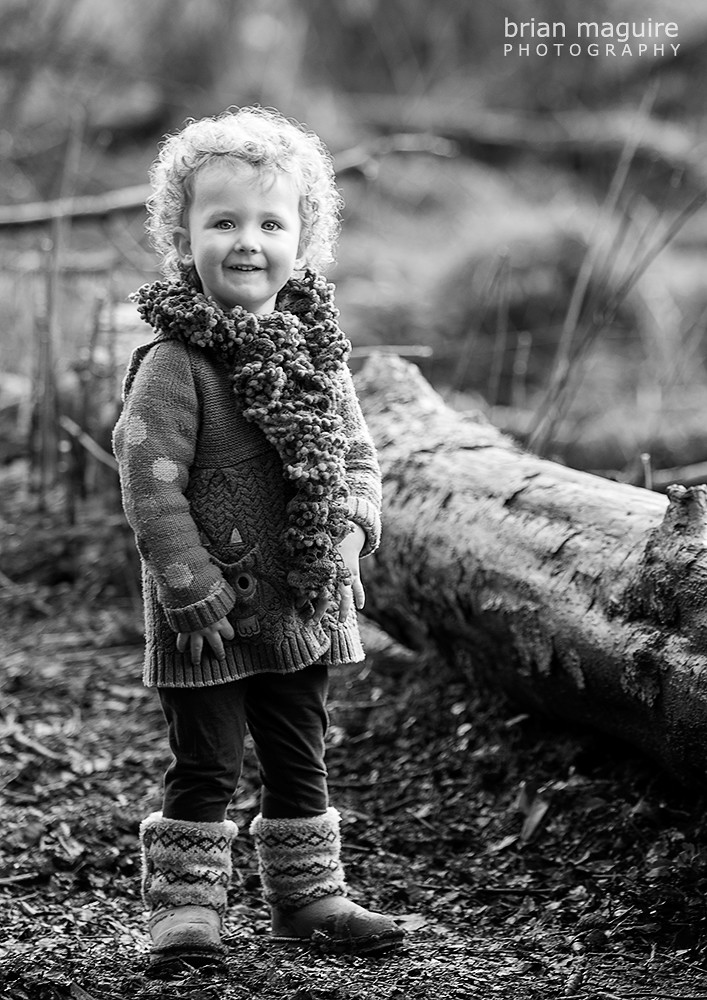
Not being one who is particularly interested in people pics I usually give them a miss. However, now and again a shot catches my interest and that is certainly one of them. Super use of deep shade, but what is really captivating is the little girl's eyes. They are riveting and she looks very relaxed. Did you do a little bit of eye sharpening or is that straight from the camera. Not that it matters - just interested.
 
Heres one from me, D800, Tamron 28-75mm

land1.jpg


And a stitched one

land4.jpg
 
Last edited:
Not being one who is particularly interested in people pics I usually give them a miss. However, now and again a shot catches my interest and that is certainly one of them. Super use of deep shade, but what is really captivating is the little girl's eyes. They are riveting and she looks very relaxed. Did you do a little bit of eye sharpening or is that straight from the camera. Not that it matters - just interested.

Thank you. :)

A little bit of dodging and burning on the eyes, not too much though as I think its easy to over do them.

As for sharpening I do sharpen all my D800 files in LR4. I set the masking very high and up the amount. I think it just improves them ever so slightly.

Gary - they are 2 lovely shots! :)
 
I have been watching this with interest and have had a look at both FoCal and Dot Tune.

Why go to this trouble to setup the focus on the camera/lens when any sharpening can be carried out in your photo software ??.
 
I have been watching this with interest and have had a look at both FoCal and Dot Tune.

Why go to this trouble to setup the focus on the camera/lens when any sharpening can be carried out in your photo software ??.

Sharpening wont bring back the amount of detail of your AF being out.

My 70-200 without any adjustment was awful. I wanted to sell the camera. Now its tuned in its so so much better. Well worth the hour or so tuning in your lenses :)
 
I have been watching this with interest and have had a look at both FoCal and Dot Tune.

Why go to this trouble to setup the focus on the camera/lens when any sharpening can be carried out in your photo software ??.
Why buy a D800 when you can use software to improve compact camera photos. What Mank said, some lenses dont require MA but when your £1k+ lens isnt focusing properly it can be very frustrating and no software will solve a misfocus.
 
Last edited:
Thanks all, I guess I will have to try and get my head around DOT Tune.
 
Back
Top