Nikon Capture NX-D keeps freezing

jonbeeza

Suspended / Banned
Messages
9,388
Name
Jon
Edit My Images
Yes
Does anybody else use Nikon Capture NX-D, and have any problems with it locking up, freezing? I have been using it on my current laptop for over a year with no problems, but just lately it has been locking up or freezing and not letting me do anything. The only way to get out of the software is to do the ctrl alt delete, then go to task manager to close the software. I have downloaded the latest version, but that still locks up also. :thinking:
 
Nobody on here uses Nikon Capture NX-D then?

I have downloaded and tried Nikon view nx2, but it seems a bit of a faff, and it seems you have to launch Nikon Picture utility control each time as well, to get any benefit from the software.

Oh well, I will if I can get Nikon Capture NX-D to work as it used to. I will see if I have an older version saved some place.
 
Jon, this sounds similar to a problem I have with it: every so often it locks up when I click to convert a NEF file to TIF and I also have to shut it down and restart it. A Google search didn't produce any solutions, or even any recent mentions. It had been a problem for me before the recent update and I'd hoped that the new version would have fixed the bug but it seems not.
 
I use it without any particular problems on quite an old PC. Have you tried uninstalling completely before re-installing?
 
No problems here with NX-D ... have you checked for updates?
 
I've just been having a play with NX-D on my laptop. It's not a program I use very often but I've not had any issues with it.
 
I ditched it a while ago, kept crashing for no apparent reason, to be honest I don't really miss it that much now, the only advantage it had was you could view the focus points for each image as you scrolled through them.
 
Jon, this sounds similar to a problem I have with it: every so often it locks up when I click to convert a NEF file to TIF and I also have to shut it down and restart it. A Google search didn't produce any solutions, or even any recent mentions. It had been a problem for me before the recent update and I'd hoped that the new version would have fixed the bug but it seems not.

I did find some mention of it crashing on the DP review forum, from about 2018. Not found any mention of fixes though.


I use it without any particular problems on quite an old PC. Have you tried uninstalling completely before re-installing?

Yes, I removed all traces of it and started from a fresh copy. But it is just the same, keeps locking up.


No problems here with NX-D ... have you checked for updates?

I installed the latest version Ver. 1.6.2, but still the same.


I ditched it a while ago, kept crashing for no apparent reason, to be honest I don't really miss it that much now, the only advantage it had was you could view the focus points for each image as you scrolled through them.

It is the only RAW converter that I have ever used. So I don't know what else I can use, might have to buy photoshop or something,
 
I have noticed it is worse if I do something like up the shadows or something. After doing something like that, it fails to respond and just locks up. If I am working on about ten images, it may lock up after the second or third image, and I have to keep doing the ctrl alt and delete about three times or more, just to get about ten images done.
 
I do not use it much but I have never had NX-D crash even when I was running Windows Vista. View NX2 is OK once you get used to it. Normally I still use Capture NX2 for most of my editing and go to PSE when I need something that NX2 cannot do.
 
Just to add:

I have plenty of memory and the laptop is fairly new, running on windows 10.
 
Are you running a third party antivirus/antimalware program? When you get to the Task Manager to kill NX-D, is anything else using high CPU?
 
I do not use it much but I have never had NX-D crash even when I was running Windows Vista. View NX2 is OK once you get used to it. Normally I still use Capture NX2 for most of my editing and go to PSE when I need something that NX2 cannot do.

Might have another look at View NX2, just a little bit of a faff having to launch picture utility control, just to be able to choose a picture profile etc. But looks like I will have to, as I have nothing else.
 
Are you running a third party antivirus/antimalware program? When you get to the Task Manager to kill NX-D, is anything else using high CPU?

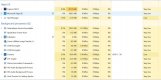
I just did a ctrl alt and delete, as I am sure I spotted something like that when I went to task manager.


snip.JPG


A screen grab. I did not put an anti malware on, unless it came packaged with something.
 
I also use Canon DPP4 for my Canon, and that runs fine with no problems.
 
It is the only RAW converter that I have ever used. So I don't know what else I can use, might have to buy photoshop or something,

Try Capture One, you can get a thirty day trial and it is fully functional, much better than other Raw converters, Photoshop converter is not that good IMHO.
 
I just did a ctrl alt and delete, as I am sure I spotted something like that when I went to task manager.


View attachment 275384


A screen grab. I did not put an anti malware on, unless it came packaged with something.
When NX-D is misbehaving, are there any other programs near the top of the list if you sort by % CPU?
 
When NX-D is misbehaving, are there any other programs near the top of the list if you sort by % CPU?

Just tried NX-D again and it locked up again, took a screen-print after doing ctrl alt and delete.


capture 2.JPG
 
On the top right corner of the screen there is a thing about generating a cache. This is probably using lots of processing power so I click to stop it. I don't know if it helps.
 
On the top right corner of the screen there is a thing about generating a cache. This is probably using lots of processing power so I click to stop it. I don't know if it helps.

Where, in the NX-D programme? I am looking for it, but I can't seem to see it.
 
Off out for my daily exercise soon, will probably take the camera also. Will be able to keep a safe distance from others. Just not looking forward to having to struggle converting the RAW files. If the software keeps playing up, I may just tweak the camera to get the best possible jpegs, straight out of camera.
 
Just tried converting a few RAW files, and NX-D locked up just after the first image. I think from now on I will simply shoot RAW + fine Jpegs, and if I do manage to get something worth working on, then I will do so.

The only thing is I can't use the old colour profiles, D2XMode1 , 2 and 3, as they are only available via software.
 
Last edited:
Jon
if you get a bit of free time download Capture One and pop over to Youtube, there is a load of tutorials on it. I think you will get a pleasant surprise at its capabilities.
On the other hand a few recommend Affinity although I have never used it personally, but it is cheap enough compared to other solutions.
 
Jon
if you get a bit of free time download Capture One and pop over to Youtube, there is a load of tutorials on it. I think you will get a pleasant surprise at its capabilities.
On the other hand a few recommend Affinity although I have never used it personally, but it is cheap enough compared to other solutions.

Ok thank for that. Will have another look at it. (y)
 
Just downloaded the latest Nikon View NX2, and I seem to be getting the hang of it. It is not as simple a lay out as Capture NX-D but it works without locking up, I also have the old colour profiles, D2XMode1 , 2 and 3 , so that is good.

Thanks for all the replies. :)
 
Back
Top