

You are using an out of date browser. It may not display this or other websites correctly.
You should upgrade or use an alternative browser.
You should upgrade or use an alternative browser.
New to slr's
- Thread starter Debbie b
- Start date


rjbell
Suspended / Banned
- Messages
- 4,421
- Name
- Robert
- Edit My Images
- Yes
HaHA that dog must have been using Soul Glo!Debs, are they before and after shots? Or this is ( insert dogs name) as he was in the 80s and this is how he is now.

jokeruk
Suspended / Banned
- Messages
- 303
- Name
- Leigh
- Edit My Images
- Yes
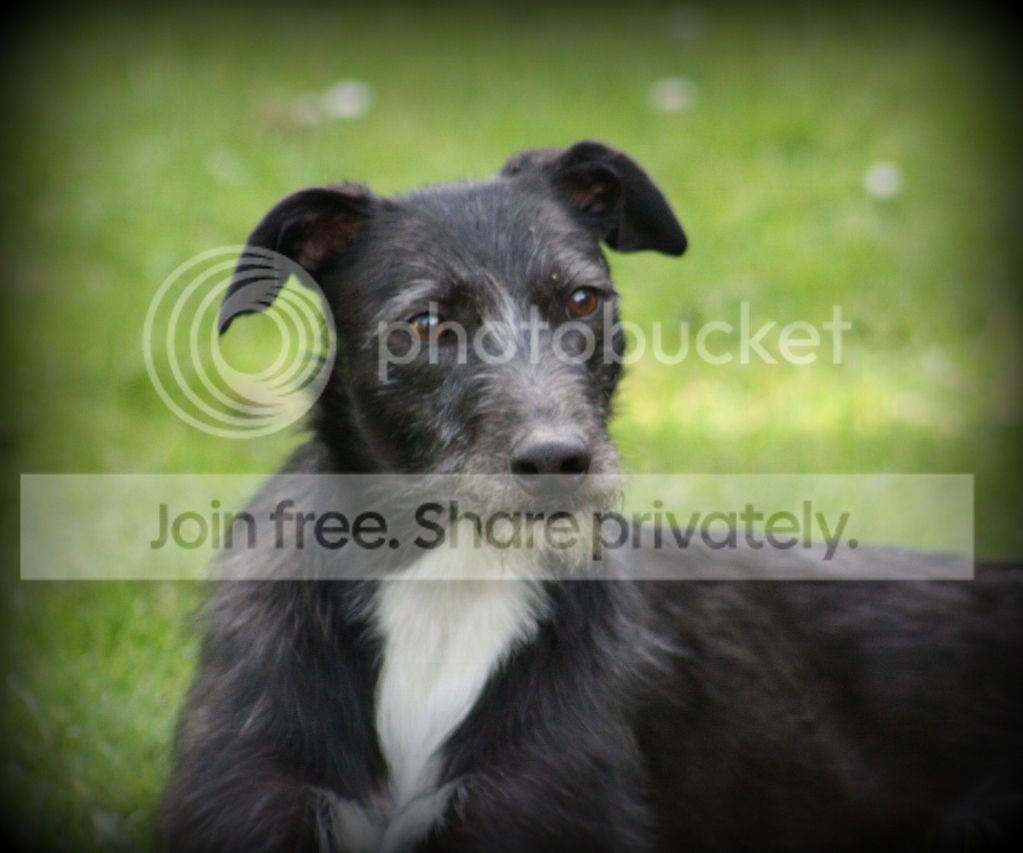
At least for the second picture (i've not looked at the first), your ISO is quite high which will be introducing a fair bit of noise. Try knocking it down to 100 (rather than the 1600 that it's currently on).
Also, try using an aperture of f/8-11 - lenses (especially cheaper ones) will be sharper around the 'middle' of the range.
Also, what lens is it? It's at a focal length of 280mm and if its a 'cheaper' lens, then things won't be as sharp as some of the stuff you'll find on here (but i'm sure you'll get better with time and experience!)
Also, try using an aperture of f/8-11 - lenses (especially cheaper ones) will be sharper around the 'middle' of the range.
Also, what lens is it? It's at a focal length of 280mm and if its a 'cheaper' lens, then things won't be as sharp as some of the stuff you'll find on here (but i'm sure you'll get better with time and experience!)

shaylou
Suspended / Banned
- Messages
- 1,781
- Name
- Shayne
- Edit My Images
- No
gerbstoke said:Debs, are they before and after shots? Or this is ( insert dogs name) as he was in the 80s and this is how he is now.
Wahaha that's a good one.

weybourne
Suspended / Banned
- Messages
- 1,223
- Name
- Adrian
- Edit My Images
- Yes
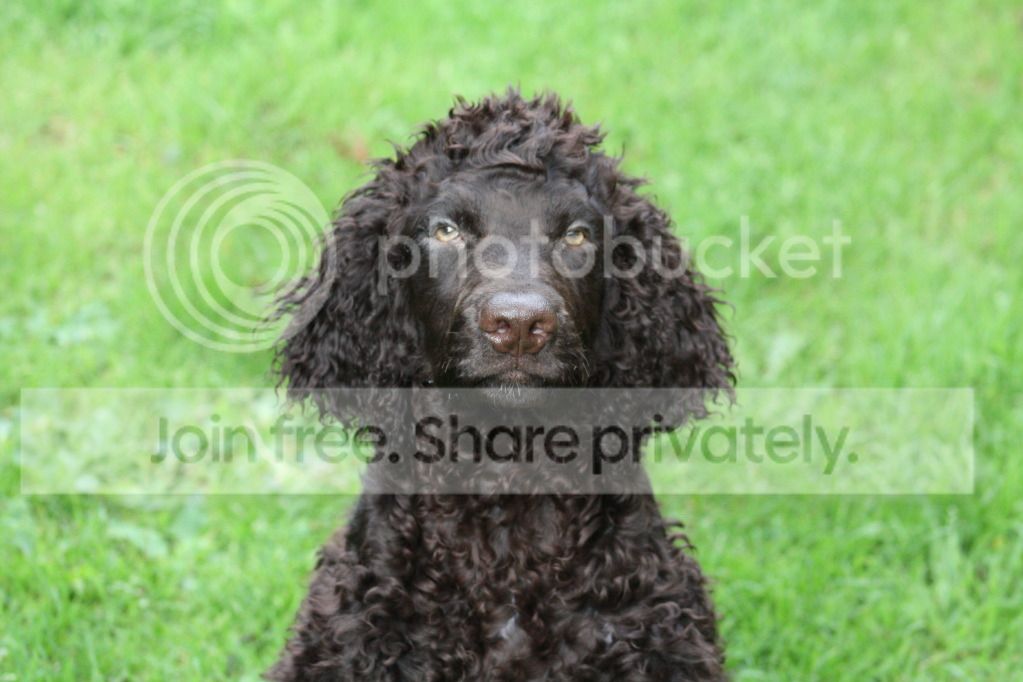
First one looks more focussed on the nose than the eyes. Generally speaking, when taking animal/people shots, focus on the eyes. The second shot does look out of focus too but I can't see any 'in focus' point so with my rudimentary knowledge, I can't decide between out-of-focus or motion-blur (but looking at the exif data, shutter-speed/focal length look good enough to avoid camera-motion blur). Assuming that you are not manually focussing, is it possible that you're locking the focus by half supressing the shutter button too soon before taking the shot so that when you take the shot, things have moved out of focus?
Edit - Addition: I've just had a thought - if you are manual focussing, it might be worth checking that the dioptre adjuster on the viewfinder (the little dial to the top-right of the viewfinder) is correctly adjusted for your shooting eye - the display in the viewfinder (shutter speed, aperture etc.) should be sharp when you look through it.
Edit - Addition: I've just had a thought - if you are manual focussing, it might be worth checking that the dioptre adjuster on the viewfinder (the little dial to the top-right of the viewfinder) is correctly adjusted for your shooting eye - the display in the viewfinder (shutter speed, aperture etc.) should be sharp when you look through it.
Last edited:

andyred
Suspended / Banned
- Messages
- 11,116
- Name
- And
- Edit My Images
- No
Debs, are they before and after shots? Or this is ( insert dogs name) as he was in the 80s and this is how he is now.
HaHA that dog must have been using Soul Glo!

 absolutely excellent, my wife's just come in to ask why I'm pi££ing my sides ...
And #1 doesn't look particularly ammused - If only you could read his mind, what would he be saying...
Last edited:
andyred
Suspended / Banned
- Messages
- 11,116
- Name
- And
- Edit My Images
- No
Just to add to the above posts, what lens are you using ?
What are the settings you are using on the camera - are you in Ap, Tv or a basic zone ?
Which AF point - all or one point only ?
Are these full frame shots or have you cropped them in, are you shotting in jpeg or RAW ?
What are the settings you are using on the camera - are you in Ap, Tv or a basic zone ?
Which AF point - all or one point only ?
Are these full frame shots or have you cropped them in, are you shotting in jpeg or RAW ?

gad-westy
Suspended / Banned
- Messages
- 6,527
- Name
- Graham
- Edit My Images
- No
I'd be careful about reducing the ISO as per the suggestions above. Your shutter speeds are probably about where they ought to be and it looks like your lens is wide open at F5.6 so any reduction in iso could end up with either motion blur or under exposure.
I'd say it looks like a simple focus problem. To suggest how to remedy it, we'd probably need to know what focus settings/technique you were using but as a suggestion I would say you'd want to use something like single point focus (placed over an eye) and servo AF as I'm sure your dogs won't sit still for very long!
I'd say it looks like a simple focus problem. To suggest how to remedy it, we'd probably need to know what focus settings/technique you were using but as a suggestion I would say you'd want to use something like single point focus (placed over an eye) and servo AF as I'm sure your dogs won't sit still for very long!

FoG
Suspended / Banned
- Messages
- 442
- Name
- Mark
- Edit My Images
- Yes
have you changed the dioptre to suit your eyes?
on my nikon it a dial by the eyepiece you adjust it to take into accoun your eyesight .... in my case it dialled loads since i am blind.. apparently ... but i made this mistake only once .. look for it in the manual and adjust it to suit you then take some images again and repost
on my nikon it a dial by the eyepiece you adjust it to take into accoun your eyesight .... in my case it dialled loads since i am blind.. apparently ... but i made this mistake only once .. look for it in the manual and adjust it to suit you then take some images again and repost
Last edited: