need help

tricky

Suspended / Banned
Messages
95
Edit My Images
Yes
morning all

i have a question ?

i use photo bucket at mo to upload pictures once they are uploaded it shows you them all in your album if you click on one of them its supposed to enlarge it ,problem i have is it enlarges it but does not show it on the screen ,have tryed other photo's that have been uploaded and none of these seem to work

is it a problem with photobucket ?

is there any other software i can use ?

have tryed the tp gallery could not sus it out


any help gratefully recived

laterz:D:D
 
I just tried my photobucket account and it works properly. Could yours be opening in another window behind the main album screen? That's the only thing I have the knowledge to suggest. :shrug:
 
Why not give us a link to your Photobucket gallery. Let's see how it works for us.
 
stewart r


how do igive you a link to my photobucket ?
 
OK tricky, what you need to do to share an image with us is to embed it in your post with [IMG] tags. You insert the [IMG] tag, then the URL of the picture file, then the [/IMG] tag. The end product looks something like this (only with your Photobucket account of course, not my SmugMug account):

[IMG]http://StewartR.smugmug.com/photos/129681148-S.jpg[/IMG]

(If you were to extract that http ... jpg bit and paste it into the address box of your browser, you'd see that that's the address of a picture of my cat: this one in fact.)
129681148-S.jpg


Photobucket can generate this for you. Here's what you need to do.

Go to the Photobucket home page.
Click on the 'Help' link in the top right hand corner.
Click on 'Tutorials'.
Click on 'Linking From Photobucket (General)' in the first column, towards the bottom.
Click on 'Generating HTML & IMG Code' in the second column, towards the top.
Read and digest the instructions, especially steps 1-5, 8, 9.

... and Robert is your mother's brother.
 
I sometimes have problems with re-sizing my pictures in photobucket (as does a friend) so I have just stopped using it for that and just to get the IMG to post my images on forums! Not very helpful I know so if you do sort it out I'd like to know too!

StewartR - I love that pic of your cat he has such a great look in his eyes! (Sorry I assumed he!)

Rita
x
 
as you will see click on the link then click any of the photos to enlarge them but it makes a bigger box but just a white screen wot am i doing wrong please help:thinking::thinking::thinking::thinking:
 
Hi Tricky,

I can see your enlarged photobucket pictures ok, but they do seem to be taking 20-30 seconds to load up and before they do all you can see is a blank white box.

Not sure what the problem might be, has it only just started happening? Perhaps the site itself is having some problems?

Alex
 
Tricky, it works fine for me also and enlargements come up almost instantly. What's your connection speed like? Have you tried it during an 'off peak' period?
 
Seems to work fine for me too - large pic comes up almost instantly. Maybe it is your browser that is being slow?
 
It works for me. When I click on one of the thumbnail images, it brings up a new page showing a larger version of the image. My internet connection here at work is fairly pants, but it still only takes a few seconds.

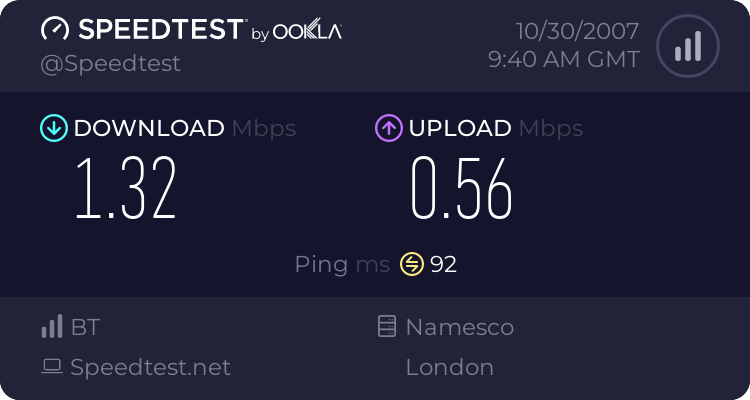
You can test the speed of your internet connection at [b]http://www.speedtest.net/[/b]

Here's mine today:
 
It's working ok for me too.

As suggested - check internet speed - also, what internet browser are you using ?
 
Well I'm using Firefox so it's not a browser issue, unless you've screwed up your configuration somehow. Have you tested your connection speed?
 
Back
Top