Need help Please

Hi

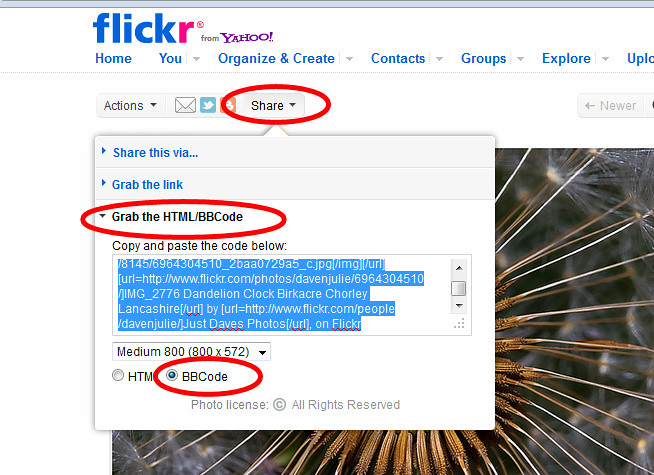
Best way to add images from flickr go to your flickr click the image you want to share

Above the image


Click Share
Grab the HTML/BBCode
Check the radio button for BBCode
Choose a size
Copy the code from the box
paste it into your post on here

Hope That Helps :thumbs:

7115179313_e8c40a4ea6_b.jpg


Dave
 
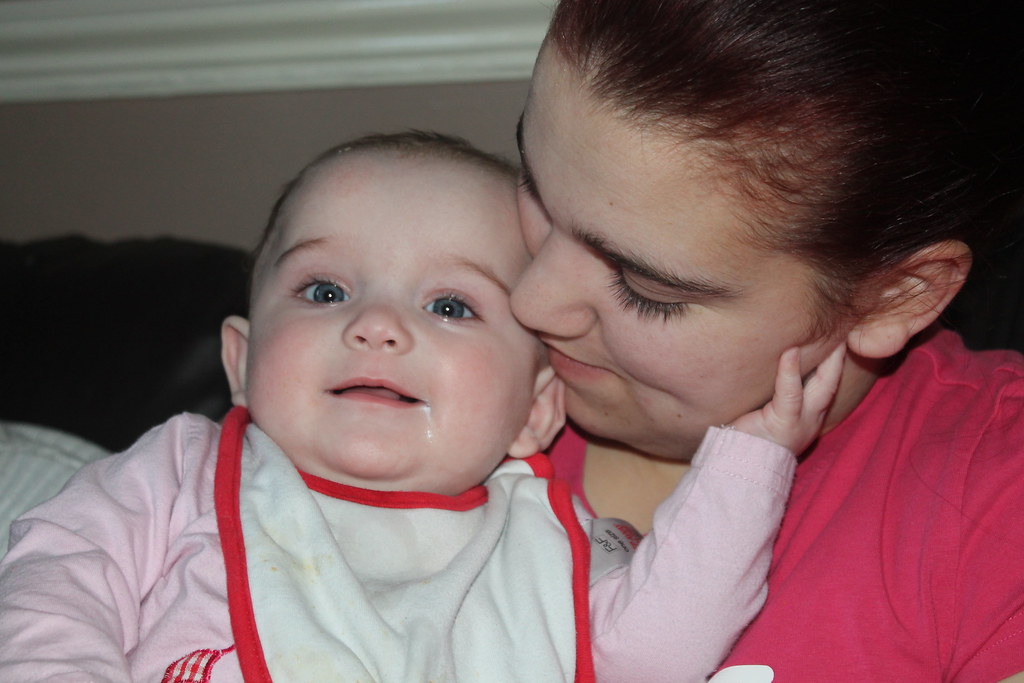
Any better? It looks as though most of your problems here have come from the direct on camera flash, which has left the image a little flat....

Before

IMG_1252 by mrshunt90, on Flickr

After
8295771268_4e747458eb_kcopy_zps13c572c0.jpg
 
Last edited:
As promised this is what I would go down for an edit of this photo, what I did noticed was how compressed it was, there is a raft of JPEG compression there, what quality level are you saving your files at??


TP BABY EDIT by mwhcvt, on Flickr

If you wish to have me take this down please say :thumbs:
 
MWHCVT said:
As promised this is what I would go down for an edit of this photo, what I did noticed was how compressed it was, there is a raft of JPEG compression there, what quality level are you saving your files at??

http://www.flickr.com/photos/mwhcvt/8297932902/
TP BABY EDIT by mwhcvt, on Flickr

If you wish to have me take this down please say :thumbs:

Maybe because this is a b/w conversion of my edit, which was downloaded from the OP's Jpeg, saved, edited, sharpened for web, the uploaded and saved again, before being downloaded by you, saved and uploaded again ;)

Maybe if you did your conversion straight from the original file you'd find less artifacting :)
 
Last edited:
TheDrift- said:
Maybe because this is a b/w conversion of my edit, which was downloaded from the OP's Jpeg, saved, edited, sharpened for web, the uploaded and saved again, before being downloaded by you, saved and uploaded again ;)

Maybe if you did your conversion straight from the original file you'd find less artifacting :)

Whoops didn't realised I'd edited your edit rather than the one from the OP :bonk:
 
i am taking them as jpeg and raw but at the moment i dont have the software to open raw files. how do i do the 'vignette'? thank you all for your help and input x
 
Canons software disk (the one that cMe with the camera) has digital photo professional on it. That is a raw converter
 
i am taking them as jpeg and raw but at the moment i dont have the software to open raw files. how do i do the 'vignette'? thank you all for your help and input x

There are many ways of doing the vignette and some editing software makes it really easy.
Or you can manually darken the exposure around the edges of the image.
If you decide you want the vignette but are unsure how to do it, then I am happy to help with the raw file and return it you. Pm me if you want this :thumbs:
 
Back
Top