

my swan looks rubbish. (help with manual zoom lens)

brokenenglish

Suspended / Banned
Messages
20
Name
rob
Edit My Images
Yes
OK. I just got given an old style manual zoom lens, complete with an attachment for my Canon 350D.

I've tried to use it once or twice, and it's pretty clear I have no clue how I'm meant to use it. I think mostly because I'm used to the auto focus on my regular lens, so anything where extra thought is needed is probably a little over my head right now.

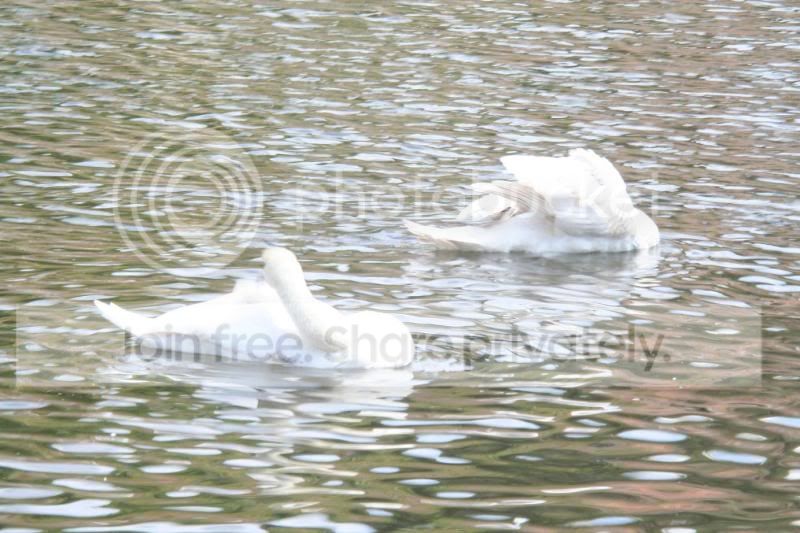
There are a couple of pictures below that I took in Exeter today. The light was decent, the swans were in clear view and, although I was using the camera handheld, I had it resting on solid ground by the canal and so it was steady.

My question is: why are the images blurred, and why do the swans have that horrible bright white look? Is it a focus issue, a light issue, an exposure issue, a movement issue? Thanks for any help. Please ignore the actual composition.
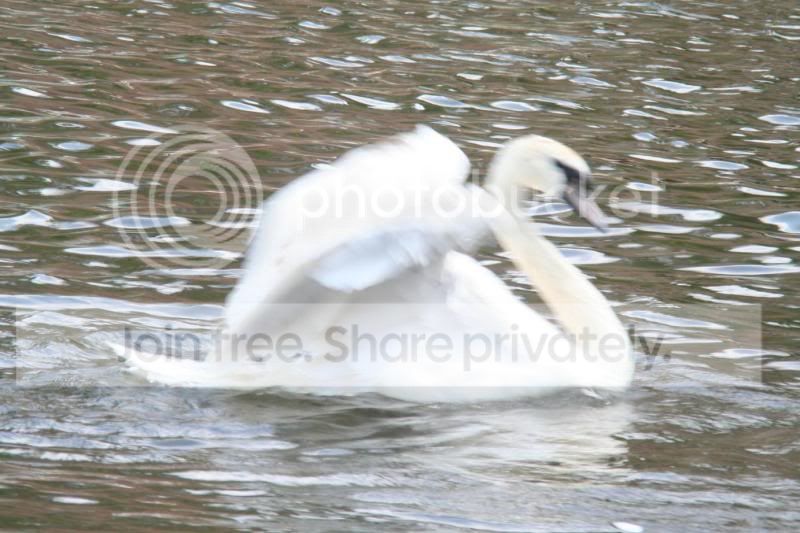
20090603_0412.jpg


20090603_0416.jpg
 
If its an old banger of a manual lens then the pictures probably wont be very sharp anyway. The swans look very bright and have little detail in some areas of their feathers, so I would say that maybe the pictures are over exposed. The first shot to me looks as if the shutter was too slow rather than a focusing issue. The white balance may also explain the washed-out colour.
 
My question is: why are the images blurred, and why do the swans have that horrible bright white look? Is it a focus issue, a light issue, an exposure issue, a movement issue? Thanks for any help. Please ignore the actual composition.

Peronally i'd say (due to the bright white) you'd need to compensate with the exposure, that would help the whiting out. For manual i'd use as fast a shutter speed as possible (maybe heading to Tv mode) and maybe use a mono/tripod to help combat any handheld movement.

I may be totally wrong here but that's what i'd do *shrugs* :) :shrug:
 
Any chance you could post :

Camera mode - Manual / App priority etc
ISO Setting
Shutter speed
 
Shutter speeds of 1/30 and 1/25 with 400 ISO. We can't tell the aperture from the EXIF data, but the Sunny 16 Rule would suggest perhaps f/11 at 1/400 which would help with exposure, camera shake and motion blur of the subject.
 
^^^ As Photon says.
 
wouldnt have thought it was the lens its overexposed and the shutter speed is way to slow you,re exposure mode from the exif file says normal not sure what mode that is!! try shutter speed priority and set to 125sec or faster also try and pan with the moving bird hth mike
 
Your shutter speeds at 1/30th and 1/25th are way too slow for the subject

If you get really stuck on something like this then try it on the "sport" mode (moving subject) and see what settings the camera chooses and if they are okay then try and duplicate them in the creative settings.

As Dinorock says a 125th second setting would probably help, faster if possible.

Your 400 ISO will also have added to the over-exposure, if it is bright then try 100 or 200 at the most - water reflects a lot of light so you can often go for a faster shutter speed than on land.
 
thanks for all your responses, its a lot to take in after a long day but i appreciate it and i will re-read them when im not falling asleep.

i realise the poor results are most likely down to the way ive taken the shot, but like i say im really only starting to use this lens and so i have no idea what im doing. your comments will hopefully now help me get to grips with it a little better.
 
Back
Top