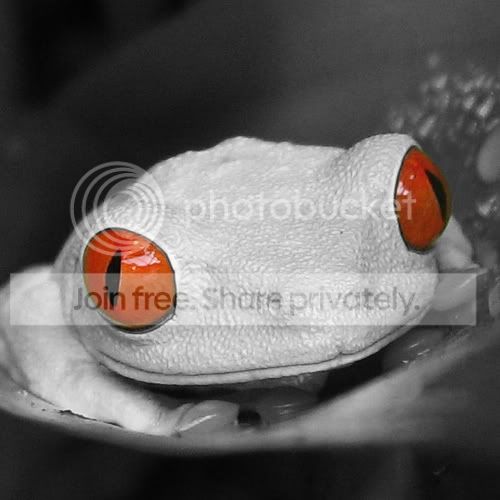
monochrome/colour combined

Stronach

Suspended / Banned
Messages
34
Edit My Images
Yes
Hi, :help:

Dumb noobie question however I have no shame so I'll ask away....

How do you create the effect whereby the background of a pic is in B/W but some aspects of the subject are in colour. Eg eyes?
(I'm sure this has been covered many times and I did try to do a search but since I'm not sure what I'm searching for.... :D:shake: )
 
The technique is often called "selective colour" and there are various ways of doing it depending on what software you have. The most universal method is to duplicate the layer and make it B+W and then erase the parts of that layer letting the colour one show through.
 
Found some web tutorials - searching for "selective colour" brings up an actual tool that allows you to enhance a specific colour whereas searching for "selective colorization" (american spelling) brings up what we want.

http://www.multimedialibrary.com/Diana/Examples/Photoshop/selectivecolor.asp

http://graphicssoft.about.com/od/pselements/ss/partialcolor.htm

Good luck and don't forget to share what you've done :)

And remember theres no such thing as a silly question

Perfect. Many thanks! :)
 
Good luck and don't forget to share what you've done :)

Not exactly exciting but since you asked :D:D ......

BTW, when I said I was a noobie I wasn't kidding: my digital camera only arrived today and the SD card isn't coming until tomorrow so for the purposes of playing with photoshop I had to pinch an image off t'internet:

355318511_bd40a8e6a4.jpg


Then B&W'd it and restored colour to the eyes.

355318511_bd40a8e6a4copy.jpg


As I said, not exactly exciting since it's not my pic but satisfying to have learned how to do it. Thanks :thumbs:
 
Try and bring the frog green out too - leave the background black and white but have the frog and its eyes in full colour, that'll look really good then.

Glad you've figured it out though :)
 
Back
Top