Monitor size / Spec

taxboy

Suspended / Banned
Messages
1,985
Edit My Images
Yes
I'm thinking about upgrading my old 23in Dell so just chucking this out there for people's thoughts;

Budget is £500 or so. Within this do I go 32" but obviously only sRGB and 2k or

Stump up the extra for a Benq but go 2k and 27"

Go for 4k and sRGB

Will be for photography not video and I do print

Just in case it affects it, will probably upgrade my Canon 7d ii to an R5 next year . Essentially I'm trying to tap into people's experiences of what is the most important of the specs when choosing a monitor
 
27" is fine for me, although I run a 27" BenQ next to a 25" Dell.

I really like 4k @ 27" and feel like it's a good fit. With the recent issues with my 27 I was going to replace it with another rather than go 32. However if I only had one screen I'd probably go bigger.

I don't know how good your eyesight is. Mine is pretty poor and I can't tell the difference between colour spaces. Chances are, no viewer of your images will be able to, or will even care. (unless you shoot for magazines etc)

Assuming you have the desk space, I'd put a 4k 27" next to the old 23 and have dual monitor setup. The ability to run apps in 2 screens is (for me) a "can't live without". If you're running something like LR which dual screen's quite nicely, be sure to calibrate both monitors to avoid print issues.

If you don't have the desk space and just want to run 1 screen, I'd say go as big as you can whilst keeping the resolution sane. 3840x2160 is really really nice.

Quite a lot of "depends" in the OP, so please take what you like & leave the rest.
 
I bought a monitor this year - gigabyte G27M - but first tried a Samsung 32" 4k panel. I returned that because of light drop off at the edges (VA panel) but at standard magnification a 32" 4k screen is quite hard to read.

What's important about a monitor?

For me, viewing angles/even brightness and colour (must be IPS) contrast (a problem for IPS) and lack of backlight bleed. After that, colour gamut - the gigabyte has an extended gamut compared to the Dell U2412M I used before, and it's made images richer and more exciting.

Since you print, you will need a calibration tool too.
 
Last edited:
27" is fine for me, although I run a 27" BenQ next to a 25" Dell.

I really like 4k @ 27" and feel like it's a good fit. With the recent issues with my 27 I was going to replace it with another rather than go 32. However if I only had one screen I'd probably go bigger.

I don't know how good your eyesight is. Mine is pretty poor and I can't tell the difference between colour spaces. Chances are, no viewer of your images will be able to, or will even care. (unless you shoot for magazines etc)

Assuming you have the desk space, I'd put a 4k 27" next to the old 23 and have dual monitor setup. The ability to run apps in 2 screens is (for me) a "can't live without". If you're running something like LR which dual screen's quite nicely, be sure to calibrate both monitors to avoid print issues.

If you don't have the desk space and just want to run 1 screen, I'd say go as big as you can whilst keeping the resolution sane. 3840x2160 is really really nice.

Quite a lot of "depends" in the OP, so please take what you like & leave the rest.
Thanks for providing a detailed reply. I did wonder if the difference in the colour space issue is more theoretical than real life. Unless you have an unlimited budget I understand compromises need to be made and I'm trying to see which ones I need to prioritise
 
I bought a monitor this year - gigabyte G27M - but first tried a Samsung 32" 4k panel. I returned that because of light drop off at the edges (VA panel) but at standard magnification a 32" 4k screen is quite hard to read.

What's important about a monitor?

For me, viewing angles/even brightness and colour (must be IPS) contrast (a problem for IPS) and lack of backlight bleed. After that, colour gamut - the gigabyte has an extended gamut compared to the Dell U2412M I used before, and it's made images richer and more exciting.

Since you print, you will need a calibration tool too.
Thanks for sharing your thoughts, much appreciated. According to the spec it covers 140% sRGB, I don't think I've seen a monitor spec above 100% colour space but I may not have been paying attention
 
I use a BenQ 27" but not the 4k one, as I (1) could not justify the expense and (2) was concerned about how the small fonts & icons would appear on that size screen at 4k compared to 2k.......oh, and 27" was the max I could accommodate on my desk setup ;)
 
I use a BenQ 27" but not the 4k one, as I (1) could not justify the expense and (2) was concerned about how the small fonts & icons would appear on that size screen at 4k compared to 2k.......oh, and 27" was the max I could accommodate on my desk setup ;)
Can I ask please did you decide straight away on the Benq or look at any alternatives before splashing the cash. I know the Benq does get good reviews
 
Can I ask please did you decide straight away on the Benq or look at any alternatives before splashing the cash. I know the Benq does get good reviews

Thinking back........

I also considered a Dell (the monitor I replaced was a 22inch Dell) and checked specs on one or two others that I cannot now recall?) but the BenQ has hardware calibration when used with their own Pallette Master Elements software & my calibrator. So as a 'package' of specs it was very appealing :)

Oh, and it came with a screen hood that normally retails at about £80

HTH
 
32 has to be at least 4k and ideally more. Windows can't handle that specific size and force you into scaling killing image sharpness. Not too clever for a trillion dollar company. Instead I choose to live with pretty small text at at 100% scaling. You would do well to find size resolution package that scales well at precisely 200%. Of course these greedy lazy programmers could let us choose system font sizes once again. Somehow Linux just gets it right.

27 also needs 4k min. Today it is crazy not to get 4k
 
Last edited:
32 has to be at least 4k and ideally more. Windows can't handle that specific size and force you into scaling killing image sharpness. Not too clever for a trillion dollar company. Instead I choose to live with pretty small text at at 100% scaling. You would do well to find size resolution package that scales well at precisely 200%. Of course these greedy lazy programmers could let us choose system font sizes once again. Somehow Linux just gets it right.

27 also needs 4k min. Today it is crazy not to get 4k
Thanks for that so you rate 4k above a full Adobe RGB in a monitor. Does this create any issues when printing ? Or is this more if a theoretical issue
 
Thanks for that so you rate 4k above a full Adobe RGB in a monitor. Does this create any issues when printing ? Or is this more if a theoretical issue
4k is min spec. I have not said anything to the exclusion of Adobe. If you print that is also a must. Some photographers only need to deliver srgb files to clients. You can print fine from srgb monitor but you will miss out on more vibrant colours all round. It's your decision.
 
4k is min spec. I have not said anything to the exclusion of Adobe. If you print that is also a must. Some photographers only need to deliver srgb files to clients. You can print fine from srgb monitor but you will miss out on more vibrant colours all round. It's your decision.
OK that's fair enough. My budget won't stretch to 4k and ARGB so something will have to give hence my question
 
I recently bought a 27" 4K monitor (Philips 279P) and it works well for me.
 
I'm also looking for a monitor at the moment and finding the internet to be as confusing as usual on the subject. There's this guy who has his view.

The whole colour space debate gets complex and here's another guy who has decided to go with sRGB

There are also apparently disadvantages to wide gamut monitors which might be an issue.

I read somewhere what seemed to me to be a sensible comment; that if you go aRGB you need to live in an aRGB world with everything you use geared to it and that its only relevant to a tiny number of print professionals working in certain areas. This guy was a photographer who never used it in 20 years as a pro.

For me, I'm unconvinced of the advantages and I'm not going to be bothering about it too much as is seems to be a bit of a bogus pursuit but I wouldn't go to the barricades about it
 
Last edited:
I'm also looking for a monitor at the moment and finding the internet to be as confusing as usual on the subject. There's this guy who has his view.

The whole colour space debate gets complex and here's another guy who has decided to go with sRGB

There are also apparently disadvantages to wide gamut monitors which might be an issue.

I read somewhere what seemed to me to be a sensible comment; that if you go aRGB you need to live in an aRGB world with everything you use geared to it and that its only relevant to a tiny number of print professionals working in certain areas. This guy was a photographer who never used it in 20 years as a pro.

For me, I'm unconvinced of the advantages and I'm not going to be bothering about it too much as is seems to be a bit of a bogus pursuit but I wouldn't go to the barricades about it
Thanks for sharing those. Like you it does seem to be a complex and contentious issue. I'd imagine that what printer you use also has an impact ?

I guess its one of those what you haven't got you may not miss areas. Unless anyone has a link to some tests people have done. Although that may be like those adverts for new TV's ..if the brand they are showing looks good on your existing TV ......

I would be interested to know what you decide on in the end though or even your short list if you wouldnt mind sharing please
 
Thanks for sharing those. Like you it does seem to be a complex and contentious issue. I'd imagine that what printer you use also has an impact ?

I guess its one of those what you haven't got you may not miss areas. Unless anyone has a link to some tests people have done. Although that may be like those adverts for new TV's ..if the brand they are showing looks good on your existing TV ......

I would be interested to know what you decide on in the end though or even your short list if you wouldnt mind sharing please
Hi yes of course.

I’m no expert but so far my shortlist is

LG 32UN880

Gigabyte M32U

PA278CV is a possible 27” option

I found this site to be a good resource

 
Not to hijack but I have been looking for a monitor on and off for my mac mini, currently using an unwanted 22" AOC from my son when he upgraded for his games system :rolleyes:
It does a job but I'd like something a bit bigger with ports in too for peripherals.
Anyway, I was just chatting to see what he upgraded too (a BenQ) but not sure on model as he's in the middle of a "battle" lol.

One thing he said and this could be a "myth" but he told me to steer clear of a 32" and go for a 27" and was explaining that there's a theory to say that you don't "see" to the edges of the 32 whereas you're brain will use more of the 27", I think he was trying to explain the field of view for the user essentially.

Now is that bull? or is there some reality to that?
 
I believe if you’re gaming you need to keep an eye on the whole screen and a 32 makes that more difficult.

For our purposes I’d say it’s a great size, especially if you go down the 4k route. You get to see menu text etc better at native resolutions than a 27.
 
I believe if you’re gaming you need to keep an eye on the whole screen and a 32 makes that more difficult.

For our purposes I’d say it’s a great size, especially if you go down the 4k route. You get to see menu text etc better at native resolutions than a 27.
Although I've also seen a review by a photographer saying he found 32" too wide if you have a standard desk as you ended up turning your head to see details rather than just moving your eyes. I guess it's a personal preference thing. Perhaps you may like to cut a piece of card / paper to the dimensions and see what you think. That's what I did in deciding if a 55" TV would be too big for the room
 
Think Ill likely stick to the 27" anyway, having got the tape measure out I think 32 would be pushing it as my setups in the corner of an already cramped dining room.
Now also looking at a HP but about £100 dearer than the LG and not seeing much more for that kind of money either to be honest other than a few more connectors

 
Although I've also seen a review by a photographer saying he found 32" too wide if you have a standard desk as you ended up turning your head to see details rather than just moving your eyes. I guess it's a personal preference thing. Perhaps you may like to cut a piece of card / paper to the dimensions and see what you think. That's what I did in deciding if a 55" TV would be too big for the room
He is sitting too close. Far too close. The good thing about these is you can sit back a little while doing edits. If you have to lean it for some occasional fine detail then that's OK.


Think Ill likely stick to the 27" anyway, having got the tape measure out I think 32 would be pushing it as my setups in the corner of an already cramped dining room.
Now also looking at a HP but about £100 dearer than the LG and not seeing much more for that kind of money either to be honest other than a few more connectors

Don't forget you will have to consider scaling. On a mac and linux it probably works out a little bit better, but on Windows you either have to run it at 100% or accept very soft scaled graphics. That makes 27 4k very very hard to read at 100% point 9 font (win default). 32 is in fact still on the small side and you have to find hacks to increase font size (never use scaling!).
Ideally you are looking at systems that have it all worked out for ideas. iMac 27 is running 5K which allows it to be just like QHD, but much more detailed. 32" should be 6 or 8K ideally. I'm not sure what your options are, or at least getting the 4K ones paired with OS that makes good sense of what is available.
 
Yes it’s the size of the menus that’s really why I am looking at 32”. I would imagine on a 27” you definitely need to resort to scaling with all the problems because the menus would be minuscule. I could just about manage a 32” with my specs
 
1440p is nice at 100% on a 27" screen and is what I've been using for the last ten years. My next monitor will be 4k 32" to keep a similar ppi.
 
Is it really that annoying? I don't know as I've never had a monitor bigger than a 22 to be honest. I was set on a 27 from currys but now thinking maybe the 32 would be a better option and quite like the look of this one at £369 which I think would suit, I just want a half decent one for easy viewing and a bit of photos and a bit of video, that's all. It doesn't have to be superb, it just needs to be not crap (y)

https://www.currys.co.uk/gbuk/compu...d-32-led-monitor-black-grey-10185351-pdt.html
 
1440p is nice at 100% on a 27" screen and is what I've been using for the last ten years. My next monitor will be 4k 32" to keep a similar ppi.
Well they are quite different in practice. 4K is much better once you get past horrible font size issues that make it almost unusable initially.

Is it really that annoying? I don't know as I've never had a monitor bigger than a 22 to be honest. I was set on a 27 from currys but now thinking maybe the 32 would be a better option and quite like the look of this one at £369 which I think would suit, I just want a half decent one for easy viewing and a bit of photos and a bit of video, that's all. It doesn't have to be superb, it just needs to be not crap (y)

https://www.currys.co.uk/gbuk/compu...d-32-led-monitor-black-grey-10185351-pdt.html
on windows - mega annyoning. Only fix is adjusting font sizes in several places with this tool https://winaero.com/ or direct registry hacks. Feel free to explain that to MS. Maybe they will fix in 2024.
 
Well lots of folk use these on Macs fairly happily. I've just ordered the LG 32 UN880. My old eyes need a large size.
 
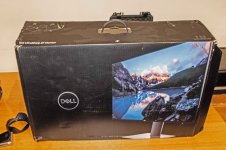
I have a spare 27" monitor by dell but not 4K as that is what I replaced it with. Problem is it really is too big to post so never bothered to advertise it. So it is just sitting under my desk in its box

_DSC5317.jpg

also a Dell U2312HM and disk but no leads which worked last time I I used it which I would sell but no one would want it. So that sits under my desk as well
 
Last edited:
Back
Top