Missing photo's, what have i done wrong?

seventythree

Suspended / Banned
Messages
810
Name
Allan
Edit My Images
Yes
Evening people. bit of a strange one this. Hopefully there's a logical explanation. I'll explain from the start;

Yesterday i was fixing my car and needed to take a couple of photo's of things since i had it in bits and needed a reference.

camera d90, 35mm prime attached (just what was on there), set images to jpeg fine only , used onboard flash and snapped away.

two hours later we had a family/school event organised by the wife, with myself as the (un)official photographer.

In a hurry to get ready i checked there was plenty battery life and enough room on the card for 50 or so photo's (room for 200 more so on an 8mb card) fitted my 24-70 lens, popped the sb200 on top. I set the image quality back to raw+ jpeg fine and flew out of the house.

During the event i chimped a few times, but not that often, sometimes i double chimped (if there's such an expression), by pressing play after the image had dissapeared(so i know there was definately images on the card).

Here's the weird bit that i can't really explain. After the kids went to bed i sat down to process the images with cup of tea in hand, only to find no images of the event on the card.

I have looked and looked, even changing the folder option in windows to look on the card for hidden folders and files to no avail.

theres a couple of hundred photo's still on the card which i have transfered previously, but just never formatted the card. Also the photo's i took yesterday morning of car bits are all there.

After fruitless searching on the pc last night, i put the card back in the camera, and without changing any settings i took a photo and straight away as normal the image was there and transfered easily to the pc.

I'm really at a loss as to what has happened here, other than someone manually deleting them. I've even checked that the camera is set to take no pictures when there's no card in the slot, so even if the card for some reason came loose, or just screwed up in the slot momentarily, it wouldn't have let me take any pictures?
Another thing is, that the image number sequence is correct. with the test photo i took last night, theres a 40 image gap in the numbering sequence where the photo's would have been.

Has anyone ever heard of this?

(ps, i do have a spare card which i carry around, but i havent used it for months, so its definately not the wrong card i'm looking at)

cheers, one confused Al
 
Last edited:
Have you checked through all your pics, my numbering tends to get mixed up occasionally especially if i remove cards and photos appear in the middle of sequences where I don't expect them.

Nick.
 
There was obviously someone/something in those photos the government didnt want the public to see.


Oooooor more likely; you accidentally deleted a folder, someone else (a child) deleted it or your card has a formating issue. Thats the only logical explanations i can think of im afraid :shrug:
 
Have you checked through all your pics, my numbering tends to get mixed up occasionally especially if i remove cards and photos appear in the middle of sequences where I don't expect them.

Nick.

checked to no avail

There was obviously someone/something in those photos the government didnt want the public to see.


Oooooor more likely; you accidentally deleted a folder, someone else (a child) deleted it or your card has a formating issue. Thats the only logical explanations i can think of im afraid :shrug:

just searched the forum for recovering deleted files, and dowloaded Recuva. A deep scan of my memory card shows about 10 files that are about 60 photo's away sequentially from the missing ones which of the recoverable ones look to be duffers from a few weeks ago. I'm fairly confident that nothing has been deleted.

Funny how all before the event and one after are present ?

Can the memory card be slotted in, the camera thinks its there, but not record anything? No that's crap, because i definately remember 'double chimping'

Al
 
I have had a card from a friend's camera for the best part of a year now. He came back from an African safari and found he had three pictures on the card. He'd seen many more, around 300 or so, reviewing them on several occasions.

I tried three or four recovery progs all to no avail, and hung on to the card with the intention of trying other progs as and when I found them. It was a while later while I was browsing the results of a recovery prog which had been to work on the card and by chance noticed the folder size was almost a gig. Checking the three recovered photos within [not actually recovered - they're still on the card] I noticed that one of the photos had a file size of 994mb. The actual photo on the card has a file size of 3.3mb. So the entire week's safari photos are buried within this one picture somewhere. Maybe one day I'll find a way to fix it but I'm not hopeful.
 
do a search for jpegs using a lost file finding software??

is that an idea
 
Silly question but have you checked the 2nd folder on the card ?
I have done this before and found the missing files in another folder

only one folder within a folder as per nikon standard. I've even looked for hidden files and folders. I've run a full search on my pc for all photo's that would be in that DSC_XXXX.jpg range and again , no joy


do a search for jpegs using a lost file finding software??

is that an idea

tried recuva twice, the second time i recovered about 500 photo's from about 2 months ago, but nothing more recent

I have had a card from a friend's camera for the best part of a year now. He came back from an African safari and found he had three pictures on the card. He'd seen many more, around 300 or so, reviewing them on several occasions.

I tried three or four recovery progs all to no avail, and hung on to the card with the intention of trying other progs as and when I found them. It was a while later while I was browsing the results of a recovery prog which had been to work on the card and by chance noticed the folder size was almost a gig. Checking the three recovered photos within [not actually recovered - they're still on the card] I noticed that one of the photos had a file size of 994mb. The actual photo on the card has a file size of 3.3mb. So the entire week's safari photos are buried within this one picture somewhere. Maybe one day I'll find a way to fix it but I'm not hopeful.

cheers, all files are the correct size and no trace of anything else at all, guess i'll just have to put this one down to experience :(

Al
 
tried recuva twice, the second time i recovered about 500 photo's from about 2 months ago, but nothing more recent
Al

bastage!! and a puzzlement...:|
 
bastage!! and a puzzlement...:|

exactly, i'm over it now and put it down to experience. I've been a bit nervous regarding the camera, but all seems fine now. I would have thought someone else would have experienced this also :shrug:

Al
 
The only experience I've had of temporarily losing files was when I was shooting a wedding the camera somehow created a separate folder halfway through shooting so when I started chimping it looked like I'd lost about 200 photos from earlier in the day.

Luckily I quickly worked out what had gone on and worked out how to view them but for a couple of minutes my heart was jumping out of my chest with panic.

When you put the memory card in the camera and view the photos on the rear screen, can you see the photos are there then? Is it just on the PC where the photos seem to have disappeared? If so then have a look through your camera's menus to check that all folders are visible when viewing the photos.
 
A very obvious question but have you checked all your other cards?
 
Was the camera left unattended at any time? The only thing I can think is that soemone didn't like you taking pictures of the kids, and deleted the images when you weren't looking.
 
Was the camera left unattended at any time? The only thing I can think is that soemone didn't like you taking pictures of the kids, and deleted the images when you weren't looking.

He's already used recovery software. If they had been deleted then he would have found some, if not all of them.
 
thanks for all the suggestions folks, but alas i've tried them all.

i know for a fact they weren't deleted since recovery software would have at least shown one or two.

i'm reasonably IT savvy , and i've tried a fair few things to so images. Its like i never even took them?

nobody suggested that i maybe just dreamt the whole day :cuckoo:

cheers, Al :thumbs:
 
is there a file structure error? something like check disk might highlight it
it does sound strange.
also what is the total volume used on the card? and does this correspond to the total volume of photos that you can see?
what i mean is, ..is there volume on the card that is unaccounted for?
also is it possible that you've protected the images some how and they are hidden from the system?
I take it that they are no longer viewable on the camera either.
 
future460.jpg
 
Is it possible that the card wasn't seated properly and that the images you saw on pressing "play" we not saved onto the card but as previews or camera internal memory?
 
Honestly people, if the picture doesn't give you a clue, take a look at the dates of the original posts.
 
LOL
my bad, can't recall how I found this thread!?
so how was it resolved?
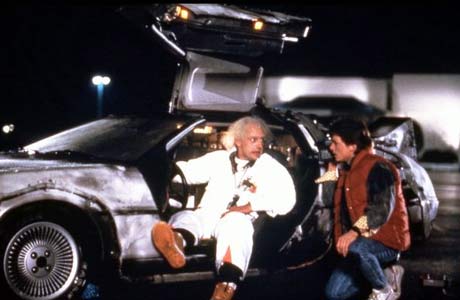
thought the B2tF picture was a reference to how the pics were lost....:bonk::bonk:
 
Cut down on it perhaps, but don't cut it out. A quick chimp can't tell you much about focus (unless you've made a right mess of it), but it will tell you if you're framing accurately, if you're getting you horizons straight, and the histogram can tell you a lot about the accuracy of your exposure. You can get most cameras to tell you about blown highlights and where you focused as well.

That tiny screen can be a useful tool.
 
Back
Top