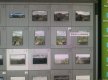
You must have moved a folder on your hard drive so the connection between lightroom and your folder has been diconnected, always move your folders in lightroom so they don't go missing in future.
This site uses cookies to help personalise content, tailor your experience and to keep you logged in if you register.
By continuing to use this site, you are consenting to our use of cookies.