Make it pop

debrito

Suspended / Banned
Messages
1,410
Name
Paul
Edit My Images
Yes
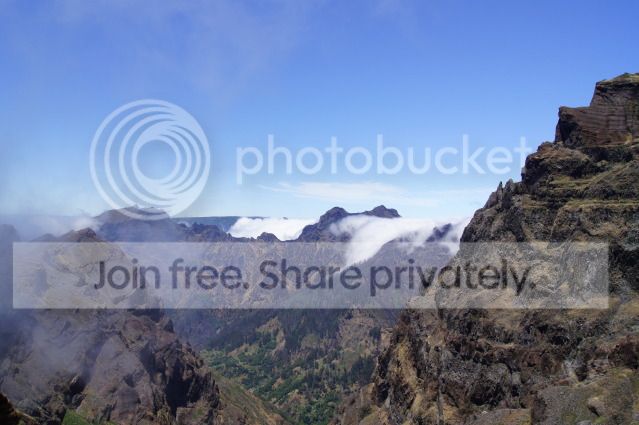
hi all i was lucky enough to go to the island of Madeira and got to go and take a few shots i like this but would like some ideas on pp or just to make it pop looking for inspiration really i don't typically want anyone to do anything to it just maybe point me in a direction
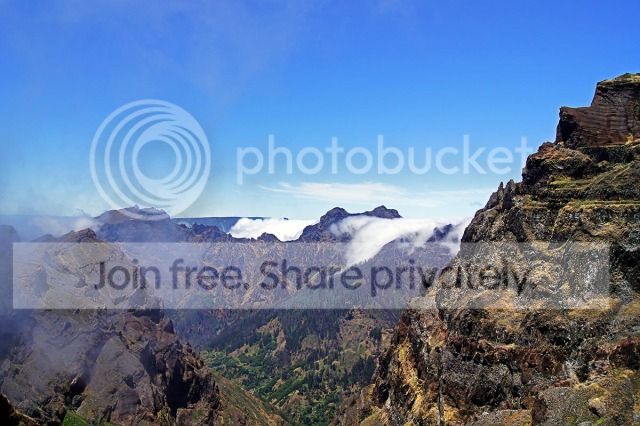
08Jul2011_1755webedit.jpg
 
Kerioak said:
If you don't want anyone to do anything I would remove the tick from your edit box.

It looks like you might already have sharpened and saturated this image?

I would possibly try some dodging and burning to try and bring back some detail

Sorry I dint mean for no one to edit it you can if you want I guess i didn't won't people to think I just wanted the image editing all I did in pp was levels auto and high pass sharpen !
 
Can you put up an un-edited jpeg? Likely to see better results from that.
 
Can you put up an un-edited jpeg? Likely to see better results from that.

her goes straight out of cam
08Jul2011_1755.jpg

dont know if any good i have under exposure and over exposure as well although was hand held
 
now that's a good bit of pp
im not up to that do you do a tutorial ? not just for that shot but for any stuff
 
Most of my edits are a lot of trial and error but for yours this went quite easily so I marked the layers as I did them:

I created two copies of the original layer
top one blurred the closest hills just a tad, 0.6, then hid it with a black mask (D+X to make white the foreground colour then Ctrl (or cmd) and click on the mask button at the bottom the the layer pallet
use a low opacity white brush to bring the blur through

Other copy (middle layer) used unsharp mask at 0.5 and blend soft light to make it show though

Make new top layer and fill with white, blend to overlay, erase distant area and sky

Hope this helps and maybe gives you a starting point
 
Yes that great thank you I'm not sure I understand it all but ill have ago to see if I can do it
 
her goes straight out of cam
08Jul2011_1755.jpg

dont know if any good i have under exposure and over exposure as well although was hand held

My take, id be tempted to build a bit more cloud into the left hand side and it could use some dodge and burn..

Cool pic btw :)

mountaincopy.jpg
 
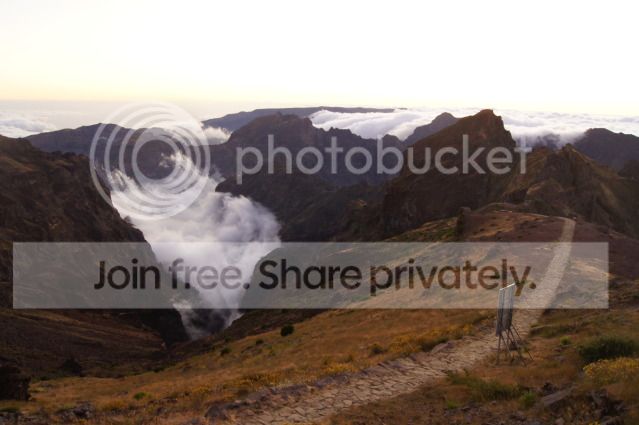
ok then guys can you tackle this baby i think it has got something but i cant get it out i tried hdr but wasn't happy
08Jul2011_2313.jpg
 
Ive had a go as well using my "landscape workflow" (which is a bit pretentious to be honest!)

Anyway heres what I got:

Debrito_TP_edit_copy.jpg


Opened as RAW, tweaked colour, exposure, blacks, clarity, vibrance
Into Elements 10
Levels adjusmtment layer pulled in white and black slightly
Colour curves enhance, "increase contrast"
merged changes as new layer,
duplicated layer, changed blend to multiply to darken sky and masked out the foreground/land
Adjusted sharpness
Added slight vignette
Added border
 
Ive had a go as well using my "landscape workflow" (which is a bit pretentious to be honest!)

Anyway heres what I got:

Debrito_TP_edit_copy.jpg


Opened as RAW, tweaked colour, exposure, blacks, clarity, vibrance
Into Elements 10
Levels adjusmtment layer pulled in white and black slightly
Colour curves enhance, "increase contrast"
merged changes as new layer,
duplicated layer, changed blend to multiply to darken sky and masked out the foreground/land
Adjusted sharpness
Added slight vignette
Added border
good stuff i like the work flow i wish i had a good discipline like that,how do you think it will fair with the other image ???
im just in process of learning the above link to try it
thanks great effort
 
good stuff i like the work flow i wish i had a good discipline like that,how do you think it will fair with the other image ???
im just in process of learning the above link to try it
thanks great effort

Cheers. I think I went a bit mad with the contrast actually. You can see detail has been lost in the peak right hand side in my effort.

Not sure the other image has quite so much potential. If I get time I may try it later.
 
Something like this?

debrito2.jpg


Duplicate image (I always work on a duplicate)
Curves - bring out detail in mountains and hide rest using the layer mask
Curves - bring out detail in foreground and " " " "
No detail in sky so add a slight grey gradient
merge layers
sharpen lightly
Colour balance layer
add frame
 
Last edited:
Another play, similar to last but replaced sky (not very well) and cloned out sign.

Before:
08Jul2011_2313.jpg


After:
Debritol_2313_copy.jpg
 
Last edited:
yeeeeeeeeeessssss now i like that i had something like that in mind,(but cant do it lol) with the sky yes really like that
 
yeeeeeeeeeessssss now i like that i had something like that in mind,(but cant do it lol) with the sky yes really like that
Glad you like it! :cool:

Still playing! Tried better on the sky:

Debritol_2313_copy2.jpg


I really must stop now! :D
 
Thats even better. I like the yellow bit in the sky ! , so you think you good ! I bet you can't give me a step by step idiot guide for it (please)
 
Struth now you're asking.
Something along these lines as I recall

Opened in camera raw, made one exposure for the middle-far distance, this brought out the yellow that was in the sky already.
Made another exposure for the foreground warmed up slightly using temperature slider

Opened both in Elements 10
Pasted far distance exposure into foreground exposure and used a mask and black/white gradient to blend the two.
Brought in the fake sky again, used another mask with gradient and soft brush tweaks on the mask to try and blend with far distance, reduced opacity of sky nearer horizon.
Think I used a colour fill layer to try and "yellow" the sky a bit.
Once that was done:
Levels adjustment, stamp layers together to one composite, colour curves on that,
Added 50% grey layer in overlay mode then used white brush at 10% opacity to brighten up the path and foreground a bit.
Sharpened, add border.

And a clone out of the sign in there somewhere.

Worth noting that all this would work better on the full size image if you intend having a go.
 
Oh thanks mate ill try and replicate it ,ill post finished article when I get it done can't wait to try it ,thanks very much for your input
 
Back
Top