M.2 to cfexpress type B converter

Dian

Suspended / Banned
Messages
3
Edit My Images
No
I would like to connect my 2280 M.2 directly to the camera as I'm tired of transferring files.
currently have option A from ZITAY and option B from ICYDOCK.
Has anyone used these adapters? I've seen the Youtube videos, but I haven't found any actual experience with it.

I worry that ZITAY is locked in the bottom left corner so that the converter will stick out of my camera, making it difficult to hold.
It looks like I have to unscrew it to get the SSD out every time?
ICYDOCK seems to have solved these problems but is not yet available..

Does anyone have any experience to share? Is there anything else I should consider?
 
As you've not provided links for your two options, it's not really possible to comment on them. I don't see how having something like a 2280 SSD in an adapter hanging off the camera is not going to be vulnerable and difficult to hold.

But what's the problem with transferring files? Remove card from camera, put it in a card reader and use Windows File Exploder (sic) (or Mac equivalent) to copy them where you want.
 
Last edited:
Not seeing any advantage to this idea, you still end up with files off computer.
Is it any easier than using a card reader?
 
Is this the Icydock one you mentioned?

It doesn't solve problem of transferring files though. You still need to take out the M.2 SSD and plug into a PC. Worst of all you need to shutdown the PC because consumer grade PCIe does not support hot-swap. Though you can put into M.2 to USB dock and read it off that way, but it still feels more hassle than a USB card reader.

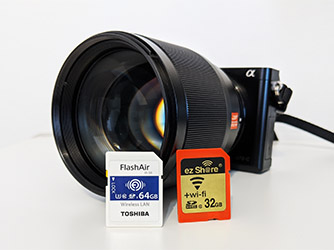
There had been solutions like the Eye-Fi that would allow photos to be instantly transferred onto PC after each shot. I had one working with a CF adaptor. Eye-Fi is no more but there's other similar solutions:
 
As you've not provided links for your two options, it's not really possible to comment on them. I don't see how having something like a 2280 SSD in an adapter hanging off the camera is not going to be vulnerable and difficult to hold.

But what's the problem with transferring files? Remove card from camera, put it in a card reader and use Windows File Exploder (sic) (or Mac equivalent) to copy them where you want.
Sorry, I'm new here and have been told that I can't post any links.
But a kind person has provided a link above.

Well...I was wondering if there was any way to make it faster..
 
Is this the Icydock one you mentioned?

It doesn't solve problem of transferring files though. You still need to take out the M.2 SSD and plug into a PC. Worst of all you need to shutdown the PC because consumer grade PCIe does not support hot-swap. Though you can put into M.2 to USB dock and read it off that way, but it still feels more hassle than a USB card reader.

There had been solutions like the Eye-Fi that would allow photos to be instantly transferred onto PC after each shot. I had one working with a CF adaptor. Eye-Fi is no more but there's other similar solutions:
Thank you for the link.
You are right about the hot-swap part. I use two m.2 and usually alternate between the usb adapter and the m.2 mobilerack so I missed this..
So ...... unless I haven't turned my computer on yet, I have to turn it off and then on or keep using the USB adapter. If I connect m.2 directly, I don't even need to transfer files...I assume.

That's an option. I am searching for wifi cards with larger capacity. It would definitely save time if it could instantly transfer it. I've only used the gopro wifi transfer before...not pretty good at it. Anyway, thank you for sharing!
 
Last edited:
What is the problem you are trying to solve? Slow transfer speed of photos when you get home? Or want to see the photos after taking them while at home? Or something else?
 
Back
Top