Looking for a Windows app to fix CAPS LOCK issues

StewartR

Suspended / Banned
Messages
11,513
Name
Stewart
Edit My Images
Yes
I do a lot of typing where I need CAPS LOCK on.
I also do a lot of typing where I don't.
I'm not good enough to keep my eyes off the keyboard so I frequently look up to find I've typed A WHOLE LINE IN CAPITALS WHEN I DIDN'T MEAN TO.

What I'd like is some sort of little app that allows me to select the offending text and switch the case.

I know I could keep Microsoft Word running in the background, then Cut, Paste, Switch case, Cut, Paste. But that's a lot of effort and I'm often running up against RAM limitations (I typically work with 10-20 windows open) so I don't want to keep Word there. I'm looking for a less resource intensive solution.

Surely there must be apps or widgets out there which do what I want. But I haven't been able to find any.

Anyone?
 
10-20 windows open ?

at once....:/

gawd, sounds like an immense waste of resources, having 3 widows open does my box in, its like leaving the tv on in 3 rooms when nobody's there to watch em.
Still, I don't "work" with puters so what do I know....:)
 
Desktop or laptop? If it's a desktop, prise the CapsLk key off the keyboard and keep a proddy stick handy for toggling caps lock on and off as required. Probably a bit harder on a lappy!
 
What application/environment are you typing this in?
I assume it's not Word docs if you don't actually want that open.
 
Word + Shift F3 is the only way I know to change case once already typed.
 
10-20 windows open ?

at once....:/

gawd, sounds like an immense waste of resources
Yeah, 10-20 sounds about right. These are things that I'm using on and off, unpredictably, all day. So if they weren't open all the time I'd spend half my time opening and closing things, which isn't good when you've got a customer on the phone.

1. Our website, customer view.
2. Our website, order processing.
3. Our website, dispatch management.
4. Our website, returns management.
5. Credit card processing system.
6. DPD deliveries tracking.
7. DPD collections tracking.
8. DDP depot/shop finder.
9. Google Maps.
10. Calculator.
11. Database schema explorer.
12. Database query engine.

That's pretty much the 'core' set I need so that I can answer most customers' questions fairly quickly. And then I need a bunch more stuff for whatever I'm actually trying to get on with. For example today I was working on the accounts, so I was using the scanner, purchase log, Windows Explorer, online banking, accounting package, and the secure upload thingy to my accountants. That's another 6, so 18 things open for most of today.
 
Are there specific things where you mostly/always type in caps, and others were you mostly/always use lowercase?
 
Togglekeys - sound alert when you hit caps lock? Make the sound a hung GONG! or something?
https://www.addictivetips.com/windo...toggle-caps-num-or-scroll-lock-in-windows-10/
How about a custom sound when you press caps lock?

https://www.howtogeek.com/252226/ho...-you-press-caps-lock-num-lock-or-scroll-lock/

Eddie, oops i see Byker28i beat me to this suggestion...
Mmm. That might be a *partial* solution. I'm certainly a bit fat-fingered when I type, and I do sometimes hit the Caps Lock accidentally. But I think most of the issue is that I'm switching from one application where I've been using caps to another where I don't, and I don't notice that the Caps Lock is still on. This wouldn't help that. Still, I think it might be worth trying to whether it helps.
 
Desktop or laptop? If it's a desktop, prise the CapsLk key off the keyboard and keep a proddy stick handy for toggling caps lock on and off as required. Probably a bit harder on a lappy!
Desktop.

I like the sound of this, but it introduces a whole new problem which is how I could keep a proddy stick "handy" in the immediate vicinity of my keyboard. Let's just say that my desk is "somewhat" untidy. But I've had desk jobs for 30 years and I know from previous efforts that I'm not going to be able to fix that untidiness issue very easily, or indeed at all.
 
Last edited:
Touch typing online lessons/tutorials?

The more you practise the better you'll get at not looking at the keyboard.
Yeah, I know. I know. I keep telling myself I'm probably a bit too old to learn a new skill like this, and of course the longer I keep saying it the older I get. But the reality is that it seems like a lot of work, and I already have too much stuff to do and not enough time to do it, and because it's not a skill which I would intrinsically value very highly I'm unlikely to prioritise it to put the effort in.

Crikey, self awareness can look pretty ugly, can't it!

But I know this probably is the right solution. Maybe I should look into it. For example, what could I expect to achieve with, say, 10 minutes practice per day.
 
I’m not sure how you manage all those windows but I’m guessing you have to be looking at the screen when you switch to a “new” window so an onscreen indication of caps state may work and those do exist.

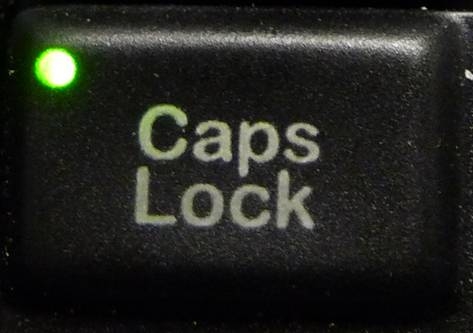
Doesn’t your keyboard have a light for capslock?

You do not say if some windows need only CAPS or if it varies from field to field in one window. Some applications can be set so that entries in specified fields are converted to upper or lower case regardless of input.

BTW the examples you give in the OP are CAPS/uppercase not CAPSLOCK, by which I mean they could be typed holding down the CAPS key since there are no numbers there.
 
Last edited:
What application/environment are you typing this in?
I assume it's not Word docs if you don't actually want that open.
Sometimes Word, but usually not. I listed above the kinds of things that I have open most of the time. A lot of what I do is more 'data entry' than proper 'typing'.
Are there specific things where you mostly/always type in caps, and others were you mostly/always use lowercase?
Oh, probably, but off the top if my head I don't think I could readily identify all of them. Why? Do you have a potential solution in mind?
 
Desktop.

I like the sound of this, but it introduces a whole new problem which is how I could keep a proddy stick "handy" in the immediate vicinity of my keyboard. Let's just say that my desk is "somewhat" untidy. But I've had desk jobs for 30 years and I know from previous efforts that I'm not going to be able to fix that untidy essay very easily, or indeed at all.

A blob of BluTak (other products that do the same job are available!) with a sawn off cocktail stick (I use a 2" bit of bamboo skewer) stuck in it on the back of the keyboard. If it works, make a little holder from some wood with a hole drilled in it! (Been meaning to do that for 18 months!!!)
 
Apparently Windows 10 has done away with the onscreen CAPSLOCK indicator but there is a freeware app called TrayStatus that does the job, allegedly:
https://www.traystatus.com/
 
Interestingly, when I googled for a solution I found the commonest links were to people complaining that their CAPSLOCK light was continuously flashing — an ideal solution for the OP but it seems the keys were not functioning either :-( . If there is a light on the keyboard maybe a little lens or a reflector could magnify its appearance.
 
Interestingly, when I googled for a solution I found the commonest links were to people complaining that their CAPSLOCK light was continuously flashing — an ideal solution for the OP but it seems the keys were not functioning either :-( . If there is a light on the keyboard maybe a little lens or a reflector could magnify its appearance.


Reminded me of...
View: https://www.youtube.com/watch?v=cCJMQsPHbyI
 
Do you have a potential solution in mind?
Some suggestions, yes.
I was looking for wired keyboards with the LED built into the caps lock key itself (my laptop has this) as it's much more obvious than having the LEDs stuck up in the top right above the numeric pad, but I couldn't find any. :(

If you use Firefox, there's an add-on which gives you a right click menu option to change the case of selected text either in the body of the site or data entry box of most websites.

I'm not sure what can be done about windows applications; most of them like to control their own input, and a third party app may have problems interfacing with their individual methodologies.
 
Realistically the biggest indication is you're typing a long line of upper case :D but if you're not looking at the screen then you need to research a keyboard that has a big visible light in a position thats visible when you're typing. Something like the Logitech MX800
https://www.logitech.com/en-gb/product/wireless-performance-combo-mx800

k800-top.jpg


Lateral idea - do a brief typing course at your local college? I did one years ago when I was programming, quite fun being the older person surrounded by girls...
 
Combining the excellent Roman Atkinson method with the Tori suggestion of illuminated key it should be simple to attach a miicroswitch to the CAPSLOCK key (since it is at the edge of the KB) which when activated would either galvanise (in the sense used by Signor Galvani) the user or more prosaically set off a flashing light. Job done!
 
Yeah, 10-20 sounds about right. These are things that I'm using on and off, unpredictably, all day. So if they weren't open all the time I'd spend half my time opening and closing things, which isn't good when you've got a customer on the phone.

1. Our website, customer view.
2. Our website, order processing.
3. Our website, dispatch management.
4. Our website, returns management.
5. Credit card processing system.
6. DPD deliveries tracking.
7. DPD collections tracking.
8. DDP depot/shop finder.
9. Google Maps.
10. Calculator.
11. Database schema explorer.
12. Database query engine.

That's pretty much the 'core' set I need so that I can answer most customers' questions fairly quickly. And then I need a bunch more stuff for whatever I'm actually trying to get on with. For example today I was working on the accounts, so I was using the scanner, purchase log, Windows Explorer, online banking, accounting package, and the secure upload thingy to my accountants. That's another 6, so 18 things open for most of today.

A lot of that is browser-based, so you could try (e.g.) a Firefox add-on like this:

https://addons.mozilla.org/en-GB/firefox/addon/case-changer/

(don't know what's available for other browsers, and it might not be a good idea to use obscure 3rd party apps in combination with things like credit card processing!)
 
Back
Top