

Long Exposure... Where did it go wrong?

Manchesterr

Suspended / Banned
Messages
35
Edit My Images
Yes
Hiya, I've just had a quick go at some long exposure shots, and they haven't come out as expected, so I'm looking for some advice please.

I know that I started off by taking the picture too quickly, but then the rest are just a mess, and have some strange lights on them - Any advice appreciated.
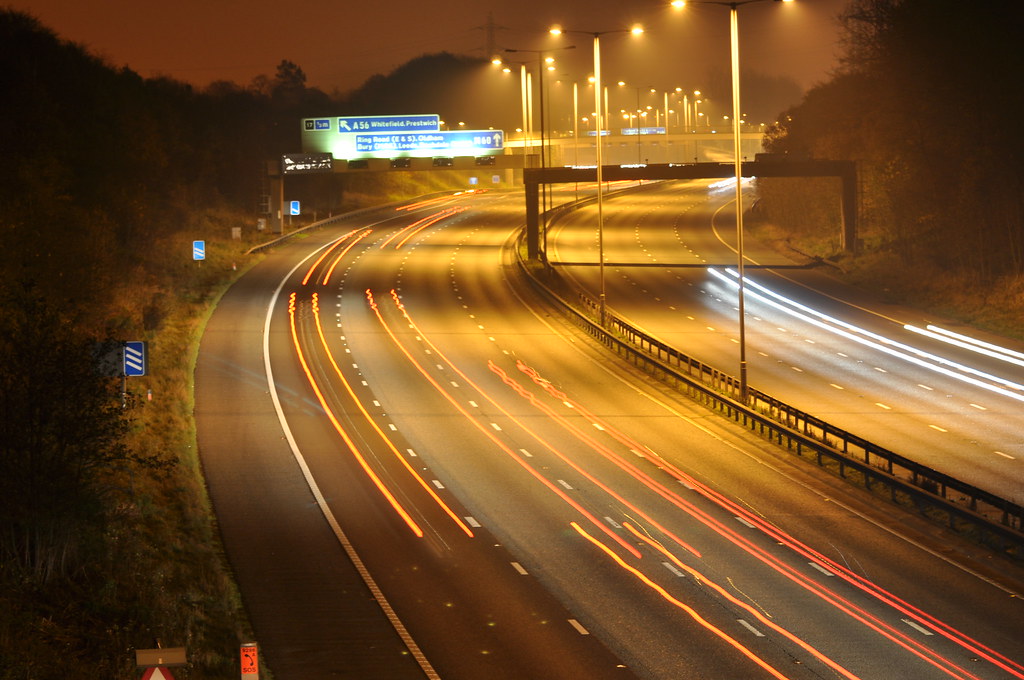

DSC_0117 by Manchesterr, on Flickr
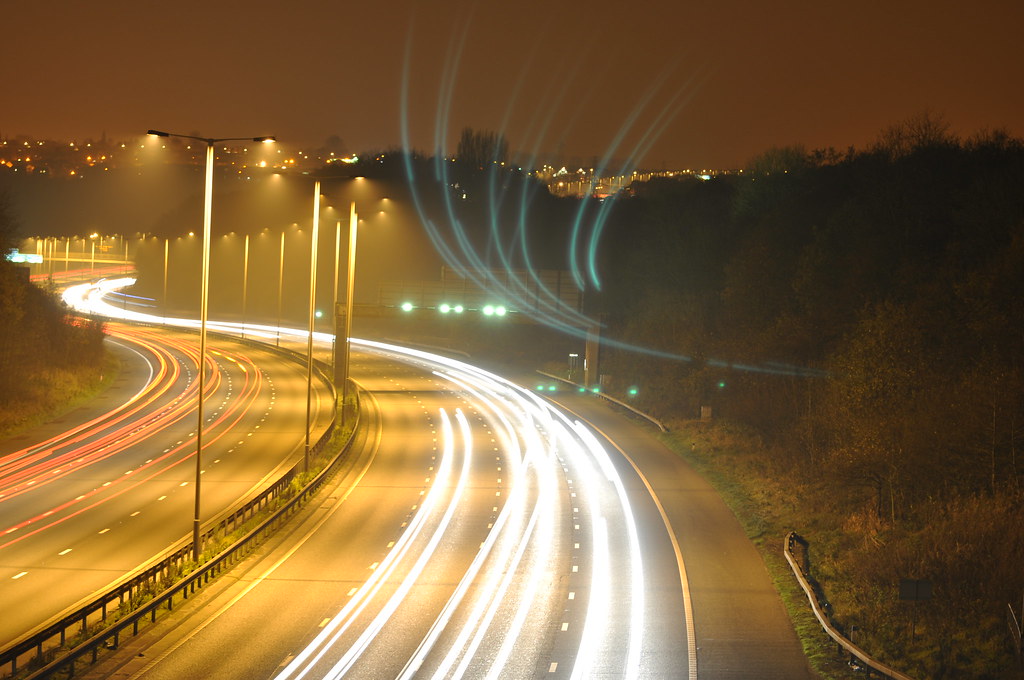

DSC_0122 by Manchesterr, on Flickr
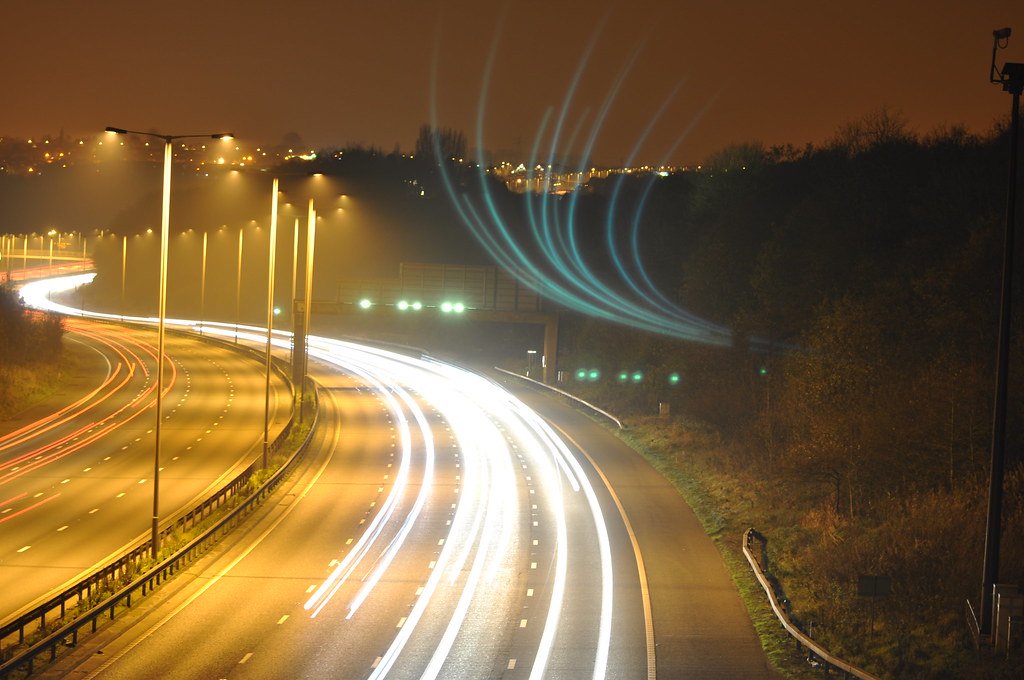

DSC_0121 by Manchesterr, on Flickr
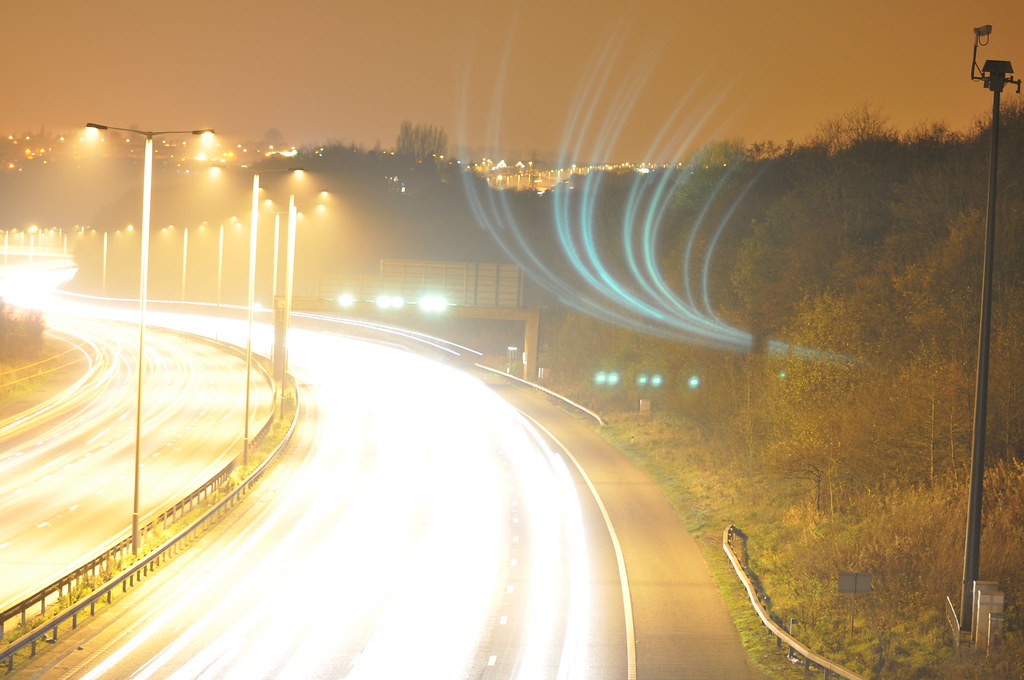

DSC_0120 by Manchesterr, on Flickr
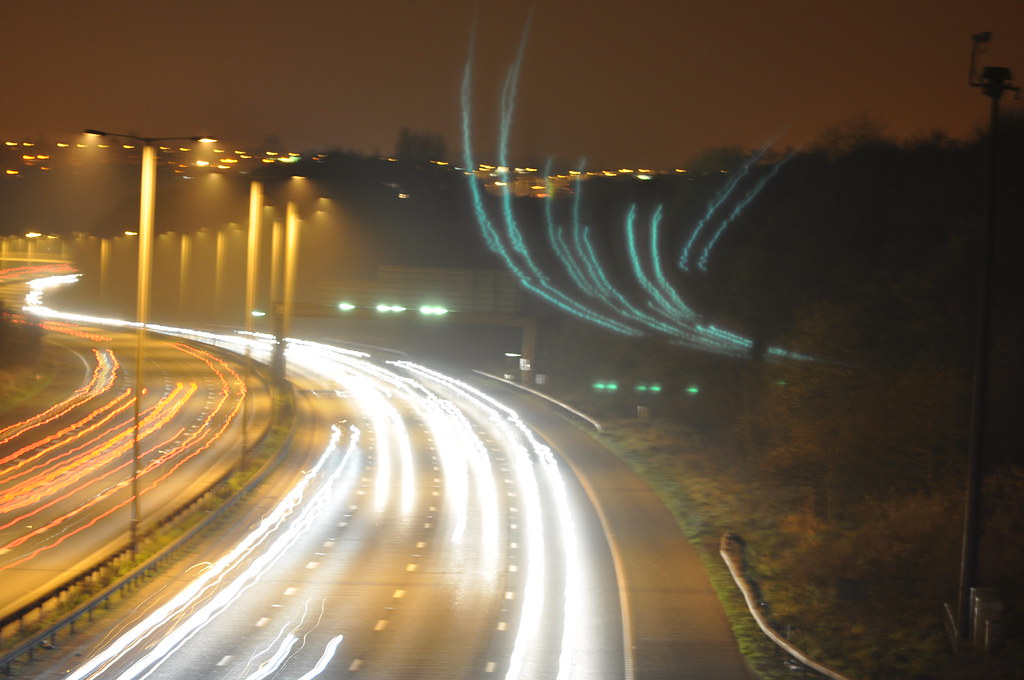

DSC_0119 by Manchesterr, on Flickr
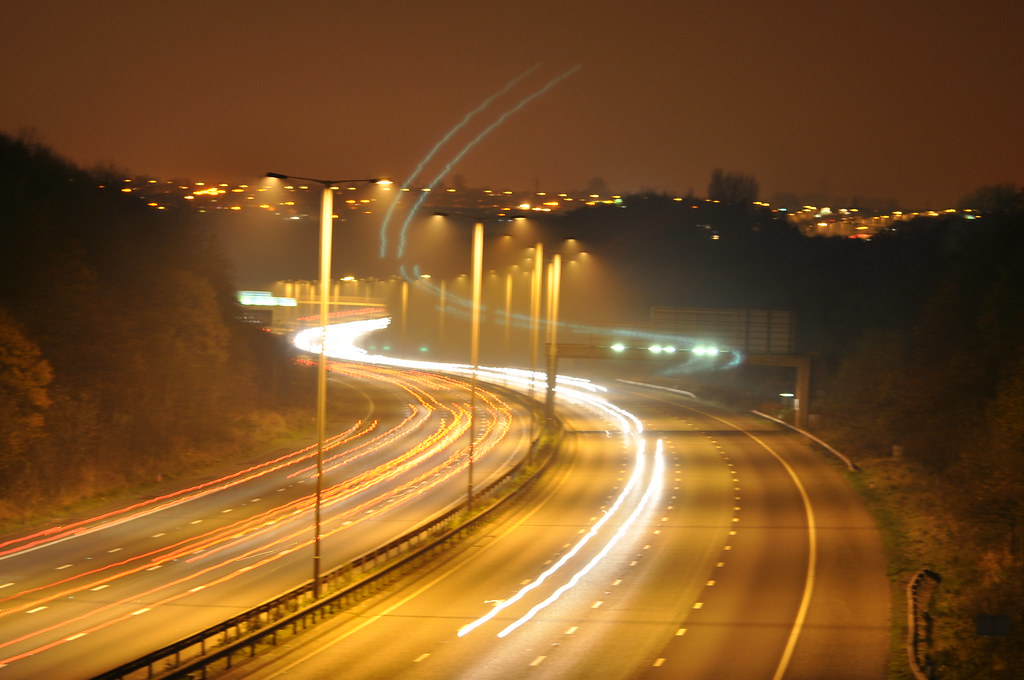

DSC_0118 by Manchesterr, on Flickr
 
Last edited:
Have you got a filter on the lens?
 
Have you got a filter on the lens?

Only a UV filter.

My thinking is that maybe the camera wasn't fastened tight enough to the tripod. Or the tripod was vibrating on the bridge.

Was just hoping that someone on here could help out.
 
Last edited:
take the filter off, its creating the reflections of the light trails, hence the funny lines 'in the sky'


Another possibility, but less likely, is light getting in through the viewfinder, always worth covering it for longer exposures, it can leak light.
 
The UV filter is the problem, the lights are reflections onto the filter from the front element.

Filters should only be used where required either for exposure correction (NDs, ND Grads), effects (soft focus, starburst), contrast control for mono (red, orange, yellow), Colour correction (80, 85 & FLD series) and protection from the elements (UV or skylight).

If you are not in pouring rain, windblown dust/sand or spray from waves then you are better off not using a filter, especially for night shots or straight into the light images.
 
Filter off, deff. Lenshood on. I'd also think it was not helped by vibration. The last one, the light trails are 'jagged', which suggests this. Can you/did you lock up the mirror and set the shutter to delay, even better with a remote trigger, IR or cable?
A hefty tripod really helps. Even a breath of wind with a less than 1/2 ton tripod ( :) ) can make a difference. Also, look at Matts tutorial, I think he uses multiple exposures to get solid, smooth light trails without blowing the road lighting.
http://www.talkphotography.co.uk/forums/showthread.php?t=281545
 
It's the filter. Very bright areas reflect off the sensor and back again from the rear of the filter, which creates a mirror image on the diagonally opposite side. You can't see it through the viewfinder, but you can in live view.

It happens with every picture you take with a filter on, though it's usually less obvious. Throw the thing away, or keep it if you must but only fit it for extreme conditions when there is actually a danger of damage to the lens.
 
Thanks everyone :) Your input is much appreciated!

Shows what a newb to this I am, as I usually leave the filters on, solely for the purpose of protecting the lens...

I used a wireless remote for the shutter (bestofferbuy.com cheap and cheerful).

Will have a look through Matts tutorial as well, hopefully pick up some more tips.
 
Hi there, okay I'll run through it a little having checked your exif on these the first thing, you have your IS/VR on, you need to turn this off :thumbs: to the settings, it appears that you've used a fairly long focal length this will exacerbate even the smallest of camera movement so should be avoided where possible.

Setting's wise on the one that I checked

4.5 seconds
f/4.5
ISO200

I would avoid ISO200 like the plague when shooting with a illuminated carriageway, you also need to close the aperture up to a lot smaller opening somewhere in the region of f/13-22 and run a longer exposure time to smooth the trails out..

Finally 100% it is the UV filter that has caused the odd reflection no doubt about that at all :thumbs:

There is a lot more information in the guide and please feel free to post any questions that you may have there :thumbs: as any question you may have could be something that someone else needs to know in the future :thumbs:

Matt
MWHCVT
 
Also, to reduce blur/vibration, turn the image stabilisation OFF.
 
Hi there, okay I'll run through it a little having checked your exif on these the first thing, you have your IS/VR on, you need to turn this off :thumbs: to the settings, it appears that you've used a fairly long focal length this will exacerbate even the smallest of camera movement so should be avoided where possible.

Setting's wise on the one that I checked

4.5 seconds
f/4.5
ISO200

I would avoid ISO200 like the plague when shooting with a illuminated carriageway, you also need to close the aperture up to a lot smaller opening somewhere in the region of f/13-22 and run a longer exposure time to smooth the trails out..

Finally 100% it is the UV filter that has caused the odd reflection no doubt about that at all :thumbs:

There is a lot more information in the guide and please feel free to post any questions that you may have there :thumbs: as any question you may have could be something that someone else needs to know in the future :thumbs:

Matt
MWHCVT

Good advice, thanks.

I actually remembered about turning of VR, so 120, 121 and 122 were taken with it turned off, and they do look a lot smoother.

Any chance you can explain the ISO reasoning please, as I don't really understand the situations where you would use a high or a low ISO, in low / good / too much light.

They were my first shots taken without using auto, so I'm glad that everyone has gone easy on me :) It looks like I need to go out to the spot and try again without the filter, using a smaller lens, and tweaking a few settings.
 
Lower ISO means you can use a longer shutter speed and in some instances you get more noise but seeing as your camera has a base ISO of 200 then I wouldn't worry about that.
 
Hi there, okay I'll run through it a little having checked your exif on these the first thing, you have your IS/VR on, you need to turn this off :thumbs: to the settings, it appears that you've used a fairly long focal length this will exacerbate even the smallest of camera movement so should be avoided where possible.

Setting's wise on the one that I checked

4.5 seconds
f/4.5
ISO200

I would avoid ISO200 like the plague when shooting with a illuminated carriageway, you also need to close the aperture up to a lot smaller opening somewhere in the region of f/13-22 and run a longer exposure time to smooth the trails out..

Finally 100% it is the UV filter that has caused the odd reflection no doubt about that at all :thumbs:

There is a lot more information in the guide and please feel free to post any questions that you may have there :thumbs: as any question you may have could be something that someone else needs to know in the future :thumbs:

Matt
MWHCVT


Good advice, only thing I would say is that iso 200 is the base iso for the D5000 (in fact most Nikons that I've seen). Assume you didn't mean increase it?
 
Back
Top