Loading & saving in Jpg

Rocket

CTID
Suspended / Banned
Messages
2,946
Name
Tony
Edit My Images
Yes
Can any one offer some help. As a local historian I have many photos that have been saved in a jpg black and white format. When opening these I am unable to use the Nik collection in photoshop. I am trying to resize etc and save into tiff, but even saving in tiff then reopening I am still unable to use Nik collection. However it doesn't happen on all jpgs.
Also i have noticed, sometimes when trying to load a jpg image onto ebay it tells me I can only load jpg or PNG, it doesn't seem to recognise my jpgs, but it does png.

I never had this issue a few months ago.

any ideas please.
 
Last edited:
Just some thoughts???

Are these all scans?
Were they all scanned on the same scanner and converted using the same software and settings?
When you say "never had this issue a few months ago" ~ can you determine what if anything has changed e.g. scans from different sources (as above questions)???
 
There is a little used jpg2000 format that achieved higher compression but never really caught on. Is it possible you have some files in that format?

Second thing is that although the filename says ".jpg" that has no definitive relation to what the file actually contains...
 
Thanks guys.
Box B, Interesting point, as some of these old jpgs were pulled off my external hard drive and yes scanned with another scanner. I was hoping after editing them then saving them in Tiff I could revisit them and be able to use them with Nik Collection, but even after saving in the tiff format still unable to use Nik.
Would there be any way of changing a setting so that I can use Nik.

Some new scans will work ok with Nik, no issues there except the problem when trying to load onto ebay.
 
How would I be able to check ?..
There is a little used jpg2000 format that achieved higher compression but never really caught on. Is it possible you have some files in that format?
 
Could you upload an example of a problematic file somewhere?

Also, one of many ways to examine the file format is to load the image into Irfanview and look at Image->Information.
 
Last edited:
I am unable to use the Nik collection in photoshop.
What is it that you are aiming to do with Nik on these jpgs? Why do you wish to convert them to TIFFs?
Bear in mind that jpgs are compressed files and you may create artifacts if you try to enhance them.
 
Last edited by a moderator:
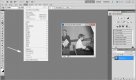
This image was scanned from an original negative. When opening in photoshop - adjustment, and filter nik collection I am limited to what I can use, yes I can do and have done plenty with it, brightness, contrast etc, but trying to work
out why I am so limited when other jpgs and tiffs are not.


..concert.jpg


Could you upload an example of a problematic file somewhere?

Also, one of many ways to examine the file format is to load the image into Irfanview and look at Image->Information.
 
What is it that you are aiming to do with Nik on these jpgs? Why do you wish to convert them to TIFFs?
Bear in mind that jpgs are compressed files and you may create artifacts if you try to enhance them.

There are many reasons to use Nik in this project, not that I need it that much in all the time, but am unable to find a reason why this is happening.
 
There could be a number of reasons why you may be having problems. It could be that the file is in some way corrupted, which makes it difficult for applications to read correctly. Have you tried loading them into a simple application such as XNVIEW and re saving them. Then processing them in NIK
 
Can any one offer some help. As a local historian I have many photos that have been saved in a jpg black and white format. When opening these I am unable to use the Nik collection in photoshop. I am trying to resize etc and save into tiff, but even saving in tiff then reopening I am still unable to use Nik collection. However it doesn't happen on all jpgs.
Also i have noticed, sometimes when trying to load a jpg image onto ebay it tells me I can only load jpg or PNG, it doesn't seem to recognise my jpgs, but it does png.

I never had this issue a few months ago.

any ideas please.
What does a 'jpg black and white format' mean. Do you mean they're greyscale? When you resave as tif, are they srgb 8-bit? Or what? What vintage of P'shop and Nik are you on?
 
I tried your example, which is a grayscale file - Image->Mode->RGB Color makes it usable with Nik etc.
 
Last edited:
I think so. It's presumably a result of the original scan settings. Saving to tiff doesn't help, because the image remains in grayscale. It looks like talkphotography supports grayscale images, but ebay doesn't.
 
What does a 'jpg black and white format' mean. Do you mean they're greyscale? When you resave as tif, are they srgb 8-bit? Or what? What vintage of P'shop and Nik are you on?

greyscale if you like, unsure of the bit rate. Using photoshop CS5 along with Nik.
 
I tried your example, which is a grayscale file - Image->Mode->RGB Color makes it usable with Nik etc.

Does this mean you were able to use the image with Nik, or are you saying it should work ? Thanks.
Screen Print of what shows on my PC.

Concert PS.jpg
 
Last edited:
It's called greyscale! Convert to rgb and Nik should then work. As Retune said - image / mode / rgb. Check or convert to srgb for print or web.
 
It's called greyscale! Convert to rgb and Nik should then work. As Retune said - image / mode / rgb. Check or convert to srgb for print or web.

GOTCHA !. Just tried that out and now I understand, and it works... Many Thank you,s to all. very helpful, very pleased.
All the best..
 
In the old analogue days, if my van broke down I could usually hop out, lift the bonnet and fix it at the roadside. These days ....
 
Back
Top