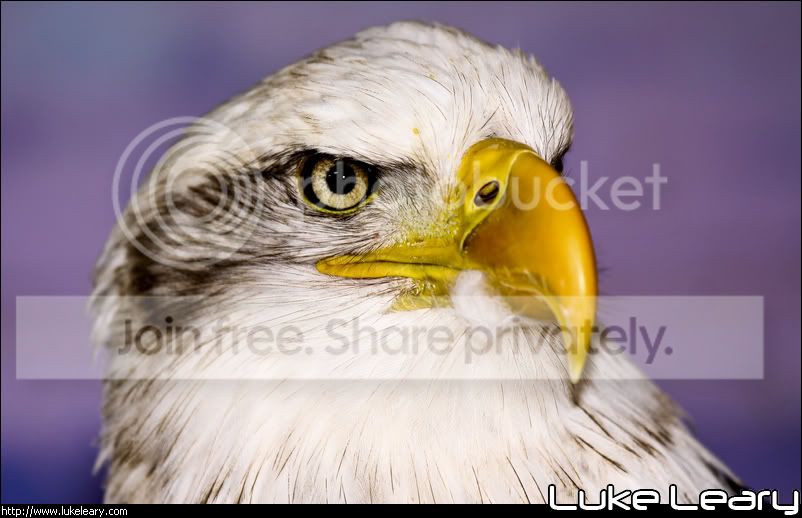
For best effect you should always sharpen after downsizing (as well as before). Otherwise the downsizing simply obliterates much of the sharpening you applied to the full sized original. In LR2 there is an option to set output sharpening when you export. I find that "standard for screen" works well. LR1.x did not have output sharpening.
I do not go overboard with my sharpening within the LR Develop module. Typically my settings might be something like 50, 1.0, 25, 40, or I might actually be quite happy with the defaults of 25, 1.0, 25, 0. Of course, the image should be sharp in the first place. Sharpening is not a fix for blurry or OOF images, just to combat the AA filter and to add a little creative enhancement/punch. Here is a recent example left at Lightroom defaults. The only edit is WB. Output sharpening on export took care of the rest. To my eyes this looks naturally/realistically sharp without that crazy overboard effect, with halos, that some people favour....
Sometimes a photo does need a little help. I can't remember if this was shot through plexiglass or wire fencing but I gave it a helping hand by sharpening at 29, 1.2, 46, 20 before exporting with further sharpening after resizing.
It's a long time since I watched this video but this might cover the topic of output sharpening as well as sharpening in general -
http://www.usa.canon.com/dlc/controller?act=GetArticleAct&articleID=287&fromTips=1
If not then this definitely will -
http://photography-on-the.net/forum/showthread.php?t=466333