Lightroom export problem

stu_the_flat

Suspended / Banned
Messages
2,443
Name
Stuart
Edit My Images
Yes
Hi Guys.

every time I try and export something from Lightroom as a Jpg that colours in the middle of the range always come out darker than what is displayed in lightroom.

It drives my nuts!

I have tweaked every opition in the export meanu and I still hav ethe same problem. I have tried both SRGB and Abobe.

Any ideas what might be causing the problem?

Cheers

Stuart
 
I've tried the standard microsoft viewer, MS paint and Corels Paintshop pro, THe jepgs all look consitant there.

I have also taken a screen shot of the jepg in light room and save it in MS paint and I get the image looking exactly like it does in Light room.

I will post some sample up tonight, but it almost looks like the contrast slider has been set to maxium contrast,

Cheers Stuart
 
Not at my LR PC at the moment but when you export and the settings window comes up you haven't got any of the boxes ticked accidently have you?

Also, check what quality you are exporting as - it might impact?
 
Lightroom uses the Pro Photo colour space, so there will be some differences when exporting to aRGB or sRGB. Pro Photo has a wider gamut than either of the others.
 
Sorry it has taken me so long to get files uploaded, i've been busy.

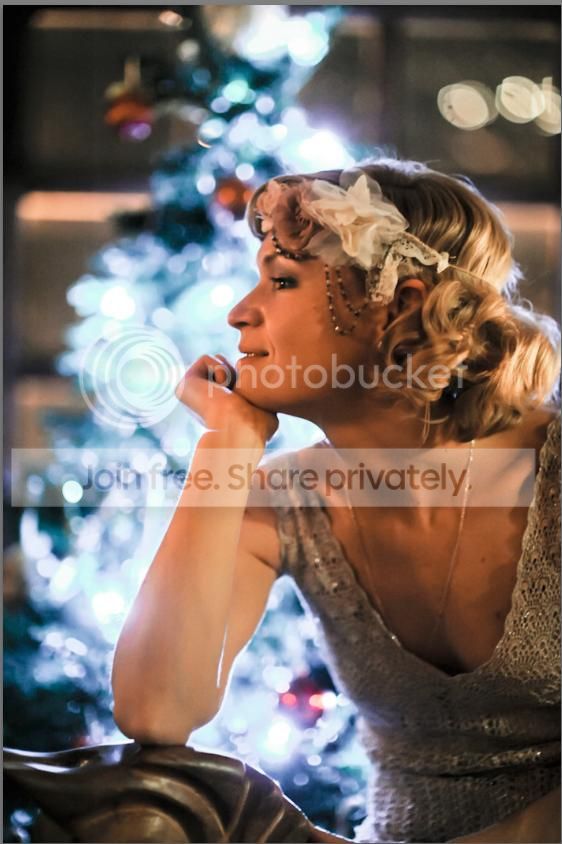
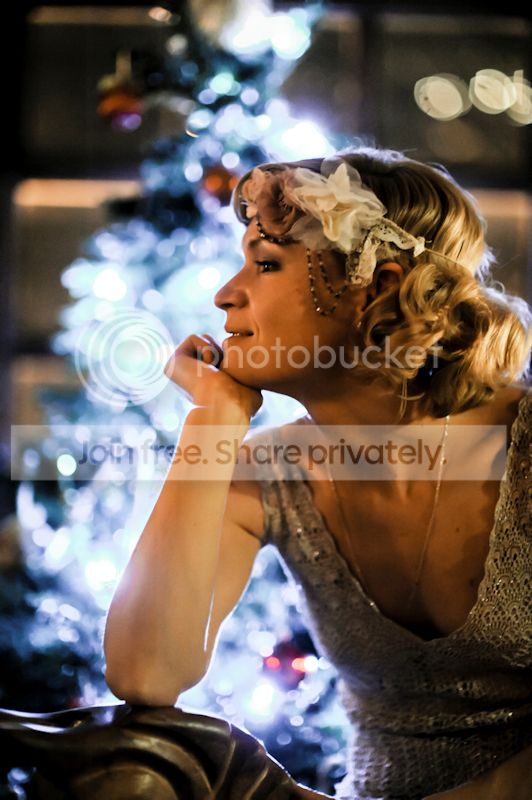
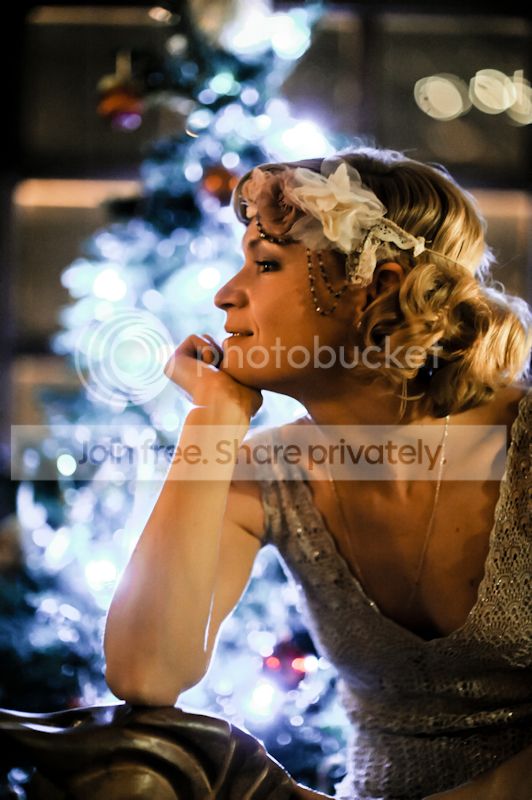
This is what I am talking about. the first image is a screen grab and saved from MSpaint and is more or less the image I want. The other two are compressed AbobeRGB and SRGB files.

No other boxes checked, image quailty set to 100%,

screengrab.jpg


AborgbINT.jpg


srgbINT.jpg


Cheers Stuart
 
Adobe rgb is not for web use and depending on the viewer it may not be able to adapt to the adobe rgb colourspace, you shouldn't have a problem with the sRgb one though so not sure why this should be different unless you are saving the file in a custom/different colour profile.
 
Back
Top