Lightroom export increased saturation?

KernowChris

Suspended / Banned
Messages
461
Name
Chris
Edit My Images
Yes
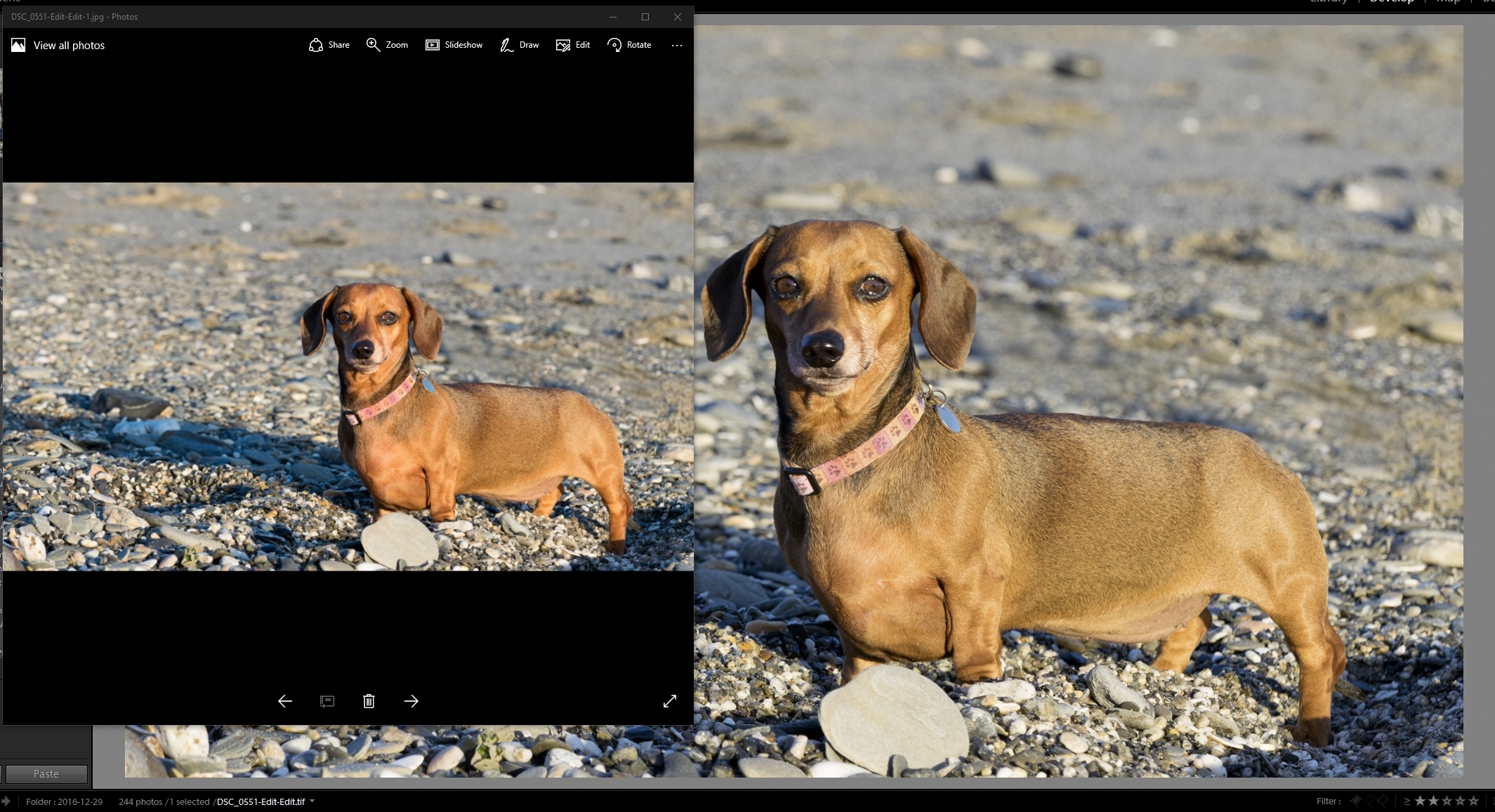
I was exporting some images yesterday and i noticed that they were ending up 'more saturated' than they appeared in Lightroom library. The camera and export option are both set to sRGB and I'm exporting them as jpg's. I've been using Lightroom since the summer and have never noticed this before, tho I have not gone back to check any older images. The only thing I have changed in the last week is replacing my crappy screen with a shiny new Dell Ultrasharp 2716D (?)

Ideas?
 
Changing screen shouldn't make any difference as you are looking on the same screen anyway?

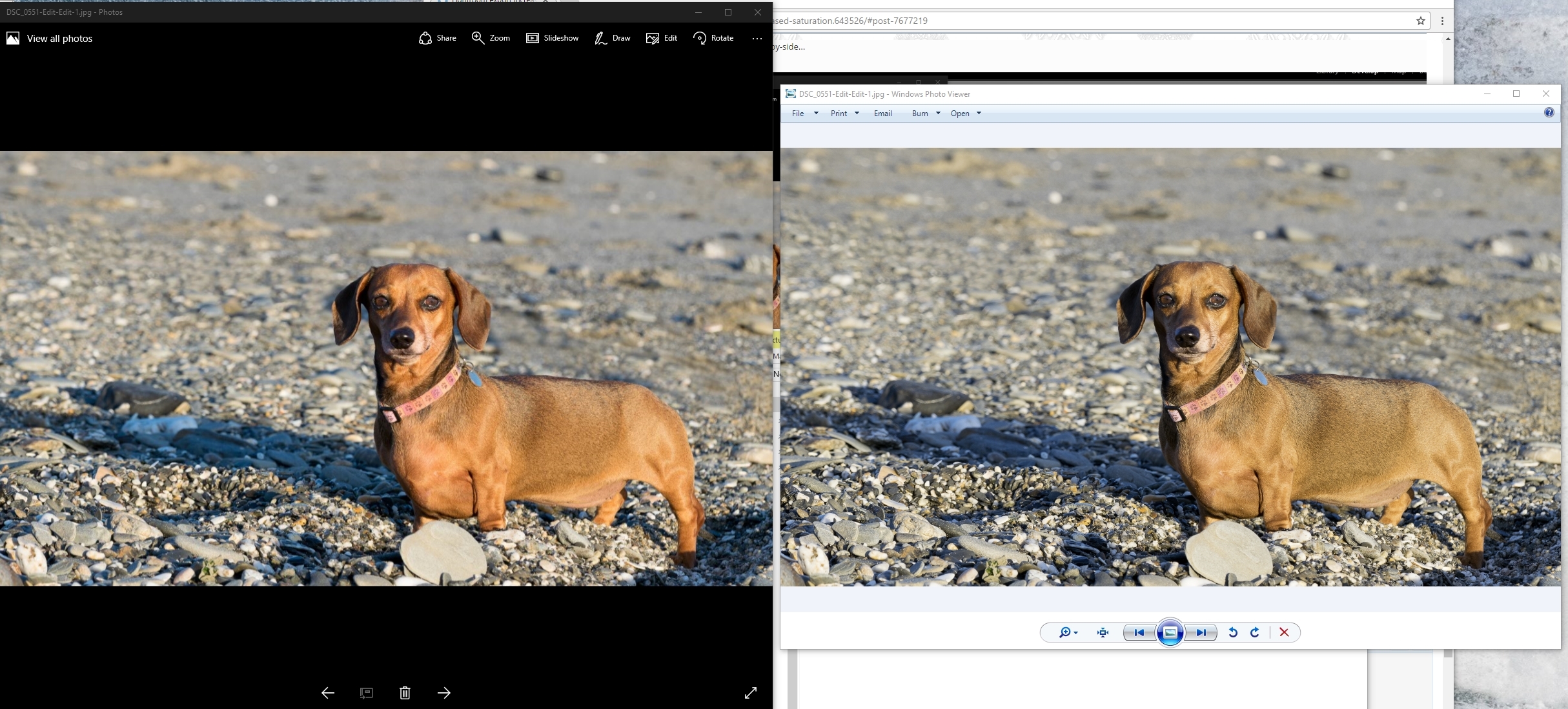
To make sure of what you say just tile lightroom on one side of the screen and windows picture viewer on the other side of the screen and you'll be able to make sure it is different. You can even take a screenshot of the difference.
 
Thanks for the reply, I was just in the process of doing a side-by-side...


c07cd53b87ecf61d82b60c03d0c0a685.jpg

c07cd53b87ecf61d82b60c03d0c0a685)
 
Probably designed for non-toggers who like images with a boost in saturation & contrast.
 
Gosh. That's quite a difference.
 
After a bit of googling it seems like the 'photo' app ignores any colour profiles. Viewing on my shiny new high gamut fell monitor accentuates the issue. There is a setting in the app which also prevents windows 'colorising' the images but turning it off has no effect in this situation.
 
Your colour profile will be adobe rgb or something of that ilk.

Export them as srgb if viewing on screen and will show better.

It used to happen a lot when send argb files to labs.
 
After a bit of googling it seems like the 'photo' app ignores any colour profiles
What profile is it using then? Most programs/systems that ignore the profile "assume" an sRGB profile, so that should not affect your images. I'd have to guess it's applying the monitor profile instead... is your monitor calibrated?
 
Back
Top