Lightroom Creating Unwanted Subfolders

Welshy74

Suspended / Banned
Messages
172
Name
Richard
Edit My Images
Yes
Hi Guys, When I used to import files into LR I would select the folder from, select the photos and then add where they would add to the corresponding folder but now it wants to set up a subfolder in the parent folder which I dont want. I want to add to the parent folder the images and not add a subfolder. Its unchecked when adding but still makes a sub folder. I have tried direct from the card and off my pc an its the same. Any ideas why as it never did this before?????


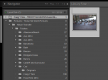
On the left is my import folder "Craig y Nos" then on the right you can see the Sub Folders adding yet "Into Subfolders" above is blank???
 
I need to understand your locations better.

By that screenshot, the photos are already in the same drive (C) and same folder (Craig Y Nos) as the location you're trying to copy them in to.

What is the location of the original photos?
What is the destination location?
 
Last edited:
Ok I will try to explain. Not 100% with computers at the best of time!!

The originals are as they are above -

Pictures -

Nikon Transfer

Folders

Folder Names etc

The destination folder should be the "Craig Y Nos" Folder towards the bottom of the screenshot but for some reason it creates the extra "Craig Y Nos - TRICKY744 at the top of the second screenshot.

Does this make sense to you? Apologies if it doesnt
 
Going across the top..

Copy as DNG - Copy - Move - Add

Select Add

You've got Copy selected and you're trying to copy the file onto itself so it's creating a subfolder to protect the files from User Error.


(You'd use Copy if you were transferring from the SD card to the hard drive as part of the Import operation)
 
Going across the top..

Copy as DNG - Copy - Move - Add

Select Add

You've got Copy selected and you're trying to copy the file onto itself so it's creating a subfolder to protect the files from User Error.


(You'd use Copy if you were transferring from the SD card to the hard drive as part of the Import operation)

I have just tried and its done the same -

Crop.png
 
You screenshots aren't helping or telling us anything useful. The problem is we only know what you describe, and your short descriptions are based on the assumption we already know what you're doing and your full intent. We don't. More words are needed, longer descriptions or bullet points of the steps you're following and full-screen screenshots please.

I also suspect that the sub-folder you think is being created isn't, the top "Craig Y Nos - TRICKY744-VAIO\.." looks like it could be the network address of the folded Pictures>Nikon Transfer>Folders>Craig Y Nos"

.. because I'm guessing you use a Sony Vaio and TRICKY744 is the network identity of your PC.
 
Ok I will try to explain. Not 100% with computers at the best of time!!

The originals are as they are above -

Pictures -

Nikon Transfer

Folders

Folder Names etc

The destination folder should be the "Craig Y Nos" Folder towards the bottom of the screenshot but for some reason it creates the extra "Craig Y Nos - TRICKY744 at the top of the second screenshot.

Does this make sense to you? Apologies if it doesnt

From your original screenshot, what it appears you're doing is selecting the images in the C:>Pictures>Nikon Transfer>Folders>Craig Y Nos destination (shown on the left hand side) and trying to copy them (i.e. duplicate them) back in to C:>Pictures>Nikon Transfer>Folders>Craig Y Nos (shown as the destination on the right hand side).
They're the same location.

Your written description is correct in terms of the right thing to be doing, but it's not mirrored in your screenshots.

When you have your memory card containing the photos, where do you import them to on your PC?
 
Last edited:
Back
Top