gad-westy
Suspended / Banned
- Messages
- 6,527
- Name
- Graham
- Edit My Images
- No
I have to admit I don't find Adobe's cloud implementation the most user friendly experience in the world.
I have lightroom classic on a mac and that is where storage of raw + catalogue file etc is.
I have a PC laptop running Lightroom CC (or is it just called lightroom now?) and for various reasons, from time to time I'll import photos from a memory card to the PC and they'll automatically sync to lightroom classic on the mac. All good. I also sometime sync the odd album from classic so that I can view photos on the lightroom app on my phone. So far, so good.
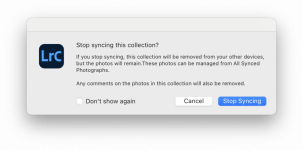
This week, while importing images to CC on the PC, I got a warning that I'd exceeded the 20gb storage I have allocated. No problem, I thought. I'll just un-sync a few albums on classic. I have done that and now those albums don't appear on CC but the photos still appear in 'all photos' and both computers claim to be synced and up to date.
So what am I doing wrong and how do I clear stuff out the cloud without inadvertently removing it from classic?
I have lightroom classic on a mac and that is where storage of raw + catalogue file etc is.
I have a PC laptop running Lightroom CC (or is it just called lightroom now?) and for various reasons, from time to time I'll import photos from a memory card to the PC and they'll automatically sync to lightroom classic on the mac. All good. I also sometime sync the odd album from classic so that I can view photos on the lightroom app on my phone. So far, so good.
This week, while importing images to CC on the PC, I got a warning that I'd exceeded the 20gb storage I have allocated. No problem, I thought. I'll just un-sync a few albums on classic. I have done that and now those albums don't appear on CC but the photos still appear in 'all photos' and both computers claim to be synced and up to date.
So what am I doing wrong and how do I clear stuff out the cloud without inadvertently removing it from classic?