Loopy
Suspended / Banned
- Messages
- 2,167
- Name
- Lynda
- Edit My Images
- Yes
I thought I'd post this as it seems daft to do it for a few people and not share.
I run a beginners camera night class, aimed at those who've just got their first camera and want to move on from the auto button. There's quite a mix of cameras from very basic compact to SLR but the class is mainly aimed at compact users.
We did a still life workshop which dabbled with light painting towards the end. While it was quite easy to get a suitable setting using the manual mode on the SLR, the compact was more challenging to get a longer exposure.
The following is the technique that I found worked, although I'm going to try a few of the other 'scene modes'.
I would appreciate some feedback please. Not necessarily on the final images, but more on the tutorial as I need it to be easy to understand. This would be a 3rd or 4th week exercise so the group should have a little bit of basic camera knowledge by then.
Painting with light with a compact camera
Camera Used: Canon Ixus 220 HS
Hopefully this will work with other Ixus cameras.
Put the camera on a tripod if you have one or on a raised stable surface such as a pile of books. Use bluetac to add a bit of extra stability.
This is where you need to either play with the camera to figure out how to change setting or refer to the manual on the CD (or on-line). The quick 'getting started' guide will most likely not have the follow details.
Take camera off Auto setting and put into program (P) mode using the 'Function Set' button.
Set ISO to 100
Set the self-timer to 2 seconds (or 10 seconds if this is the only option)
Switch the flash off (using the button to the right of the 'Function Set' button)
Set the exposure compensation to -1 (using the button above the 'Function Set' button) This will under expose the image to get the low key lighting effect.
Use the Macro button (to the left of the 'Function Set' button) and make sure that the camera is on a normal setting.
This was the set up I used.
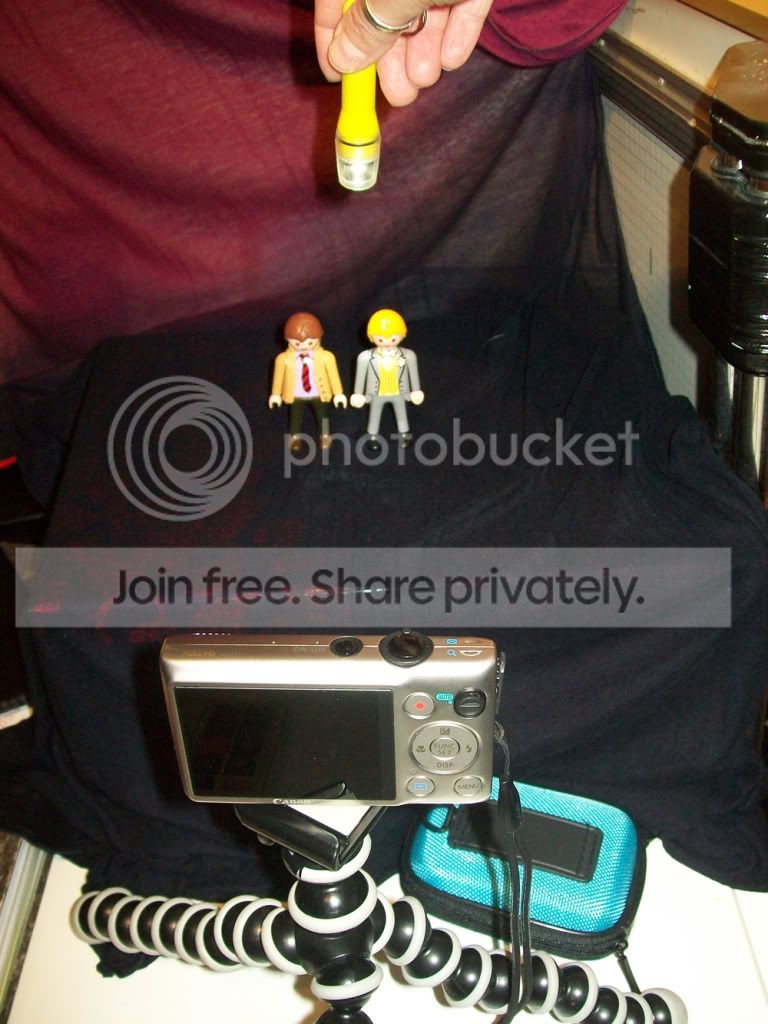
· Dark coloured scarf draped from a picture over a filing box.
· Models stood about 10 inches away from background
· Camera on tripod at same height as models and about 10" away
· Light source in final image was a single bulb LED torch
Turn the lights out in the room and shine the torch onto your subject.
Press the shutter button half way (the orange light should come on and illuminate your subject while the camera focuses). When you're happy that your subject is in focus, (it may take a few goes) press the shutter button fully.
Shine the torch on the subject while the self-timer is counting down so you know where you want the light to be (make sure not to bump the table or camera).
When I tried this, the camera set the shutter speed to .8 or 1 sec and f5.
It might take a few attempts and you don't have as much control as using an SLR, but it is possible to get some good results with a bit of imagination and patience.
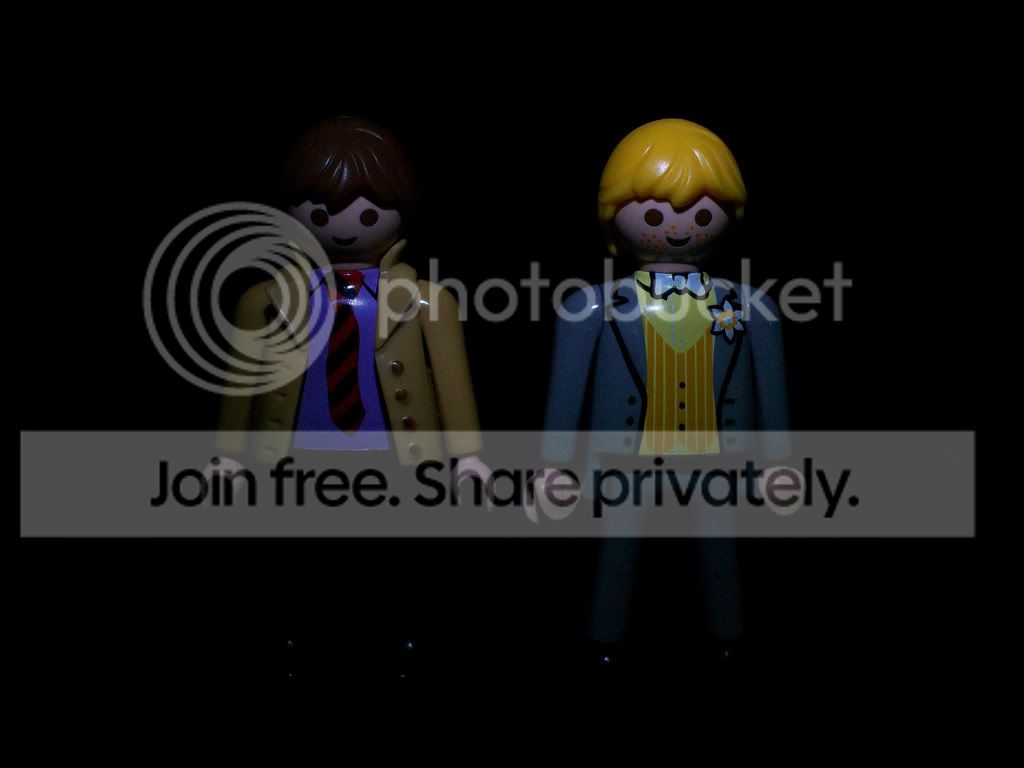
These are a couple of my images done as a test to see if this technique would work. All I have done is crop the images so the subject is more central. No other PP.
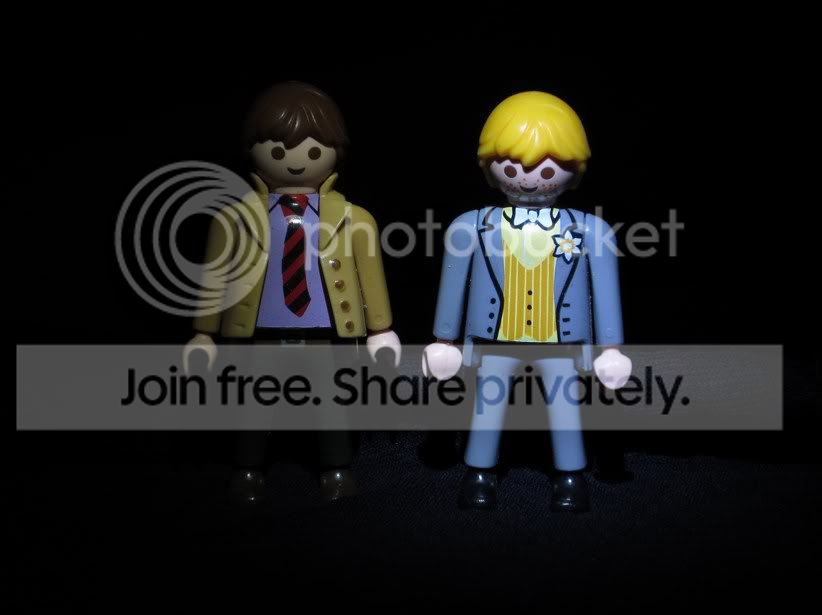

I'm going to try getting similar results with an old Kodak Easyshare later this evening so I'll post any results from that, as well as the settings used.
Thanks for looking.
I run a beginners camera night class, aimed at those who've just got their first camera and want to move on from the auto button. There's quite a mix of cameras from very basic compact to SLR but the class is mainly aimed at compact users.
We did a still life workshop which dabbled with light painting towards the end. While it was quite easy to get a suitable setting using the manual mode on the SLR, the compact was more challenging to get a longer exposure.
The following is the technique that I found worked, although I'm going to try a few of the other 'scene modes'.
I would appreciate some feedback please. Not necessarily on the final images, but more on the tutorial as I need it to be easy to understand. This would be a 3rd or 4th week exercise so the group should have a little bit of basic camera knowledge by then.
Painting with light with a compact camera
Camera Used: Canon Ixus 220 HS
Hopefully this will work with other Ixus cameras.
Put the camera on a tripod if you have one or on a raised stable surface such as a pile of books. Use bluetac to add a bit of extra stability.
This is where you need to either play with the camera to figure out how to change setting or refer to the manual on the CD (or on-line). The quick 'getting started' guide will most likely not have the follow details.
Take camera off Auto setting and put into program (P) mode using the 'Function Set' button.
Set ISO to 100
Set the self-timer to 2 seconds (or 10 seconds if this is the only option)
Switch the flash off (using the button to the right of the 'Function Set' button)
Set the exposure compensation to -1 (using the button above the 'Function Set' button) This will under expose the image to get the low key lighting effect.
Use the Macro button (to the left of the 'Function Set' button) and make sure that the camera is on a normal setting.
This was the set up I used.
· Dark coloured scarf draped from a picture over a filing box.
· Models stood about 10 inches away from background
· Camera on tripod at same height as models and about 10" away
· Light source in final image was a single bulb LED torch
Turn the lights out in the room and shine the torch onto your subject.
Press the shutter button half way (the orange light should come on and illuminate your subject while the camera focuses). When you're happy that your subject is in focus, (it may take a few goes) press the shutter button fully.
Shine the torch on the subject while the self-timer is counting down so you know where you want the light to be (make sure not to bump the table or camera).
When I tried this, the camera set the shutter speed to .8 or 1 sec and f5.
It might take a few attempts and you don't have as much control as using an SLR, but it is possible to get some good results with a bit of imagination and patience.
These are a couple of my images done as a test to see if this technique would work. All I have done is crop the images so the subject is more central. No other PP.
I'm going to try getting similar results with an old Kodak Easyshare later this evening so I'll post any results from that, as well as the settings used.
Thanks for looking.