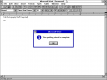
LibreOffice - Spellchecker?

gramps

Suspended / Banned
Messages
44,805
Name
'Gramps'
Edit My Images
No
When I first downloaded and used LibreOffice everything worked fine, including the Spellchecker, however in the last week the Spellchecker has just stopped working.
It goes through the process of checking but just reports everything as okay when it isn't ... even making manual errors and repeatedly chicking brings no errors.
Anyone any ideas how to put this right please?
 
I'd just check for an update and download the latest version.
 
I had that Libre office for about a week - Binned it now have the 365 MS office much better in my opinion :)
 
I'd just check for an update and download the latest version.
I have the latest version available. :)
I saw that but like most others I saw it is dated and the instructions do not line up withthe current interface. :)
I had that Libre office for about a week - Binned it now have the 365 MS office much better in my opinion :)
Not free though Les ... I have MS Office on my Windows laptop but don't want another subscripton just for a bit of word processing.
The advantage of LibreOffice is that it can deal with Office files. :)
 
Yes a subscription indeed- my wife ( Clinical Nurse) is studying for promotion, we used Libre office and work submitted by her online was not recognised due to NOT being Microsoft, So I paid out for a 12 month subscription on MS 365 , she will complete the training by October this year, Then I'll probably not renew

Les :)
 
Yes a subscription indeed- my wife ( Clinical Nurse) is studying for promotion, we used Libre office and work submitted by her online was not recognised due to NOT being Microsoft, So I paid out for a 12 month subscription on MS 365 , she will complete the training by October this year, Then I'll probably not renew

Les :)

Looks like it's not reciprocal, i.e. LibreOffice can read and deal with Word documents but not vice versa ... oddly spellchecker has just started to work again!
I was playing around with trying different fonts and found that it worked okay in the default font (Liberation Serif) but not in any other font, I started playing with font settings and it started to work ... now if only I could remember what I did! :thinking: :LOL:
 
I use LibreOffice extensively on my Linux Mint machine. I can save docs in windows format with not problems at all. And they can be read by MS Word.
 
  • Like
Reactions: RIR
I use LibreOffice extensively on my Linux Mint machine. I can save docs in windows format with not problems at all. And they can be read by MS Word.

Now you come to mention it, LibreOffice can save documents in Word format so there shouldn't be a problem. :)
 
  • Like
Reactions: RIR
Hey gramps ... have you tried clicking on "Tools" on the toolbar up top?

I've got a little tick next to "Spelling" and "Automatic Spell Checking". You can select Language too.
 
Hey gramps ... have you tried clicking on "Tools" on the toolbar up top?

I've got a little tick next to "Spelling" and "Automatic Spell Checking". You can select Language too.

Yes I checked "Tools" ... Google posts say check Tools > Options but I don't have Options.
I've done something to get it working, just not sure what! :)
 
Yes I checked "Tools" ... Google posts say check Tools > Options but I don't have Options.
I've done something to get it working, just not sure what! :)
The route is Tools ... Spelling... Automatic spell checking
 
I had that Libre office for about a week - Binned it now have the 365 MS office much better in my opinion :)
I've used it for years on several machines. Does the job and the price is right! :naughty:
 
I couldn't even find my way round latest m$ office. Ui is dumbed down so you can't actually find anything unless you remember keyboard shortcuts. Ctrl p for print or no print at all... Libre is perfect for my needs.
 
They only use MS Office in the Staff Room; spell checker works fine. :)
Screenshot from 2021-03-03 12-50-05.png
 
I couldn't even find my way round latest m$ office. Ui is dumbed down so you can't actually find anything unless you remember keyboard shortcuts. Ctrl p for print or no print at all... Libre is perfect for my needs.

File>Print works fine on both Mac & Windows.
 
  • Like
Reactions: Nod
Yes a subscription indeed- my wife ( Clinical Nurse) is studying for promotion, we used Libre office and work submitted by her online was not recognised due to NOT being Microsoft, So I paid out for a 12 month subscription on MS 365 , she will complete the training by October this year, Then I'll probably not renew

Les :)
Looks like it's not reciprocal, i.e. LibreOffice can read and deal with Word documents but not vice versa ... oddly spellchecker has just started to work again!
I was playing around with trying different fonts and found that it worked okay in the default font (Liberation Serif) but not in any other font, I started playing with font settings and it started to work ... now if only I could remember what I did! :thinking: :LOL:
If you tell it to, Libre Office will save documents as Word files. But you do need to specify the format first. I did an entire Open University degree submitting all my assignments as Word documents produced by Libre Office.
 
You can actually set up LibreOffice to, by default, save all Writer Docs in Word format and all Calc Spreadsheet docs in Excel format.

Tools > Options > Load/Save > General > Default File Format and ODF Settings

How anyone can work with the online version of Word & Excel in Office 365 I don't know!
 
Last edited:
Back
Top